
Welcome to ProjeQtOr new Forum. We migrated old forum to the new website.
You will find all your posts here, with your usual account.
Just one point : you’ll have to reinitialize your password. Use “Lost password” feature.

Hi,
I need your help with duration counting in activity >progress >progress when adding start, end date.
when added
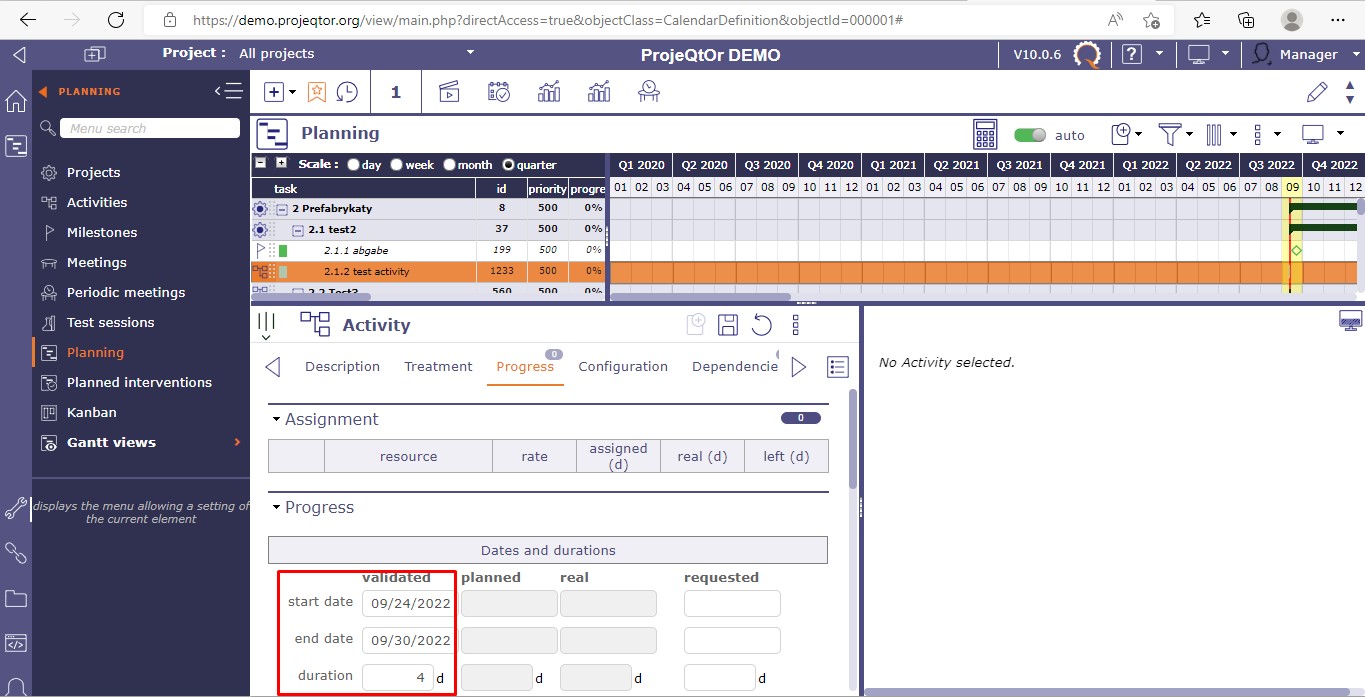
1. start date:24/09/2022(DD/mm/yyyy) , end date 30/09/2022(DD/mm/yyyy), it gives result: 4 instead of 5
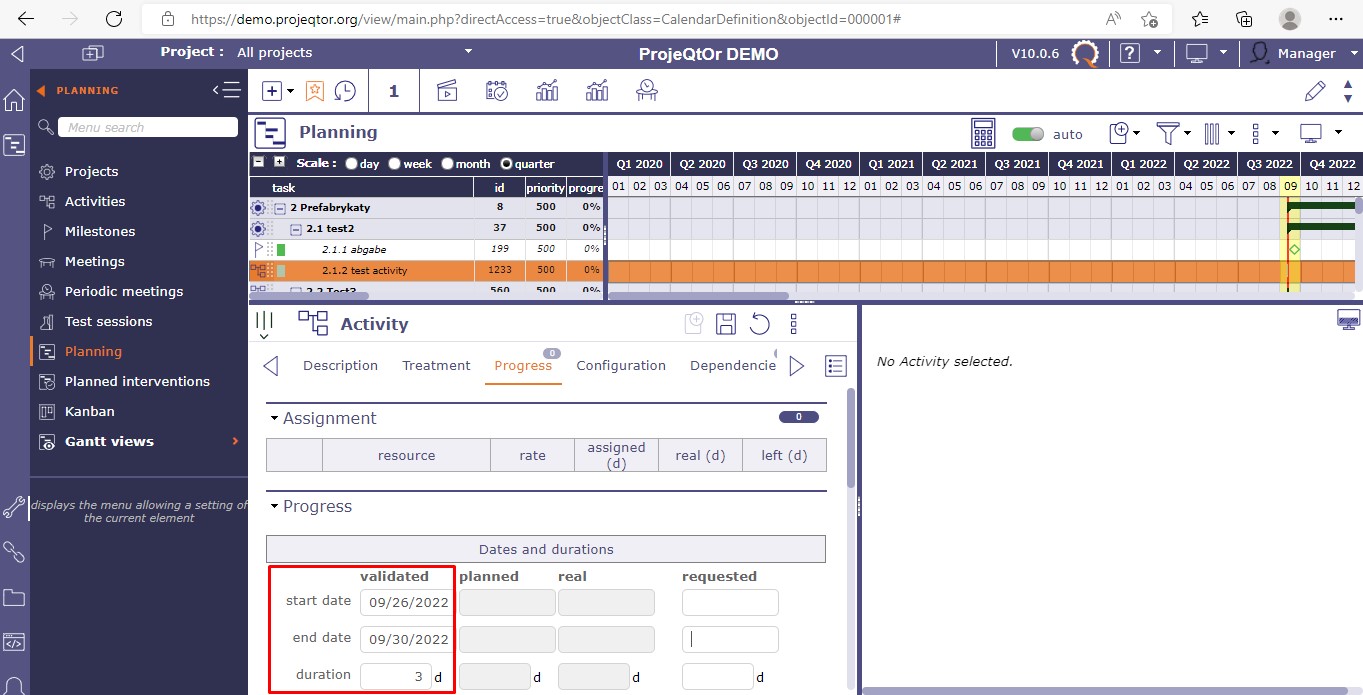
2. start date:26/09/2022(DD/mm/yyyy) , end date 30/09/2022(DD/mm/yyyy), it gives result: 3 instead of 5.
Please refer attachments.
n.b.: above checking done in demo version published by ProjeQtOr.

HI,
I do not understand what you are doing.
Training sometimes is welcomed, please refer to our professional services
If you will prefer images attached with the post, you can help me with it, because it is giving count duration different in both of the cases i explained in 1st post.
It's looking issue as per my thinking.
Please help me if possible.
At the first glance, reading one of your pictures, I notice you did not replan your project before comparing them. ..... and what is matter, please explain what you want to get playing like this with those screens.
valided dates and absences are not directly linked. It seems you do not have yet enterly undestood at least one of those concepts
Please read the user guide.
can you please help me with key words to find concept in user guide?
Are you kidding me ?
seriously no, I tried to find in user guide but not succeed.
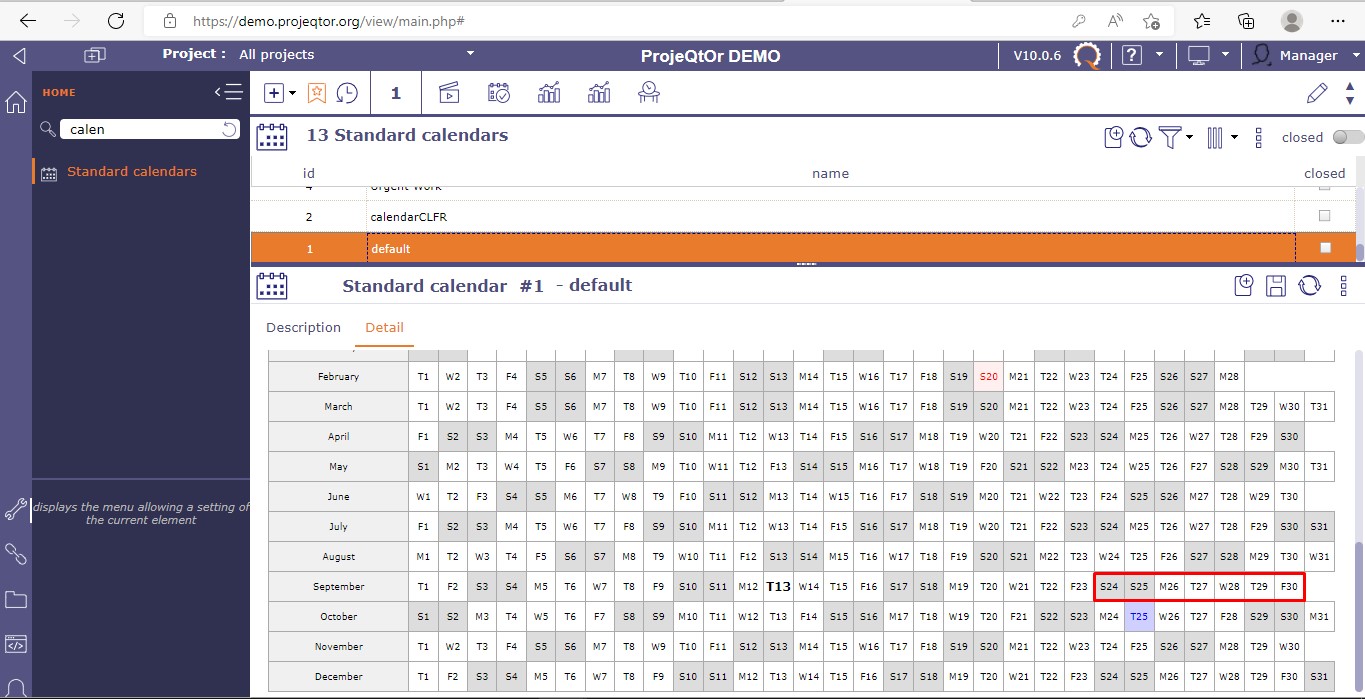
But I want to know that in case of saturday (24/09/2022), sunday(25/09/2022) are off days and and if i input start date 24/09/2022 & end date : 30/09/2022.
It should be calculated duration from 26/09/2022 to 30/09/2022, thus result should be 5 days
but system is giving result differ than it.
So considering that i had tried with different date too i.e. start date 26/09/2022 to 30/09/2022. It is giving 3 days instead of 5 days.
If you feel, I am kidding you, very sorry for that.
Screen : Absence is linked to resource
Field : Validated dates are linked to the project. It is what you expect.
There is no direct link beetween them as explained before.
This application will calculate workload taking into account absences of resource working on it. Then you ll get planified dates that you could compare to your expected dates.
Absences gains in importance when you calculate with charges.
May be you get on it.
WHat is the matter if not.
I missed something else ? please explain.
We have found something weird yes ! we are checking it ! you could be right ...
HI,
We have get the explanation.
When you choose a start date a saturday or a sunday, the application counts one day of duration more, following saturday and sunday on this activity are of course not counted.
The application considers this saturday or sunday Is imposed as starter. ON demo someone plays with calendars during your test, do not worry !
Sorry for our misunderstanding