
Welcome to ProjeQtOr new Forum. We migrated old forum to the new website.
You will find all your posts here, with your usual account.
Just one point : you’ll have to reinitialize your password. Use “Lost password” feature.

Hi,
Do the system could automaticlly send the warnning mail (indicator: respect of validated start date) without login ?
thanks alot!

HI,
yes of course, have a look in INDICATOR inside CONTROLS and AUTOMATISMS.
You can even send programmed reports by email using the dedicaded bottom over each screen of single report.
The Cron system ought to be running.
Regards
hi alainforma,
thanks, bu I have add a indicator before like this:
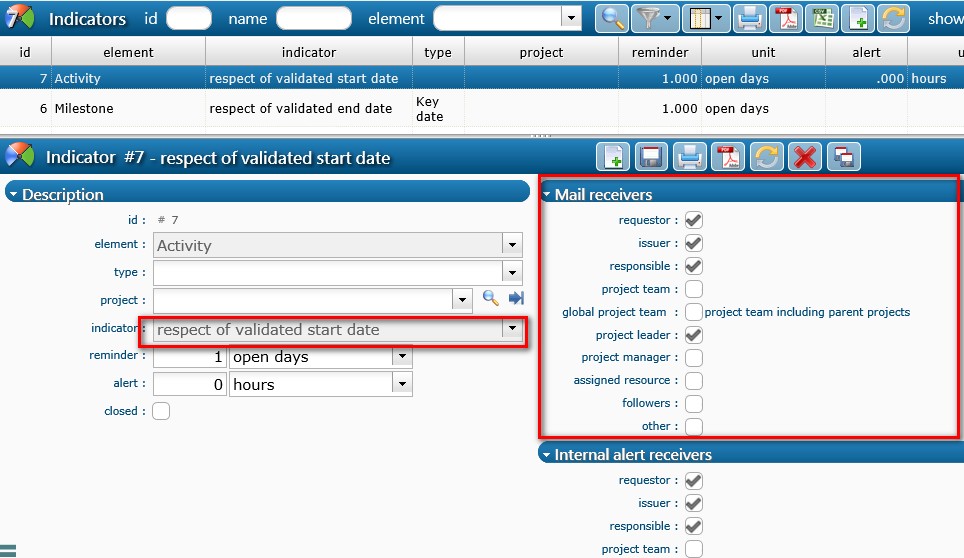
it still don't atomaticlly sent alert mail.
Anything else need to do ?
hI,
I think you have given a validated date on this activity...,?
On the contrary it is due to a technical issue on configuration email server
hi alainforma,
yes, I have given a validated start date on this activity,
and the the email server is working, but it just culden't send mail automaticlly without login...:(
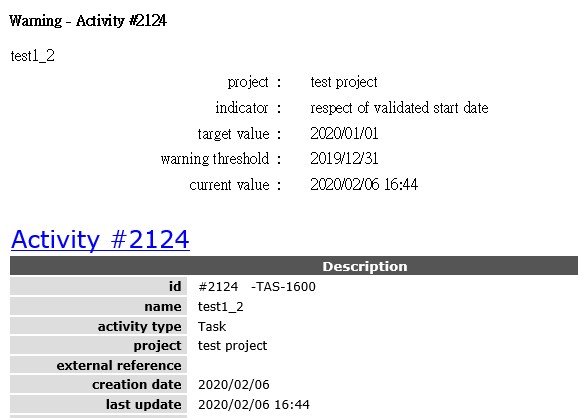
I mean, validated date (start- end) on the detail dashboard of this activity on rubric "progress"

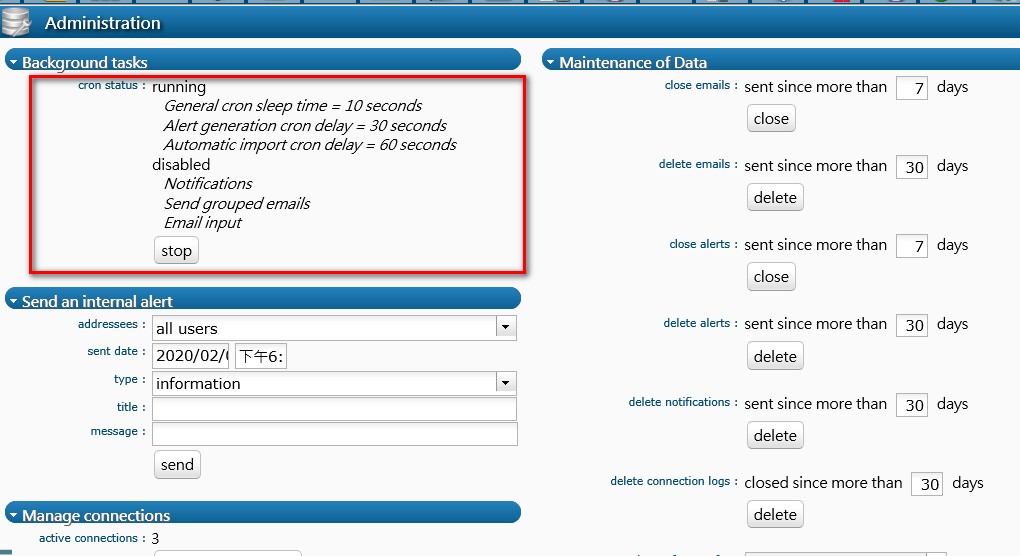
Check that your cron is running (see Administration screen)
To be able toi send alerts without user interaction, Cron must be running.
hi babynus,
yes,I have made this setting:
1) Do your users have emails ?
2) Be aware that if you change configuration "after" the alert is sent, it is not re-checked over new rules.
To be sure, change target date so that indicator disepears.
The set back to correct target date so that indicator reapears : email should be send...
3) check that emails are not in your spam mailbox or filtered by mail server
hI,
I think you have given a validated date on this activity...,?
On the contrary it is due to a technical issue on configuration email server
hi alainforma,
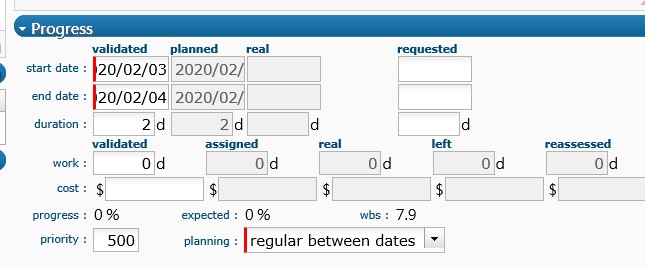
yes, I have gieven the validated dates:
please read babynus's answer
1) Do your users have emails ?
2) Be aware that if you change configuration "after" the alert is sent, it is not re-checked over new rules.
To be sure, change target date so that indicator disepears.
The set back to correct target date so that indicator reapears : email should be send...3) check that emails are not in your spam mailbox or filtered by mail server
hi babynus,
Do I have to activate this?
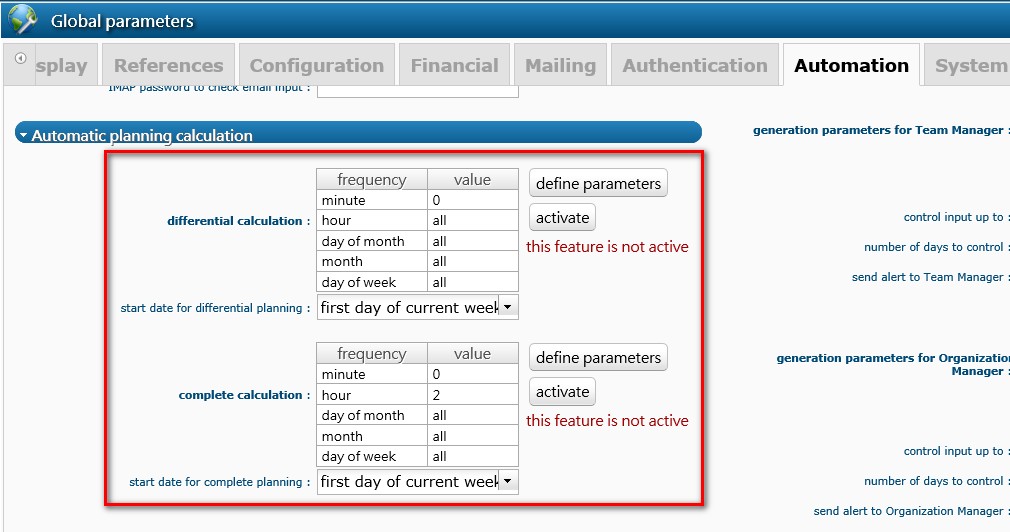
no.
it concerns only automatical planification.
1) Do your users have emails ?
2) Be aware that if you change configuration "after" the alert is sent, it is not re-checked over new rules.
To be sure, change target date so that indicator disepears.
The set back to correct target date so that indicator reapears : email should be send...3) check that emails are not in your spam mailbox or filtered by mail server
Thank you babynus,
I build a new activity, and the end date after the date I changed the configuration, then it work!