
Welcome to ProjeQtOr new Forum. We migrated old forum to the new website.
You will find all your posts here, with your usual account.
Just one point : you’ll have to reinitialize your password. Use “Lost password” feature.

Hi,
It seems like to be very straight forward but I can't figure it out. Searched in the manual and forum already. All my projects are planned to have the end date on the same date as the start date. Am I missing something?
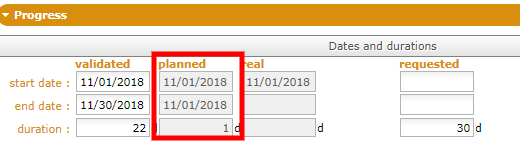
Thanks!

I gues you don't have any assigned work.
So all your activitiies have 1 day duration
I have created activities and assigned to the project and also added time to the assigned resource if that is what you mean by assigned work.
I'm very frustrated about these kinds of basics. I hope there was some kind of quick start guides but I couldn't find any. I'm willing to make such tutorial once I sort all these out. :side:

I have exactly the same problem, spend over 2 weeks now putting various data and trying to evaluate this software.
I had recommended this software be fully evaluted but have now the same issue with the plan which has somehow calculated the planned dates incorrect, they were correct but are not now. The assigned time has been added, and the real time which is the same. It has calculated that there is a need for extra time somehow not sure why!?
Plus the planned end date is wrong, the validated end date is correct for the task. There appears to be no solution, therefore not possible to create a stable plan in projeqtor!!! or I am missing some critical information. Happy to record the solution if there is one.
Can anyone help.
Sorry appears for some reason I can attach image of activity.
Validated Planned Real requested
Start date 19/2/19 19/2/19 19/2/19 blank
End Date 4/3/19 19/3/19 blank blank
duration 10d 21d blank blank
work 45.81d 45.81d 45.81d left 7.06d reassessed 52.87 d
cost blank blank blank left blank reassessed blank
priority 500 planning fixed duration
If someone could help I would really appreciate it.
I added the planned work in the validated field in Cost and works. And now it shows the correct planned date. Is it the correct place?
However, it is not what I wanted. The planned hours is the totally estimated work but it is not full time, i.e. 8 h / day. So for 8 hours work can be stretched to one week.
What should I do to make the planning?
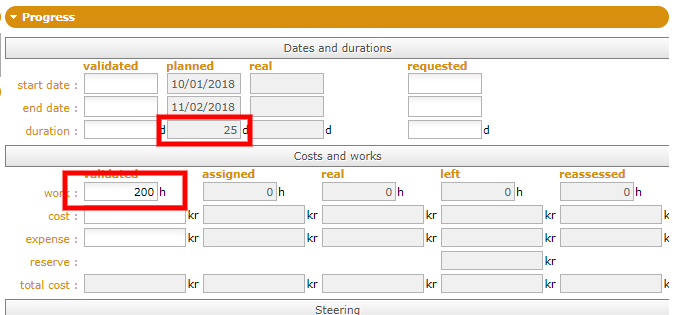
You need to add assignment to get real planning.
1) create resources (if not already exist)
2) allocate resources to project
3) assign each resource to each devoted activity.
Thanks!
I have created the resource and allocated resources to their projects. I have also assigned the resource to activity, but I don't get how to set the monthly planned hours for each resource. Please advice, thanks!
Here are the activities that I created. I'm thinking about creating one activity for each month and set the start date to the 1 st day of the month.
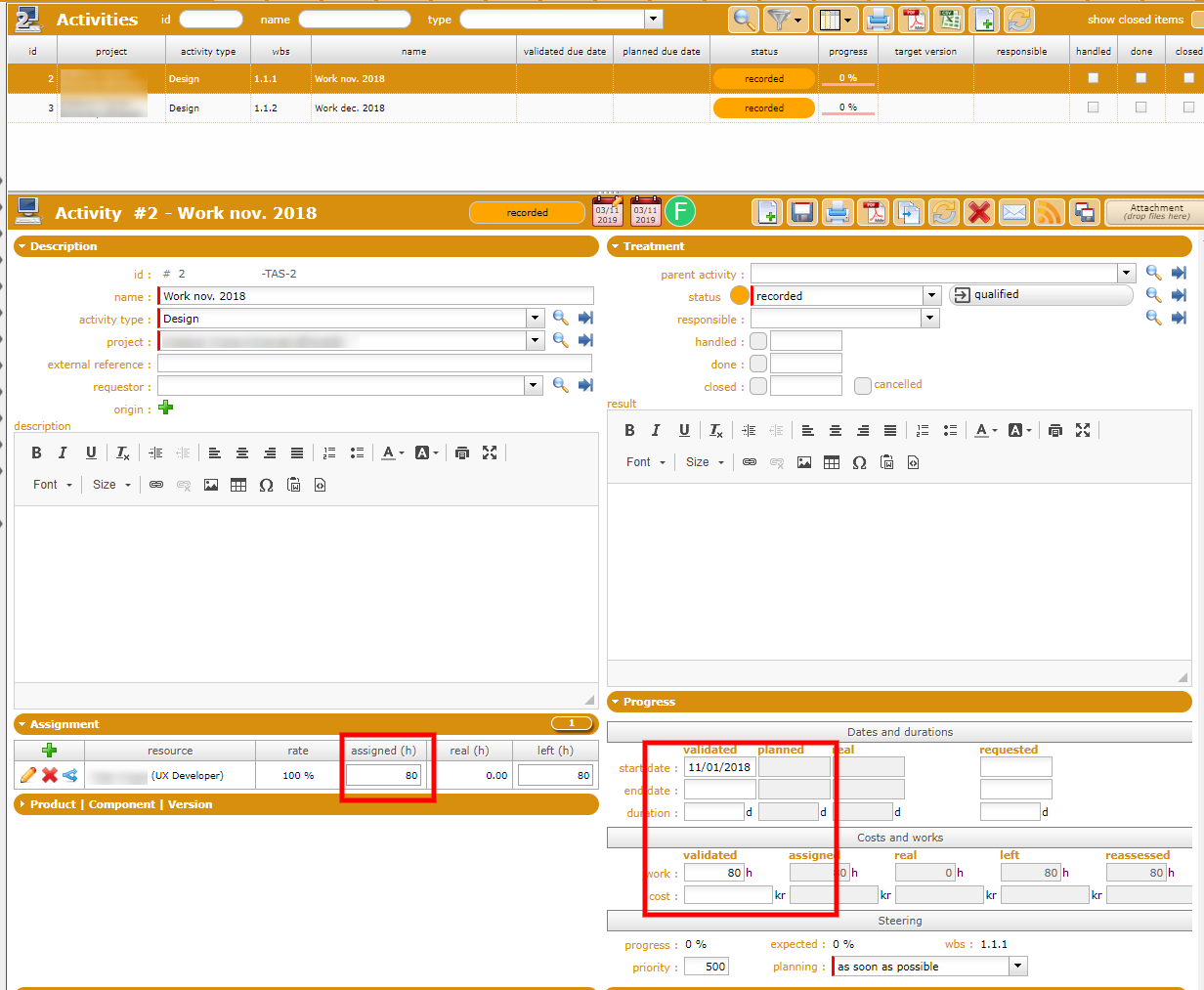
And then the planning part.
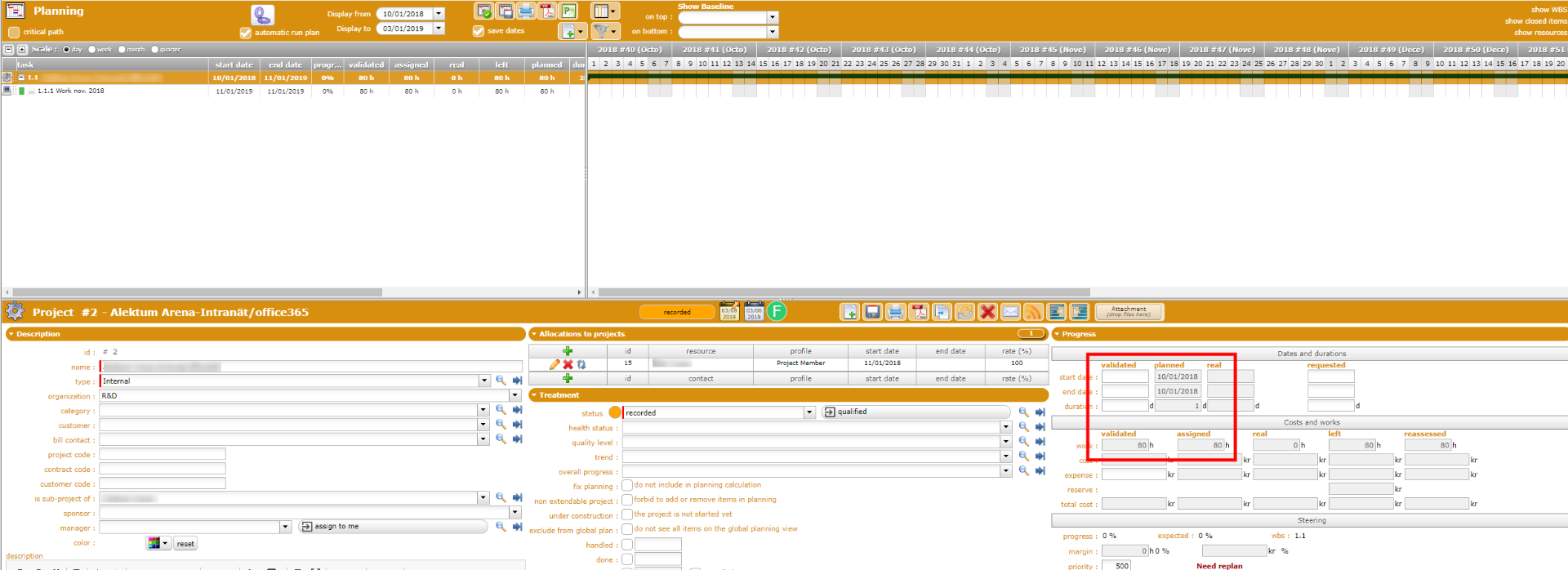
New run planning calculation : use gear button on planning screen.
Hi,
I did the recalculate planning. I don't understand why it became red for the first activity. The rate is 57% of 80 hours work is about 18 days, it should exceed one month.
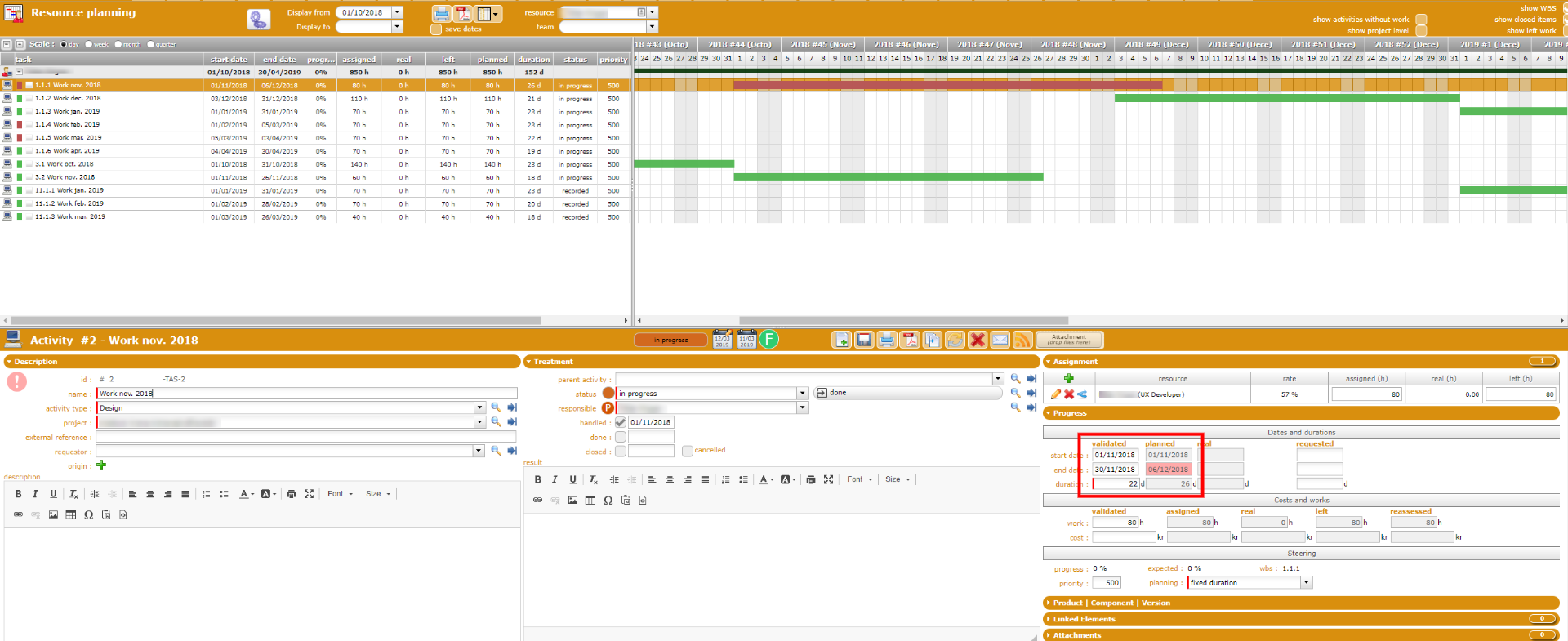
This resource has another project simultaneously with a rate of 43% and it shows green.
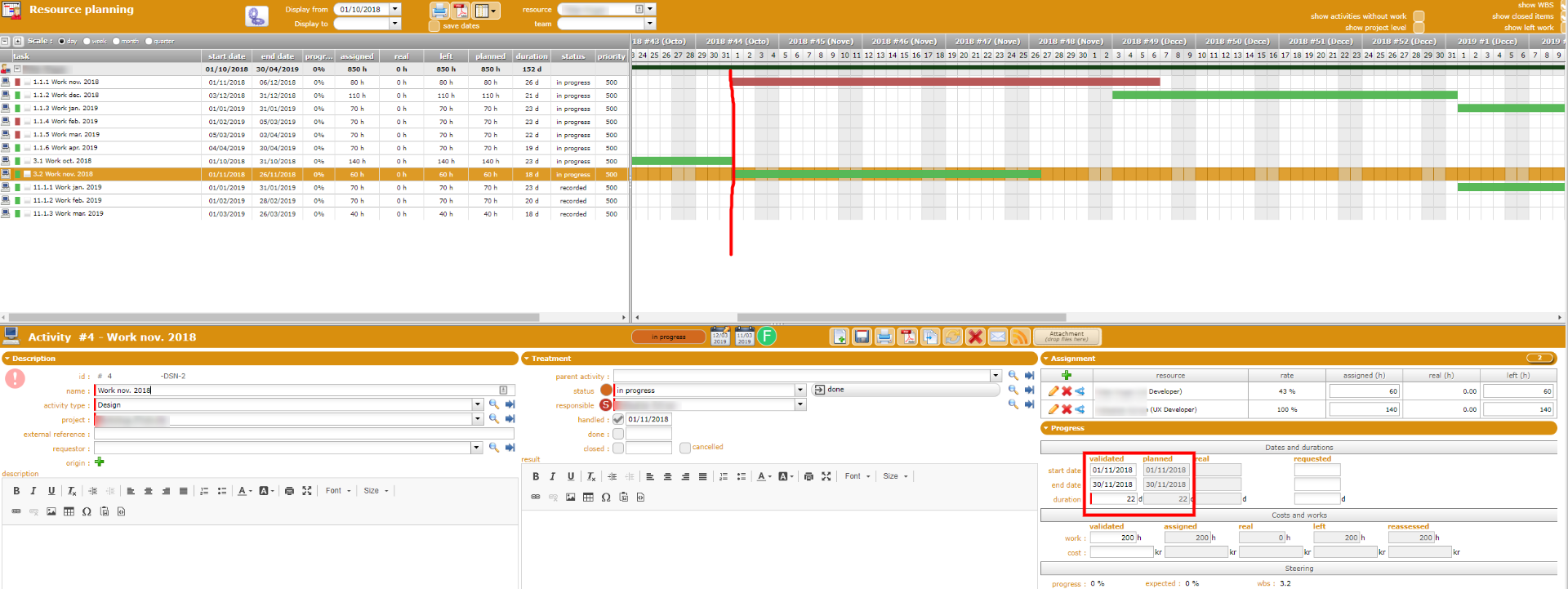
It's been driven me nuts! Please help! Thanks!
Task is red because planned end date (calculated by planning process depneding on availability of resource) is over the validated end date (you entered manually)
Thanks! I know that's why it is red but I don't know how it is calculated, why it is planned after the validated end date. When I calculate myself it shouldn't exceed the validated end date.
My calculation is based on the resource rate and assigned hours. For example the task 1.1.1. The resource has a rate of 57% with assigned 80 hours of work, so the calculated duration would be 80/(8*0.57)/5=3.5 weeks, which is less than one month as planned. Is there another constraint I should consider? Please correct me if I'm wrong.
Resource allocated to 57% for 80h, will work 4,46 hours per day on the task, so possibly end it on 17,54 open days.
If planning is more, possibly resource is busy on another tasks (or entrered some real work to notify absence)
I got another problem as shown in the screenshot that the second activity should be planned for April whole month with a fixed duration, however, it planed earlier and with shorter duration. I really don't get it. I have deleted all reported work and recalculated several times but nothing changes. Thanks for your patience and kind response!
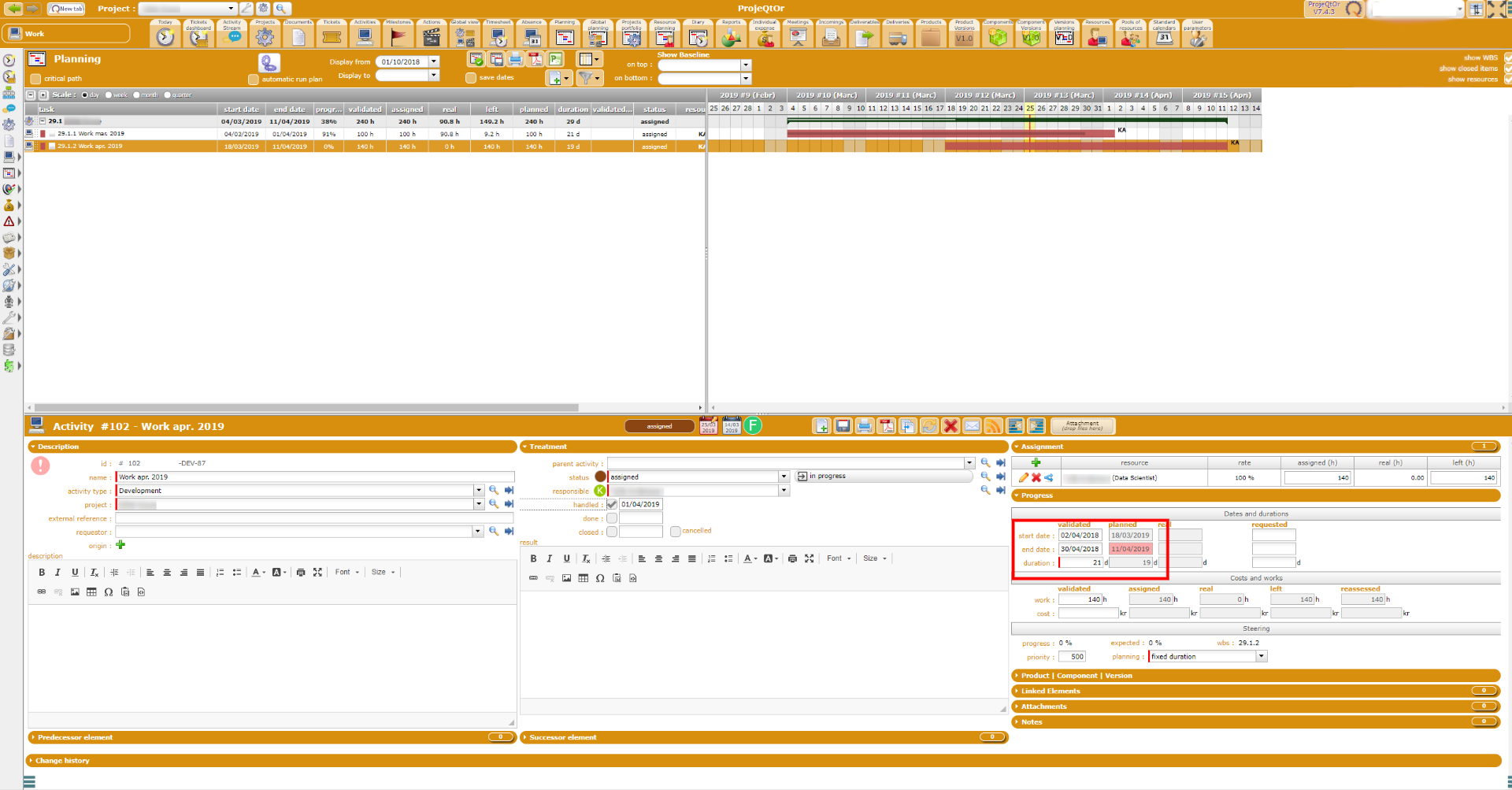
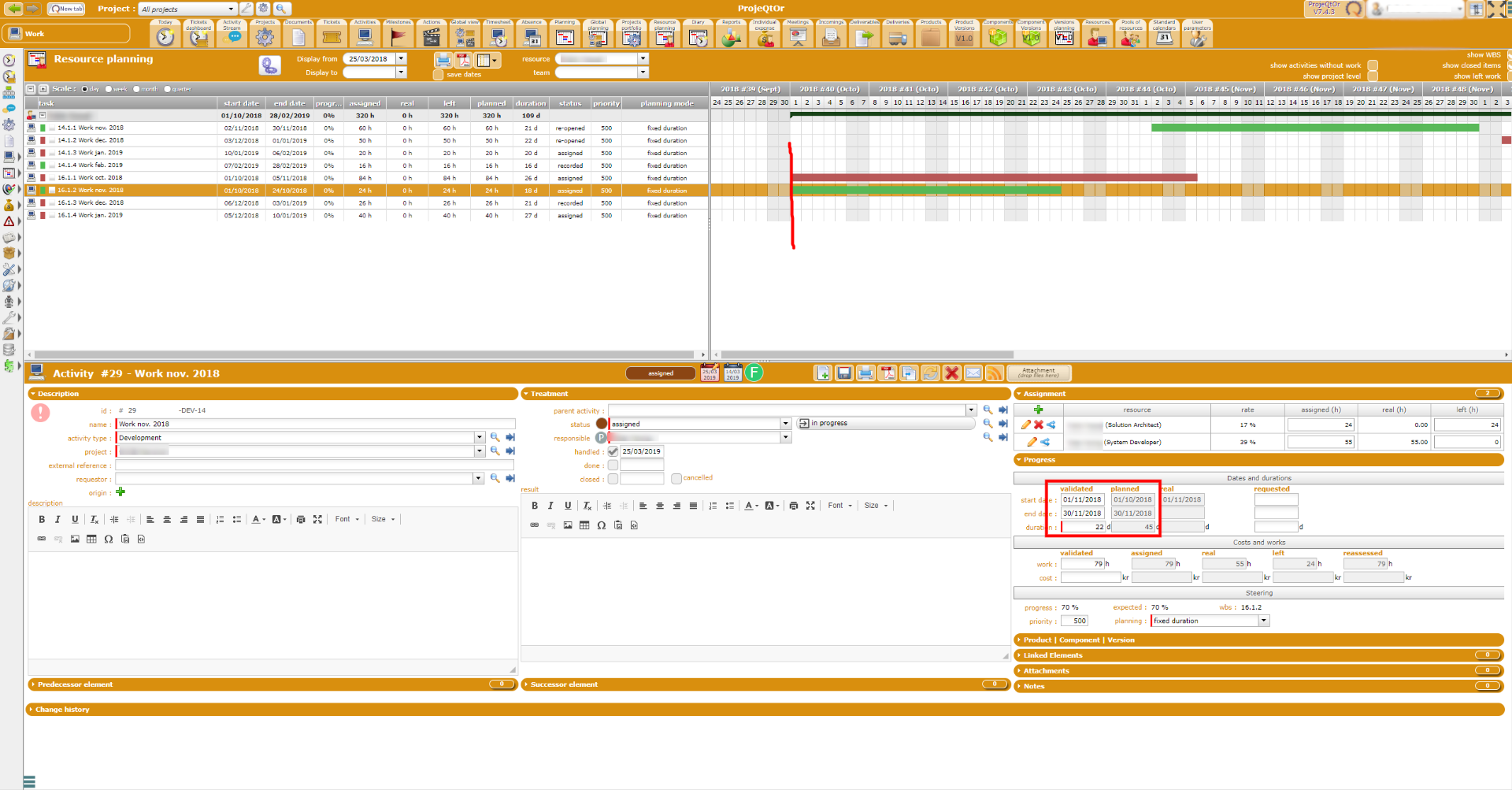
And another example, you see the work in November was planed in October instead.
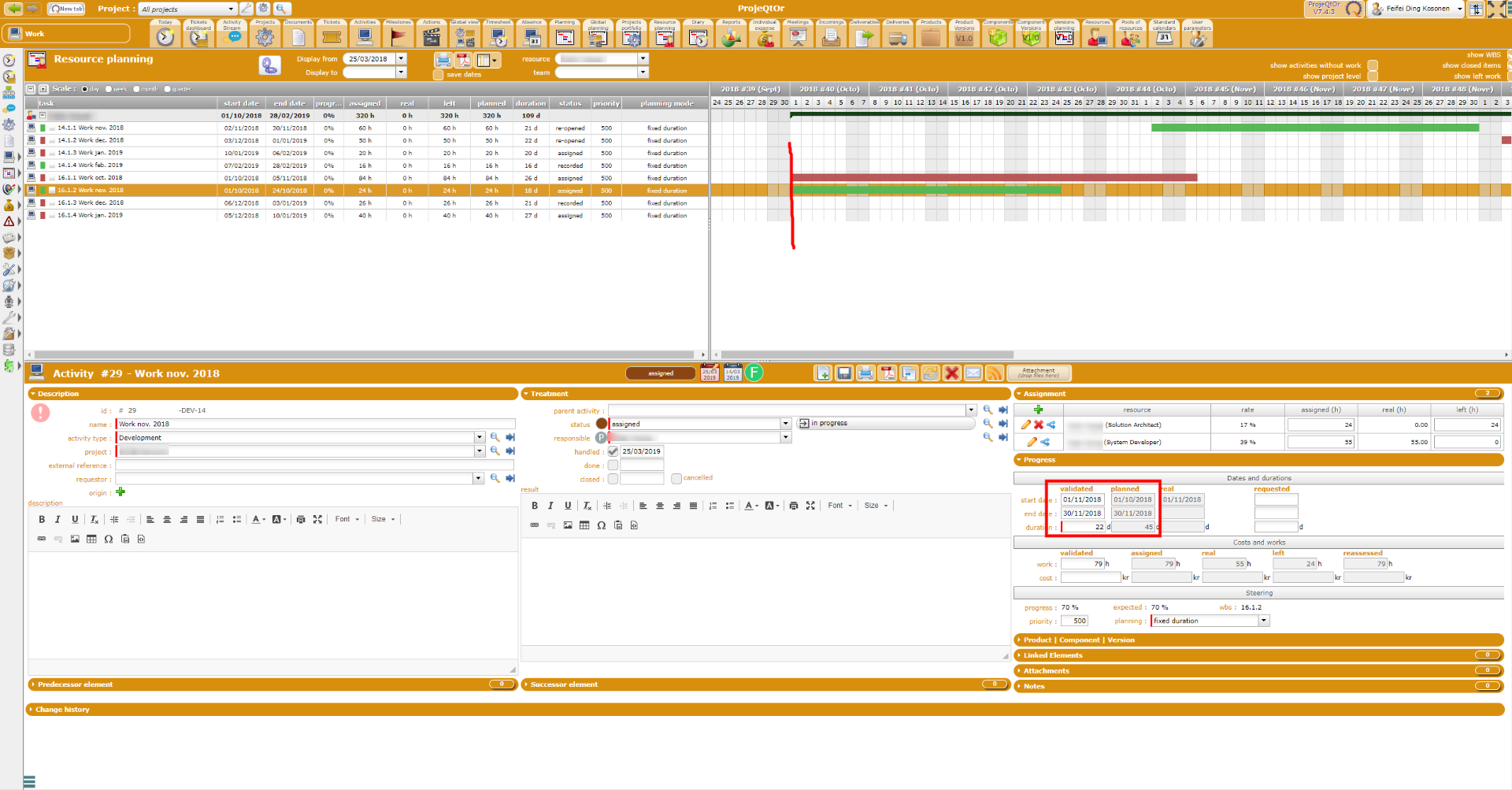
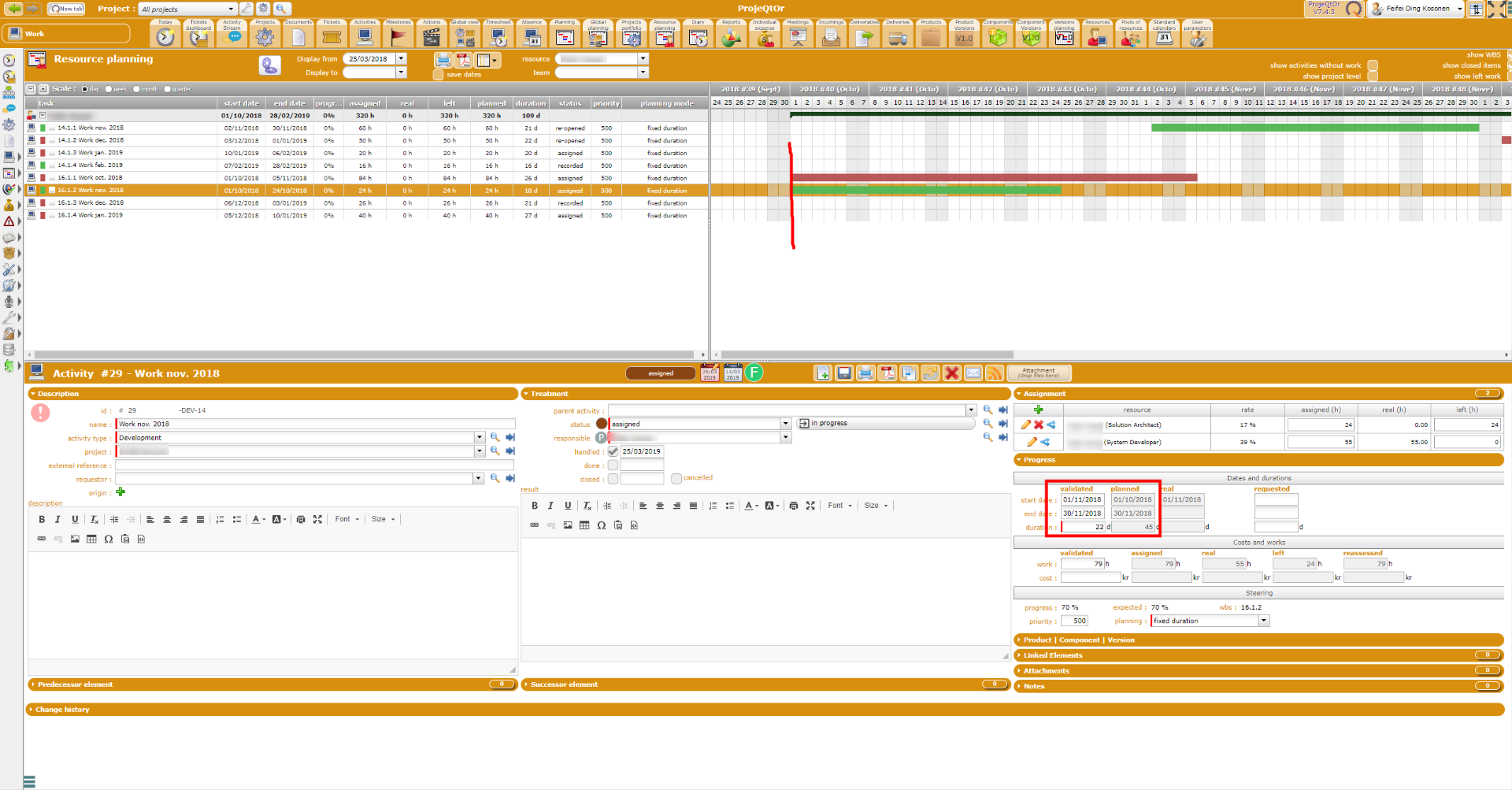
Did you re-run planning calculation ?
Yes, I did.
can you show detail of planned work (right click on task bar)
Which task bar?
Gantt task bar of second actiivty (which is incorrectly planned)
Sorry, I still don't get it. You want to see detailed planned work. I only filled in the validated start dated and end date which I have framed with the red rectangle. Isn't it what you mean by detailed planned work?
On the gantt bar (te one with WBS 16.1.2) , move the mouse cursor over the green bar and right click...
This will display detail of planned work.
Ah, I see...
Actually, the activity is ok now, I don't know what I have done. But the same problem occurs for other activities as well.
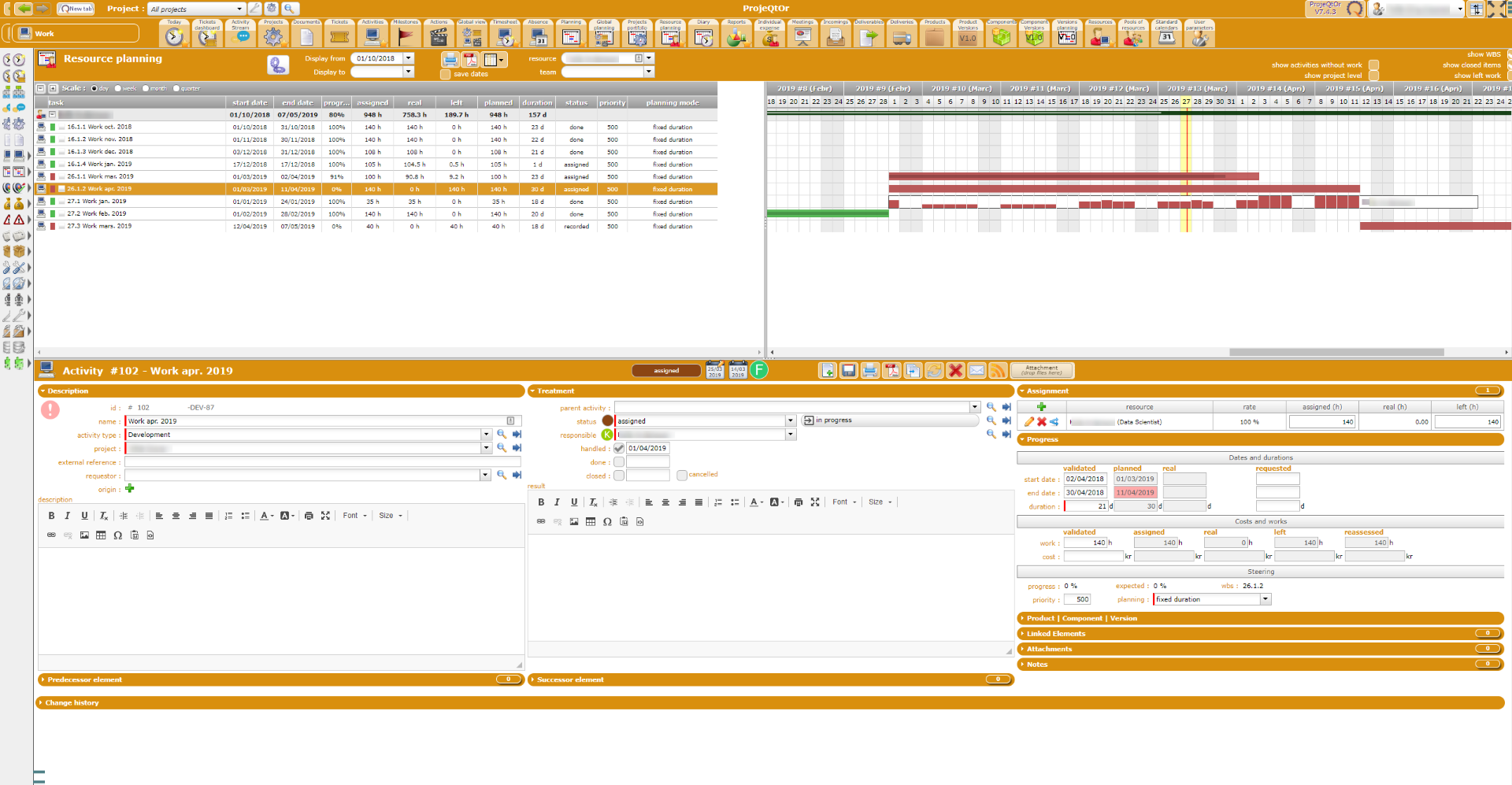
So please poste data for activities with the issue
I realized that I have misunderstood the project rate and the activity assignment rate for a resource. I changed some of them and now it looks much better.
Is there any way to remove all real work? I have to start over everything...
No.
You have to remove it manually.
:(, that'll be a hell of work.
I think I understand more how it works now. 🙂