
Welcome to ProjeQtOr new Forum. We migrated old forum to the new website.
You will find all your posts here, with your usual account.
Just one point : you’ll have to reinitialize your password. Use “Lost password” feature.

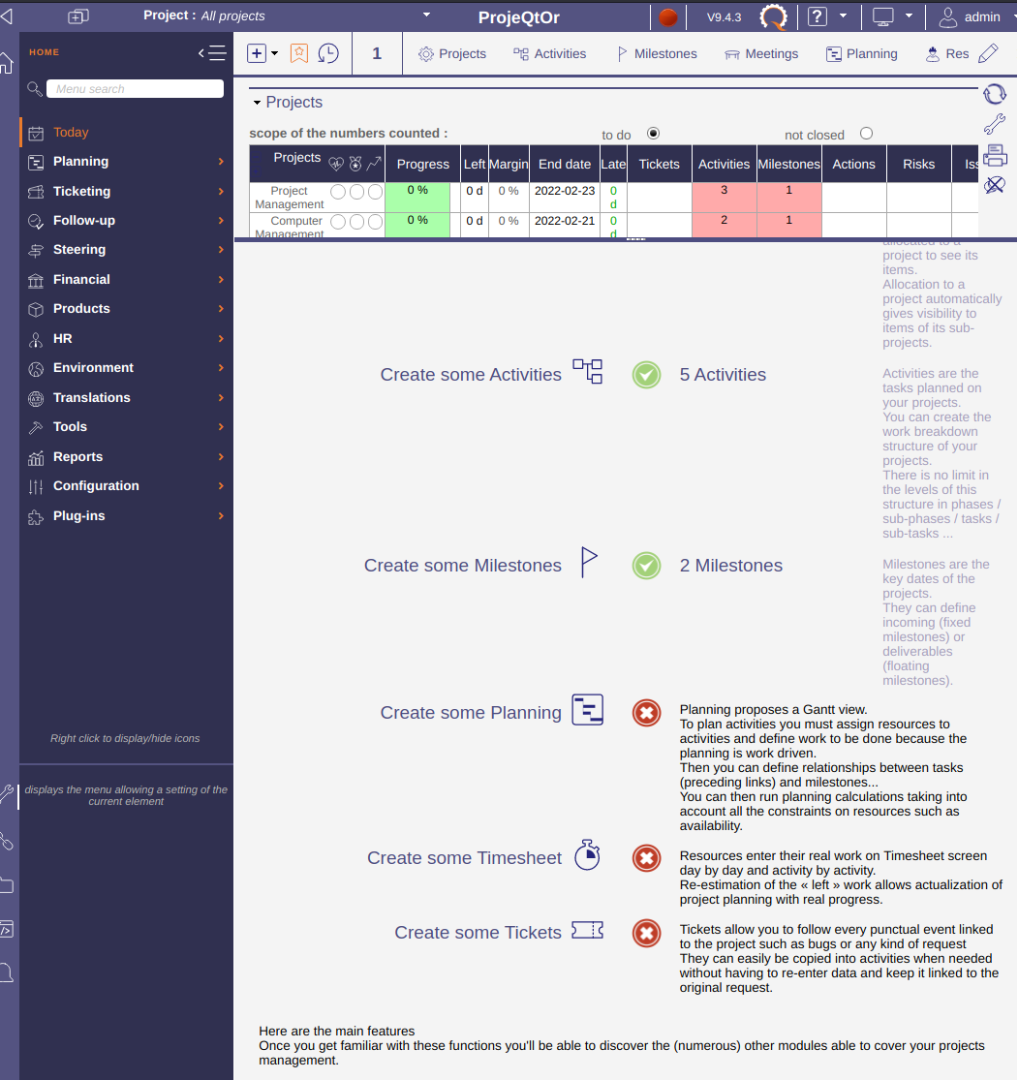
I am working through the "Start Guide" in a brand new ProjeQtOr V9.4.3 install. I've made some example clients, contacts, resources, users, projects, allocations, activities, and milestones. I'm just walking through this with some simple placeholders just to understand the software before I start with something real. So far so good, and it says my progress is 73%. This is great, it's a wonderful introduction to the features of the program, and even though I'm familiar with PM in general, I really appreciate how it walks through the steps so I can see how it works with this software!
However, I can't seem to get the next step to progress. The next step is "Create some Planning". I've clicked through into the Planning area, and did a bunch of planning work. I linked all of the activities and milestones together to create dependencies, recalculated everything, validated the plan to generate planned dates on everything, generated a baseline schedule, etc. However, no matter what I do, when I come back to the "Start Guide", it says this step is not finished.
How can I proceed past this step? I realize I could just ignore it and move on, but I want to understand if there is a step I'm missing (and if not, then this might be a bug which would be worth fixing so that others don't get into this same situation).
I've attached a couple screenshots showing what I'm seeing.
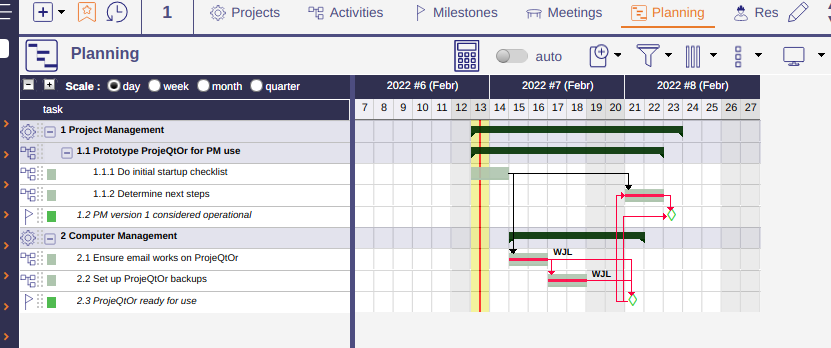

You did not assign work to resource.
ProjeQtOr expects (at least for start guide) to build a capacity planning.
So progress requires to enter so "assigned work" is the assignment table, and recalculate planning