
Welcome to ProjeQtOr new Forum. We migrated old forum to the new website.
You will find all your posts here, with your usual account.
Just one point : you’ll have to reinitialize your password. Use “Lost password” feature.

Hello,
I've got a very "strange" problem with a new installation of ProjeqTor. I explain
I created a new Mysql instance for a new Projeqtor installation (for test)
I put the files in the server and connect to the url
The process of instalation work fine, no error
Projeqtor lauch the first page, where it is display "Update process, only admin can connect"
But when I try to connect with the Admin user (admin / admin), I've a red message wich say "Incorrect connexion parameters" :blink:
I tried two time a new instalaltion from scratch but the problem is the same :huh:
What could happend ?
Regards,
Damien
-----------------------------------------------
.
ProjeQtOr v12.1.0 - Apache v2.4.56 - MariaDB v10.4.28 - PHP v8.2.4
Plugins installed : PersonalizedTranslation 1.6 - ScreenCustomization 7.2

Hi,
Possibly you refer to an existing database where admin password is not default one or you use old parameters that refer to an empty database without following configuration process.
Did you get the configuration screen to enter parameters ?

1. I downloaded the zip file and installed it on my local IIS webserver.
2. I got, Yes, I got the configuration screen where I changed just the database password and file path. Rest all is retained as-is.
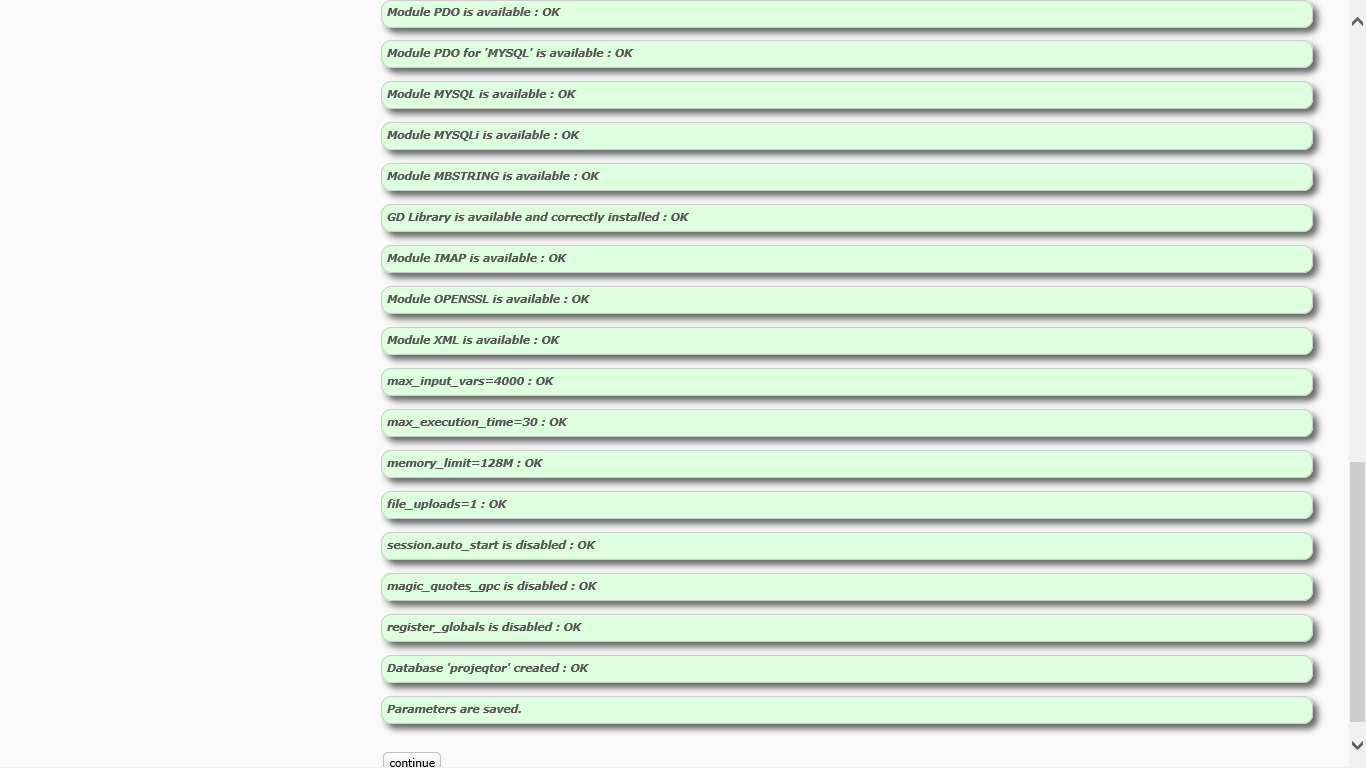
3. I get a successful configuration (all messages in green background color) and then I press on "Continue".
4. I now see the Login screen with message "Upgrade in progress. Only Admin can login"
5. I tried admin/admin combination. Also the admin/projeqtor (default as per configuration file) and many other combinations. However, I just can not login.
Strangely, I found that although the MySQL database has been created, but it is Empty. No tables! I thought this might help you diagnose.
Please help urgently!
=== Edit.
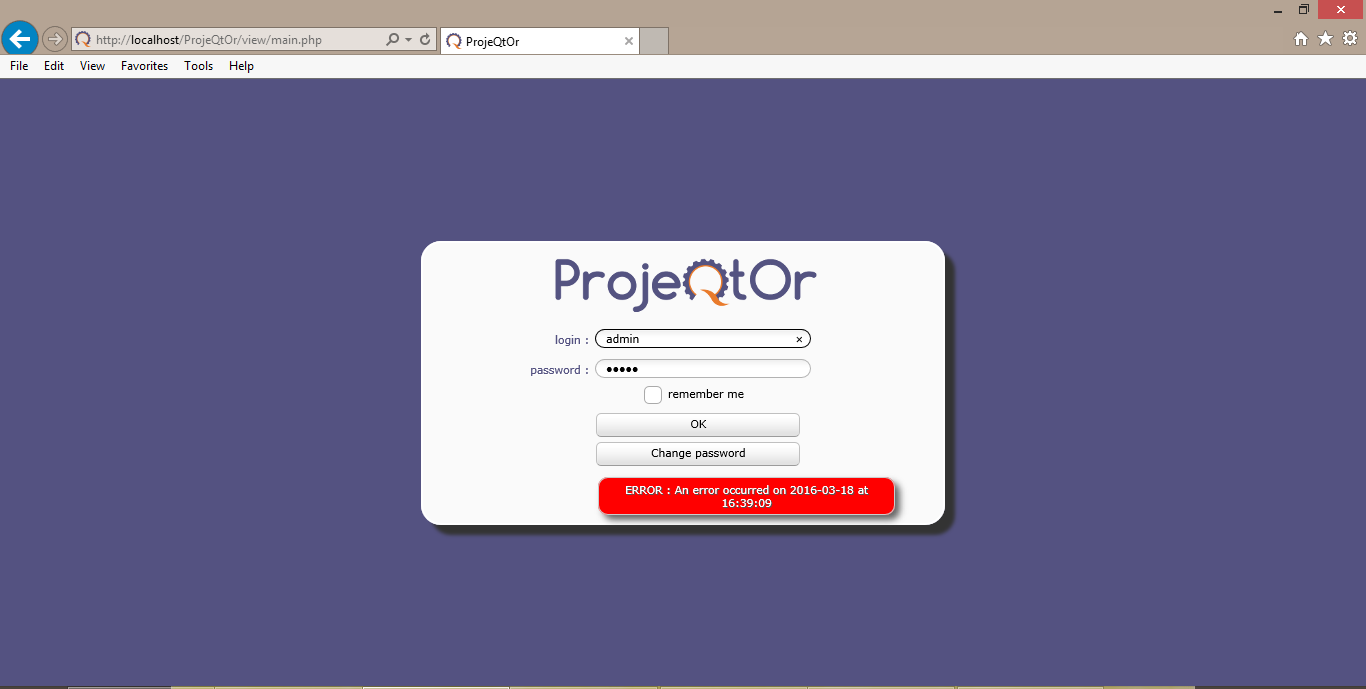
(1) I found that the value for $_POST variable 'login' is encrypted. I found that it is used after decrypting only. But when I echo'ed it, the login value is still showing as encrypted --- even after decrypting!! I think only password should be encrypted, right? Is something going wrong somewhere??
I am an Eagle. On a mission to help those who want to help themselves...
I urgently need a resolution to this login issue. Please...
I referred other posts in this forum and got to know that OpenSSL extension should be enabled in my PHP. I did that. But still the error remains. No solution yet. Below is the screenshot of the messages after configuration - you will notice that all parameters are Green. Still I can't login with admin/admin... :sick: :sick:
Please help immediately...
I am an Eagle. On a mission to help those who want to help themselves...
Hello,
"Please help immediatly", "urgently" ?
With this kind of request, you'll have trouble getting a response :ohmy:
All the peaple here are ready to help other people but "immediatly" is not possible. They have a job, activities and are not all the day o nthe forum 😉
I had the same problem as you and the response of Babynus was helpful. I had an old parameters file which was the problem.
Delete all the directory, delete your database, and install a new version from scratch. the problem was resolved for me.
Regards,
Damien
-----------------------------------------------
.
ProjeQtOr v12.1.0 - Apache v2.4.56 - MariaDB v10.4.28 - PHP v8.2.4
Plugins installed : PersonalizedTranslation 1.6 - ScreenCustomization 7.2
Hi Dnation,
Thanks for pointing it out. I actually don't want to be cheesy here, but I certainly need to get this thing going soon. :cheer:
Well, I had already done all the steps you explained. I had deleted ProjeQtOr instance on webserver, deleted all directories and files, and deleted the database, Re-installed from scratch 5.2.5 but still no success.
Please help, urgently!! :cheer:
Info: Proje!tOr version 5.2.5, MySQL 5.1.65, PHP 5.4.14, IIS on Windows 8
I am an Eagle. On a mission to help those who want to help themselves...
Can you (for test only) try to install a solution like wampp or Xampp on your desktop ?
It create in a single directory, without any other installation, a complete environnment for testing solutions using Mysql, php and Apache server (with other modules if you want).
Try with this solution if you have the same problem.
If no, the problem comes probably from IISS (a particular parameter ?)
Regards,
Damien
-----------------------------------------------
.
ProjeQtOr v12.1.0 - Apache v2.4.56 - MariaDB v10.4.28 - PHP v8.2.4
Plugins installed : PersonalizedTranslation 1.6 - ScreenCustomization 7.2
Please help immediately...
I share dnaton advise : this forum offers free support.
It is based solely on the good will of community members.
So requesting for help "immediately" will only delay answers 👿 .
Now, about your issue : a quick search in the forum for IIS gave many hints.
=> Possibly Timeout occured.
=> Possibly some modules are installed, but DLL used are not the correct version
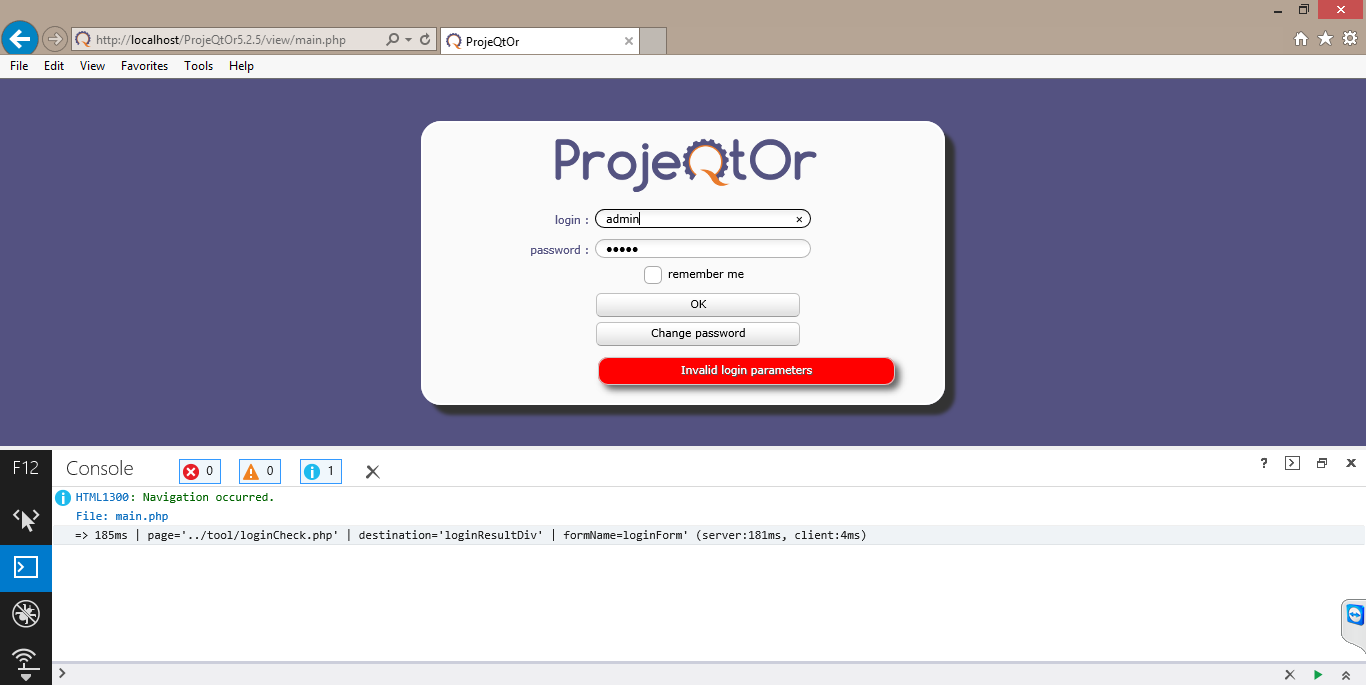
What is sure is that things are not exactly the same from your first post (where you reported some "invalid connection" messsage") and your last login print screen (with message "an error occured...").
So now, what is important is to give more hints.
Follow "Before submitting issue..." process : http://www.projeqtor.org/fr/forum-fr/9-tips-tricks/6417-before-submitting-issue
And provide all log files you can give :
=> Browser console log
=> ProjeQtOr log file
=> Apache (or other web server) Log file
=> PHP log file
Regards.
Got that. :cheer:
I attach following:
1. Browser (IE11) console screenshot
2. ProjeQtOr log file
3. Sorry, I can't access IIS log file as I don't have permission to do that (I am working on company laptop with permissions in force)
4. Sorry, I don't know where to look for PHP log files... :sick:
Please help!
I am an Eagle. On a mission to help those who want to help themselves...
Important message is in ProjeQtOr log file :
Login error for user '+÷Ó·'
Login name is not decrypted, so you may have encryption / decryption issue.
1) Clean browser cache to be sure you have correct version of javascript files
2) Encryption DLLs may be in cause on you PHP server (IIS). It is major to have IIS log file to help you.
Thanks for quick fix. That was really "immediately"!! :cheer:
I have cleared browser cache and cookies multiple times but still no success.
For IIS log file, I will try to get it through our system admin. Till then, I will take rest! 😛
I am an Eagle. On a mission to help those who want to help themselves...
As suspected, IIS is playing spoil-sport. Also, I didn't get permissions to access log files... :angry:
So, I chucked IIS and switched to WAMP Server. After successful installation of Wamp, I configured ProjeQtOr 5.2.5 and whoa... I got it going pretty well!!! :woohoo:
Now, I am facing another situation. I have got the success message "Updated successfully". What is the login/password combination I should use to go further? admin/admin combination certainly is not working. I have uploaded projeqtor log file for reference. Please help!!
I am an Eagle. On a mission to help those who want to help themselves...
Hello...
I got this thing working now... :woohoo:
I reset and reinstalled everything. Now it is working only under Wamp. Thanks for urgent ( 😛 ) support...
I am an Eagle. On a mission to help those who want to help themselves...