
Welcome to ProjeQtOr new Forum. We migrated old forum to the new website.
You will find all your posts here, with your usual account.
Just one point : you’ll have to reinitialize your password. Use “Lost password” feature.

Hello,
I often use the "Planning" view to see the different projects I am working on and all their activities. I was thinking that, when selecting a row from the planning (either a project or an activity), there would be a shortcut to create a child activity already linked to it. Then I would not have to fill in the two fields "Project" and "Parent activity" each time, which are in two different tabs of the creation form.
Isn't it possible ?
Thanks,

Hello,
The shortcut that exists to avoid changing tabs is to click on the indentation buttons.
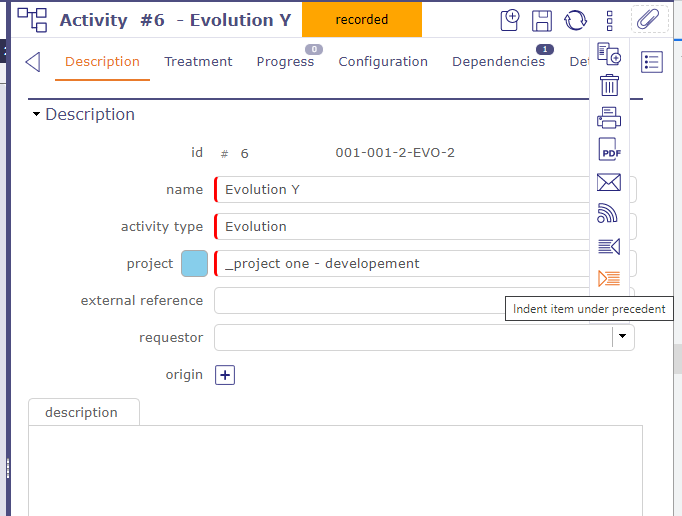

In addition to Flou's answer, if you select an activity in the planning view, the activity you will create will be "just after" the selected one, so on same project.
Hello,
Thanks for the reply ! I see the logic here. When clicking on an activity in the planning, the creation button allows to quickly add a new one at the same level. In my logic, I was expecting to create a child to the one selected, not a sibling.
But it will still be convenient to use the planning this way, thanks !