
Welcome to ProjeQtOr new Forum. We migrated old forum to the new website.
You will find all your posts here, with your usual account.
Just one point : you’ll have to reinitialize your password. Use “Lost password” feature.

I am using the lang.projeqtor.org system to translate ProjeQtor into my own language. There are many lines that have never been translated or are incorrect. When I work with the translation interface, I cannot keep track of what I changed, what I newly entered. Frankly, among so many lines, there are times when I don't even remember whether the erroneous entry was made by me or if it was already like that.
I have a thought; If I could work on my own computer with an output that includes translation keys (from the 'code' column) and translations in a few languages (EN, FR, DE), it would be much more efficient. Plus, I will also be able to use translation systems, artificial intelligence, etc. installed on my machine. My plan is to proceed this way and then review the entire translation from start to finish once again.
While translating, I believe I would get a much better result if I could see how the translation fits in the version installed on my local machine (V11) without waiting for the next releases.I have two questions, or rather requests, to make the translation both faster and more accurate:
[list=1]
After fully completing the translations, I will also deliver the finalized version to you. I have attempted to translate Projeqtor a few times before, but had to give up without reaching a conclusion. This time I'm determined, and I'll set aside time to complete it. I would be grateful if you could help.

as my experience,
1. I downloaded the English lang.js file from the server's .../projeqtor/tool/i18n/nls/en folder
2.then convert to excel format (lang.xls file downloaded from https://www.projeqtor.org/files/lang.xls);
3. Take the English content and convert it to MS Word so that it can be automatically translated into the original Vietnamese file; Then copy it into the excel file lang.xls, with the column titled vn; you would correct the translation as you like.
Use the macro in the lang.xls file to create a new js file - stored in the vn folder
4. Copy back the lang.js file to the server's /projeqtor/tool/i18n/nls/vn folder

[list=1]
How can I download the texts to be translated in the form of an Excel file (or tab delimeted text file) with the 'code' column and 'version' column, along with 'Default, EN, FR, DE, TR' languages? How can I update it to see my translations on the actual screen in my system in between?
In the lang.projeqtor.org application, just click on the download icon.

This will have two effects :
- You will get a zip file with all the lang.js files, that you can import to your own server on import into Excel.
- The trasnlated files are installed on the lang.projeqtor.org instance, where you can directly test your translations
1. I downloaded the English lang.js file from the server's .../projeqtor/tool/i18n/nls/en folder
2.then convert to excel format (lang.xls file downloaded from www.projeqtor.org/files/lang.xls);
3. Take the English content and convert it to MS Word so that it can be automatically translated into the original Vietnamese file; Then copy it into the excel file lang.xls, with the column titled vn; you would correct the translation as you like.
Use the macro in the lang.xls file to create a new js file - stored in the vn folder
4. Copy back the lang.js file to the server's /projeqtor/tool/i18n/nls/vn folder
Great but possibly a bit selfish.
Why shouldn't you share your translations so that we integrate it in the next version, so that everyone can benefit of it ?
Dear Mr. babynus
Of course, currently the translation of 10.4.5 (nearly 6000 lines) in my opinion is still one-by-one, I have uploaded it to the our company's projeqtor system for everyone to review and to correct.
Hopefully I will have a relatively good VN version and will send it to you immediately.
Thank you for the great product
Hi babynus. I tried this first. However, the downloaded zip files size is always 362 bytes.When I want to extract with Windows, I get the following error: 'Cannot Complete the Compressed (zipped) Folders Extraction Wizard. The compressed (zipped) folder is empty.'.When I try to open it with 7Zip, I get this: 'Cannot open the file as [zip] archive, Errors: Is not archive' .Maybe I am doing something wrong.I would appreciate it if you could help.
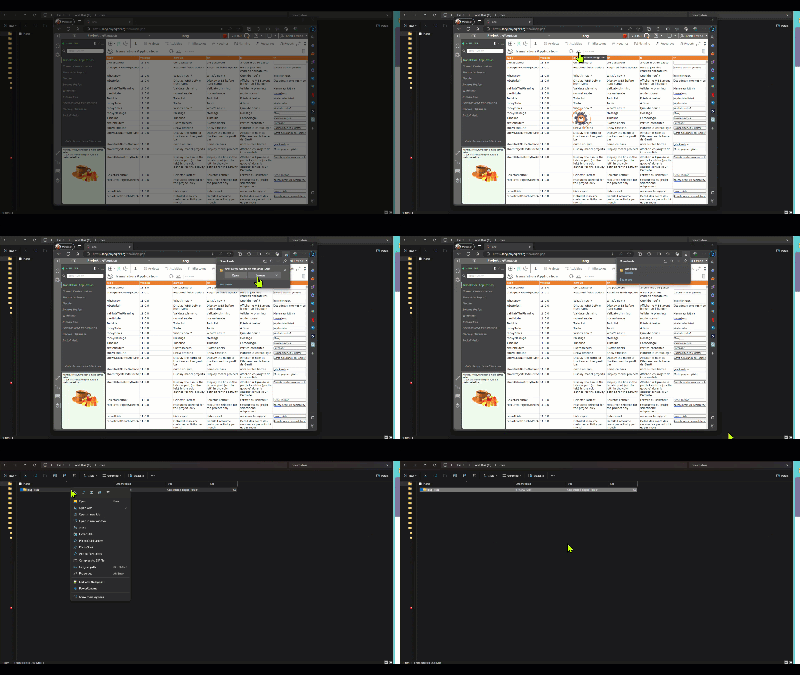
Hi babynus. I tried this first. However, the downloaded zip files size is always 362 bytes.When I want to extract with Windows, I get the following error: 'Cannot Complete the Compressed (zipped) Folders Extraction Wizard. The compressed (zipped) folder is empty.'.When I try to open it with 7Zip, I get this: 'Cannot open the file as [zip] archive, Errors: Is not archive' .Maybe I am doing something wrong.I would appreciate it if you could help.
Hi
This issue is fixed.
You can get the correct zip file now.
It's working now, thank you babynus.