Welcome to ProjeQtOr new Forum. We migrated old forum to the new website.
You will find all your posts here, with your usual account.
Just one point : you’ll have to reinitialize your password. Use “Lost password” feature.

I had the impression that the creation of a certain checklist would result in a reusable template. Usable over and over again. I can't figure out whether this is the case or I'm doing something wrong.
Am I right that a Checklist should be used as a linked element to a project or product?
As a test I've created 1 Checklist and linked it to two different projects (#1 and #2). Once filled in at project #1, project #2 show the results as being applied within project#1. This makes me believe a Checklist only can be used once.
Hope I'm doing something wrong here. The manual isn't too clear about this. I assume this is the same for Test cases and Test sessions.

As a test I've created 1 Checklist
Can you show print screen ?
and linked it to two different projects (#1 and #2)
How did you do that (IMO it's not possible)
Hope I'm doing something wrong here.
I guess so.
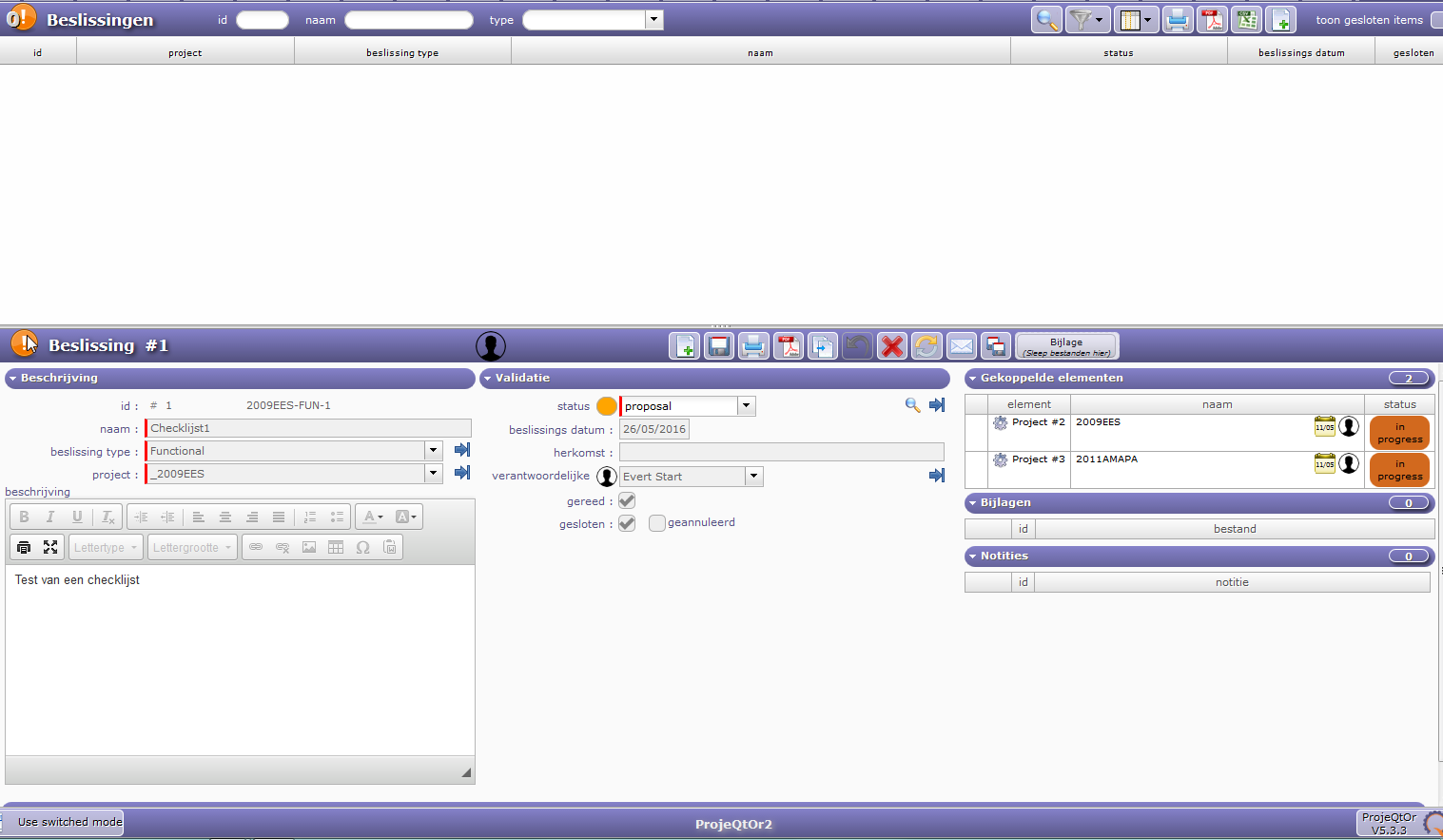
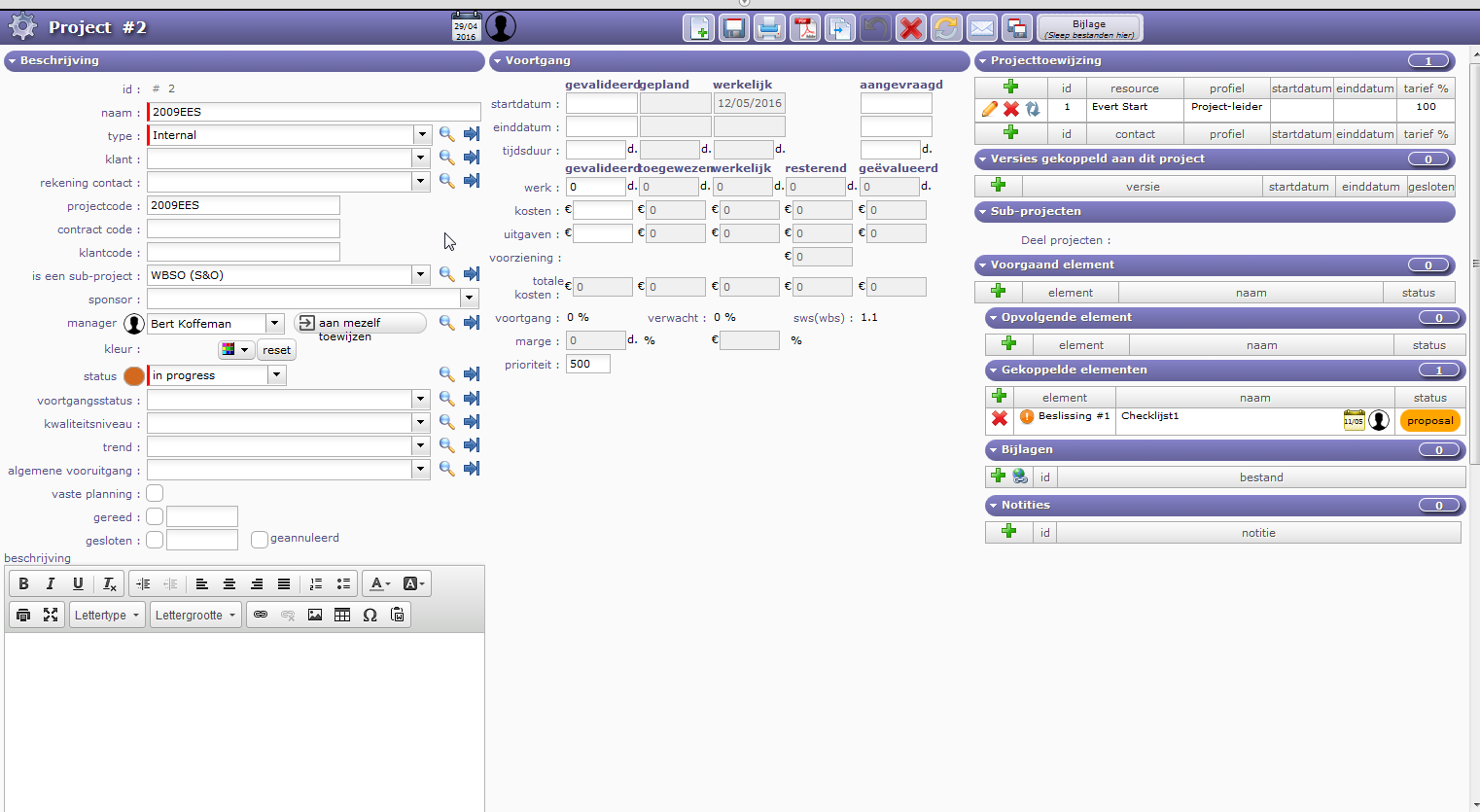
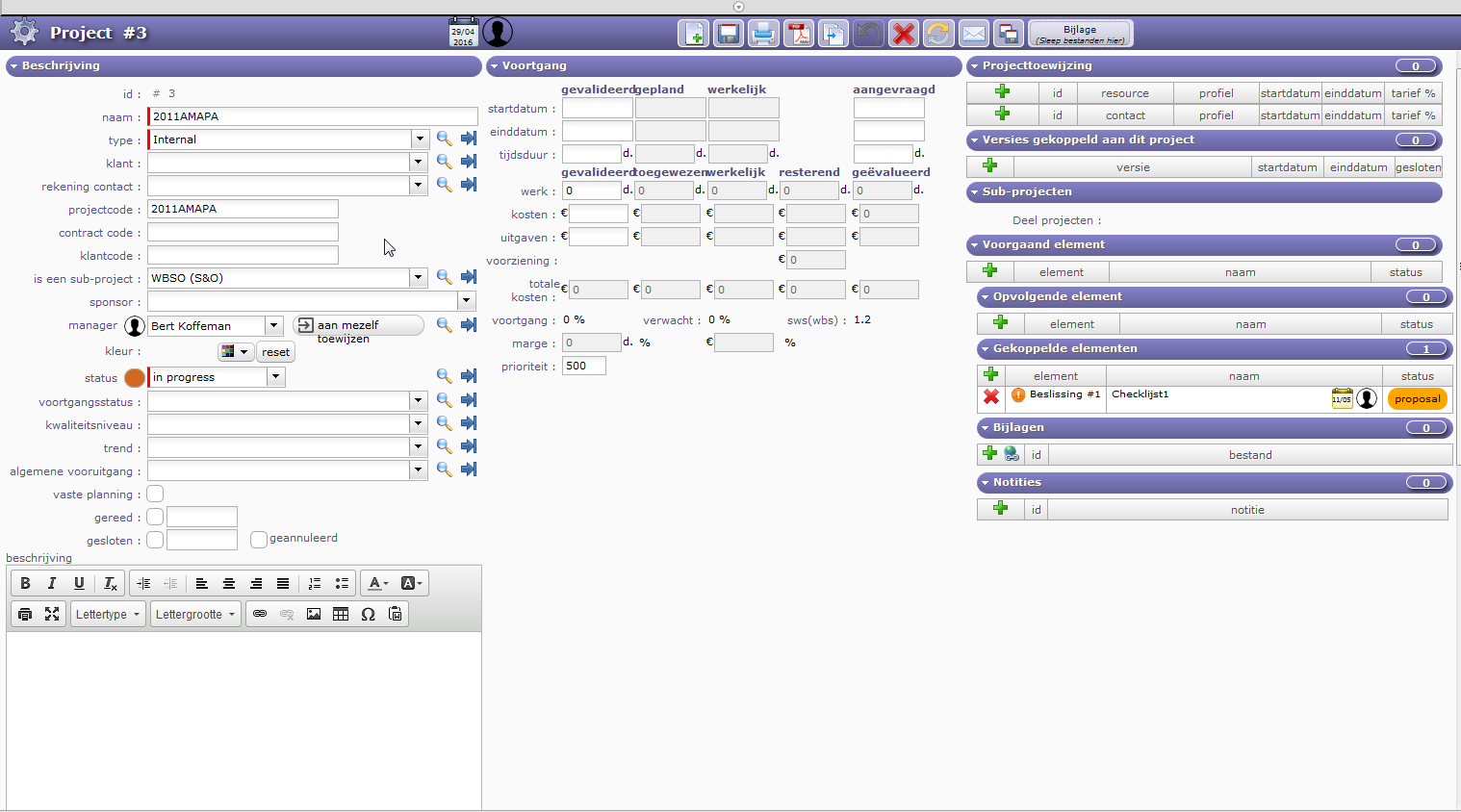
Herewith a screenshot of Project#2 and a screenshot of Project#3.
In both Beslissing #1 / Checklijst1 are linked.
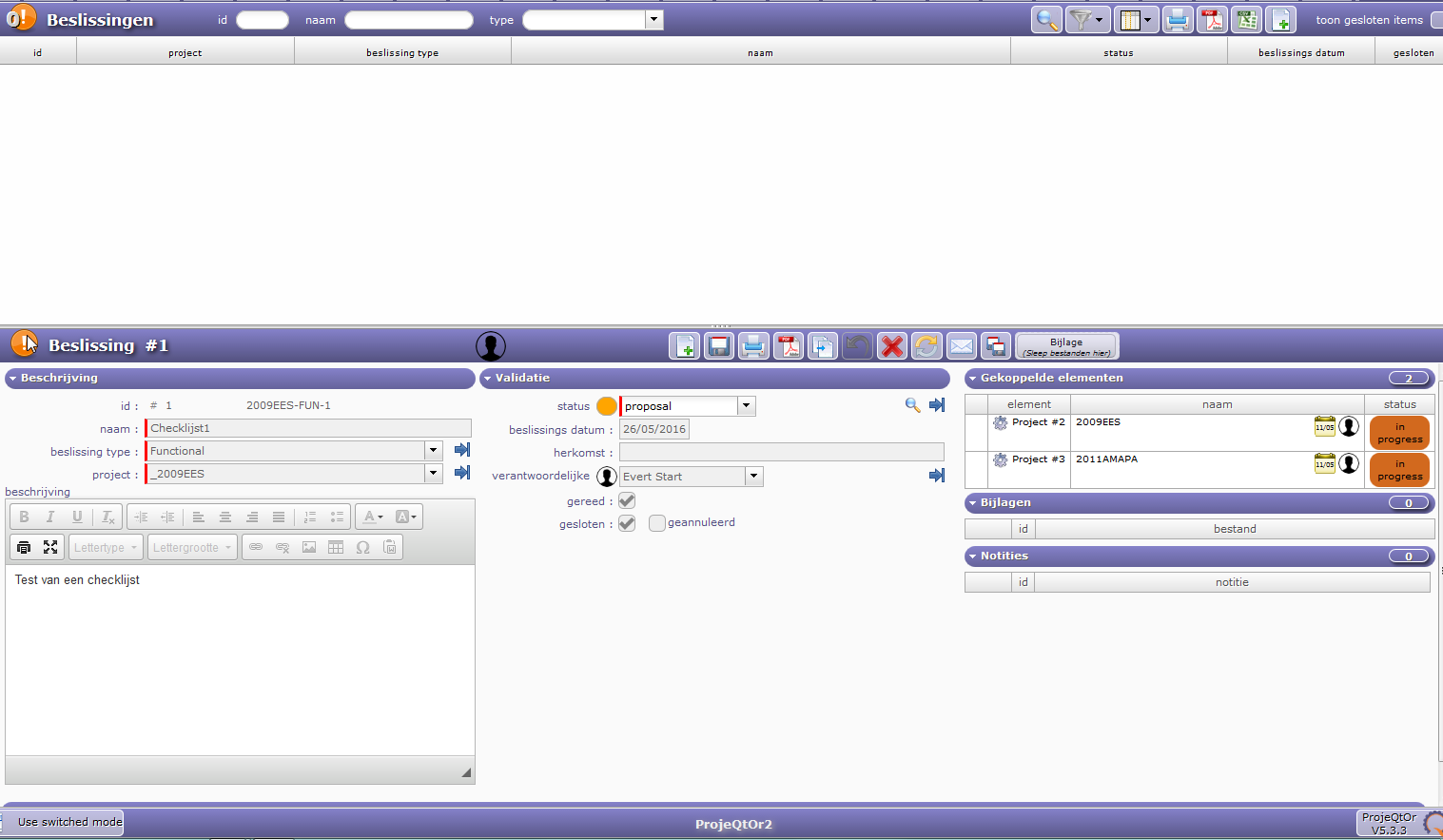
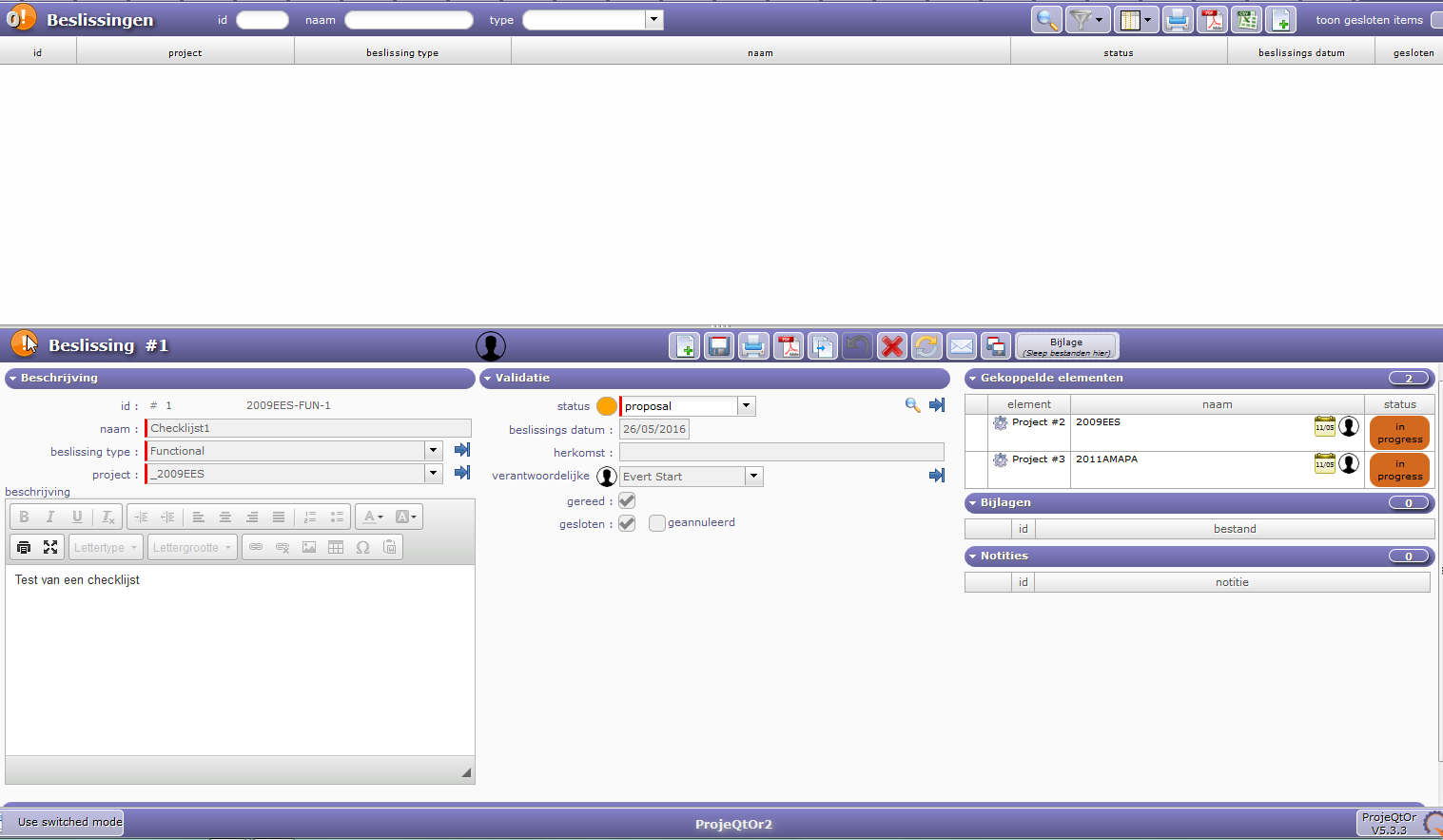
If I follow the hyperlink screenshot Beslissing_#1(Checklijst#1).png is shown.
Here you can see that both Project#2 and Project#3 are linked to this "Beslissing" (Decision)
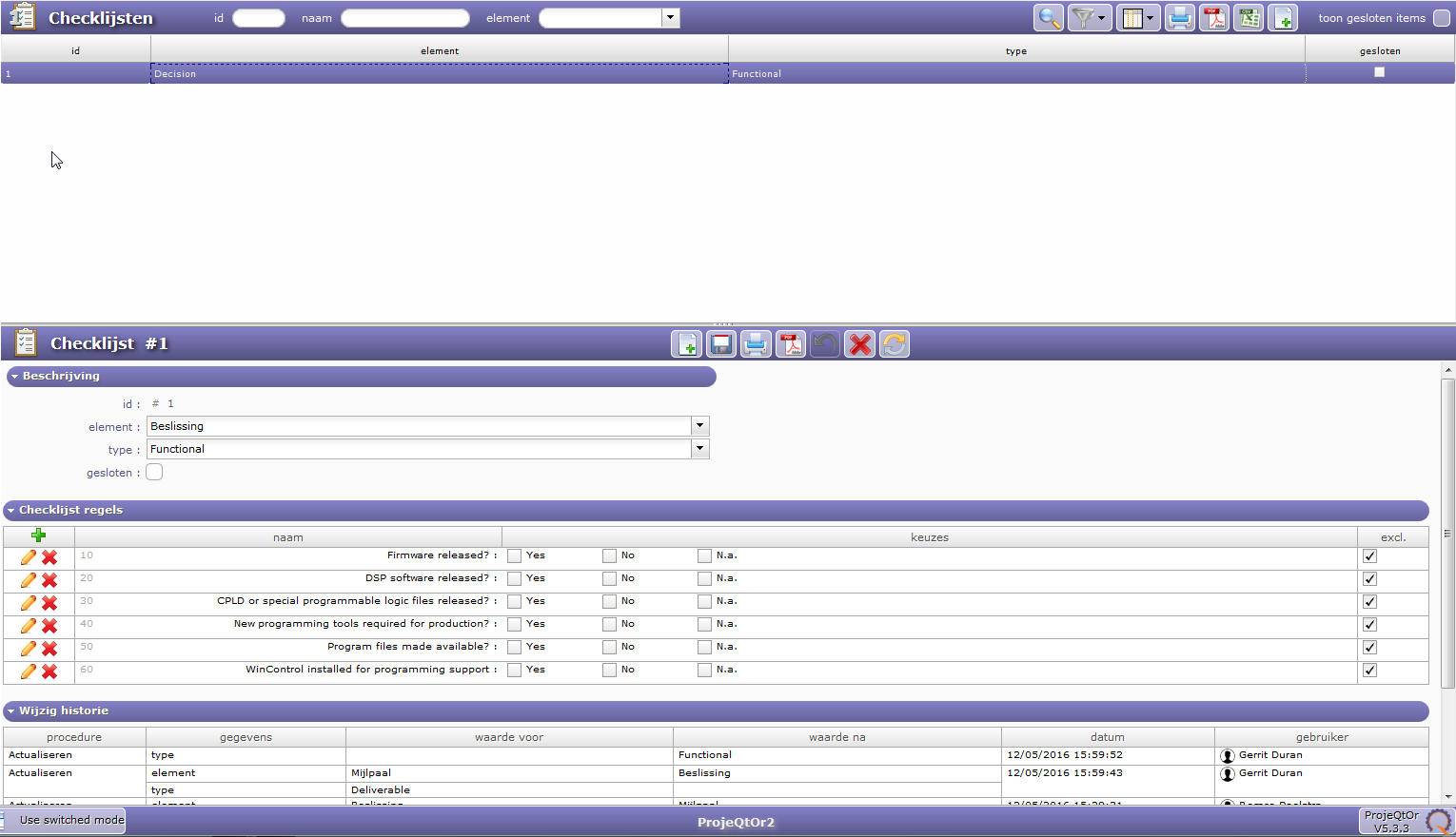
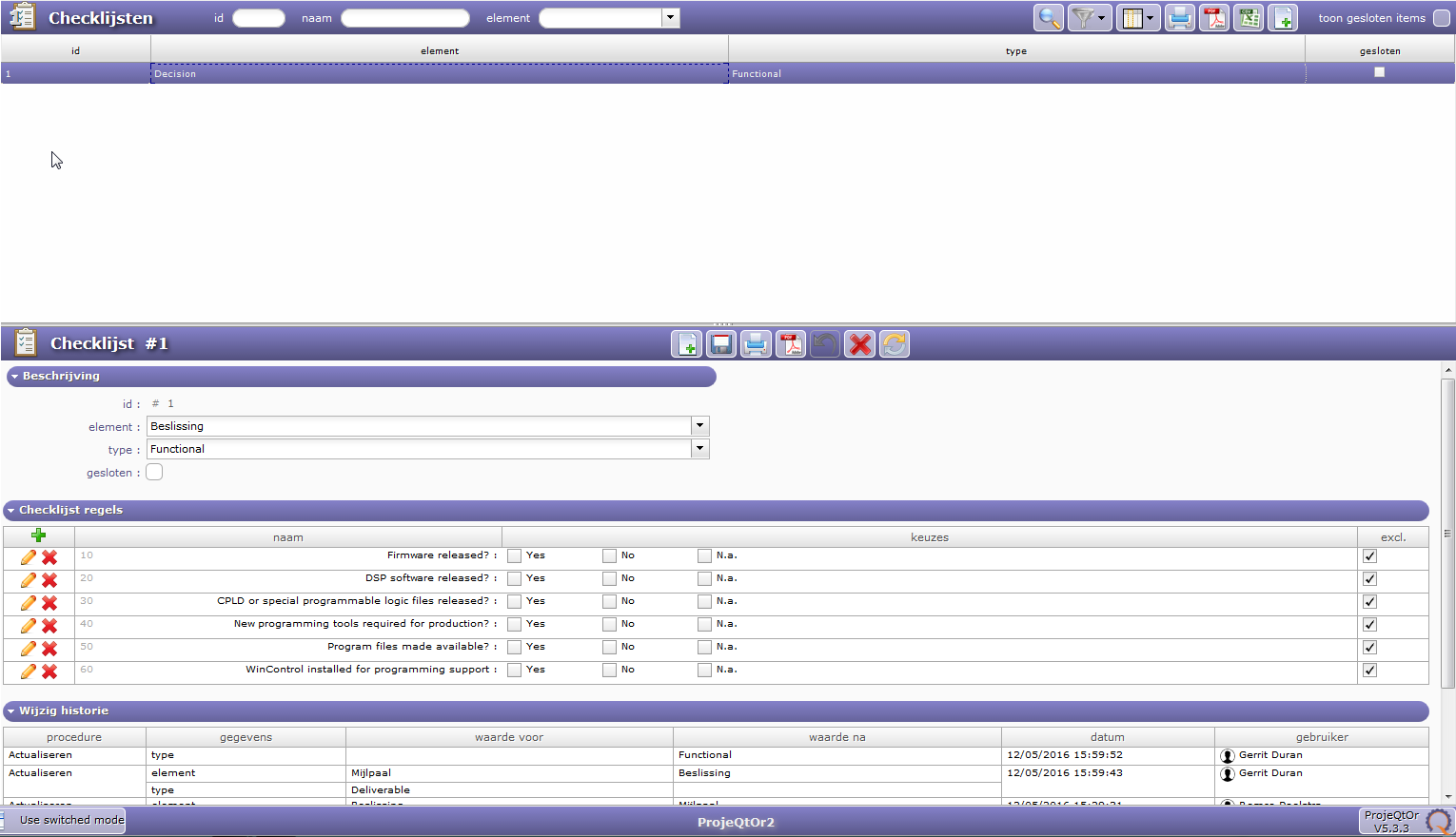
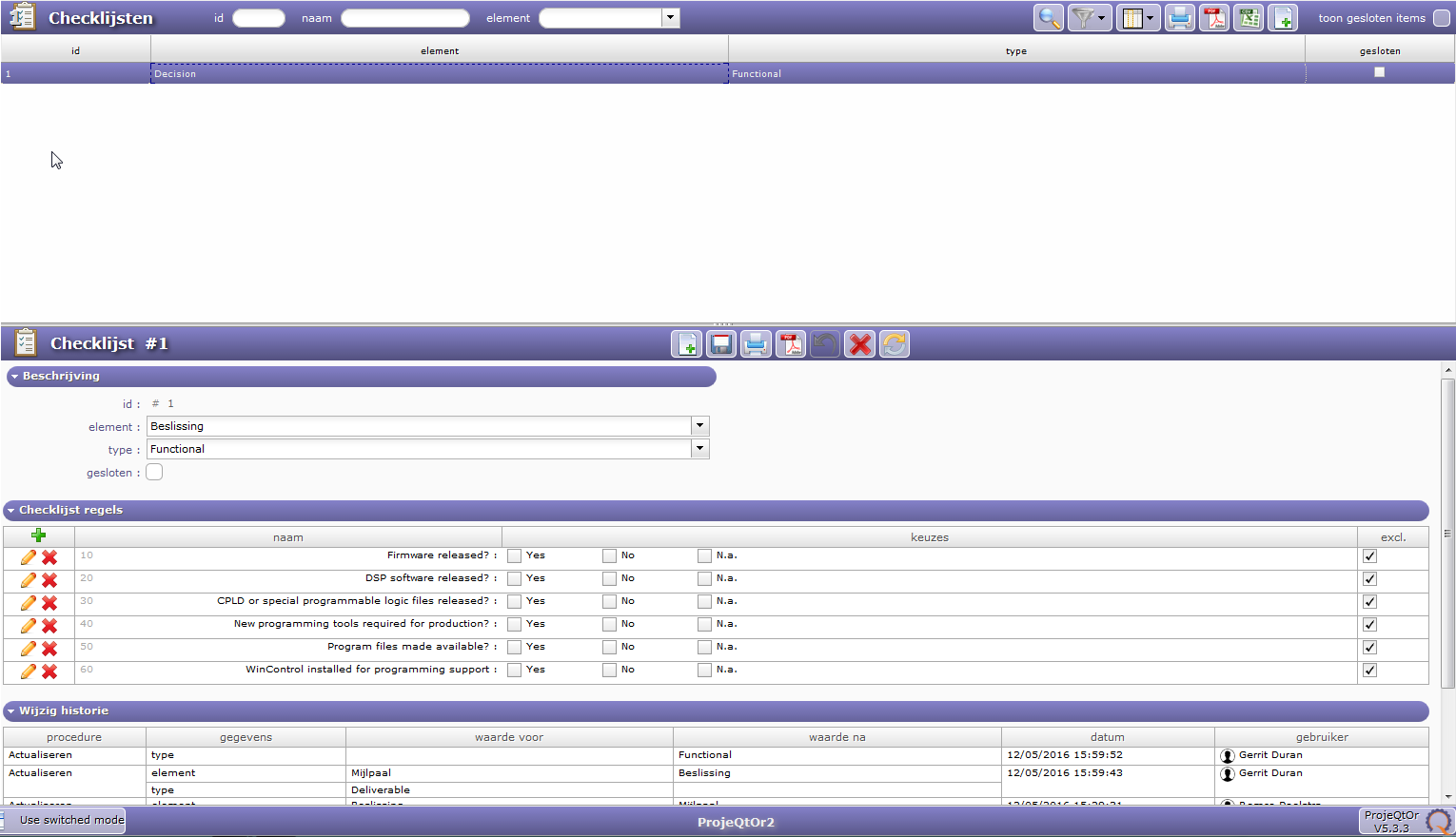
Checklijst#1 (Checklist#1) is shown in the last screenshot.
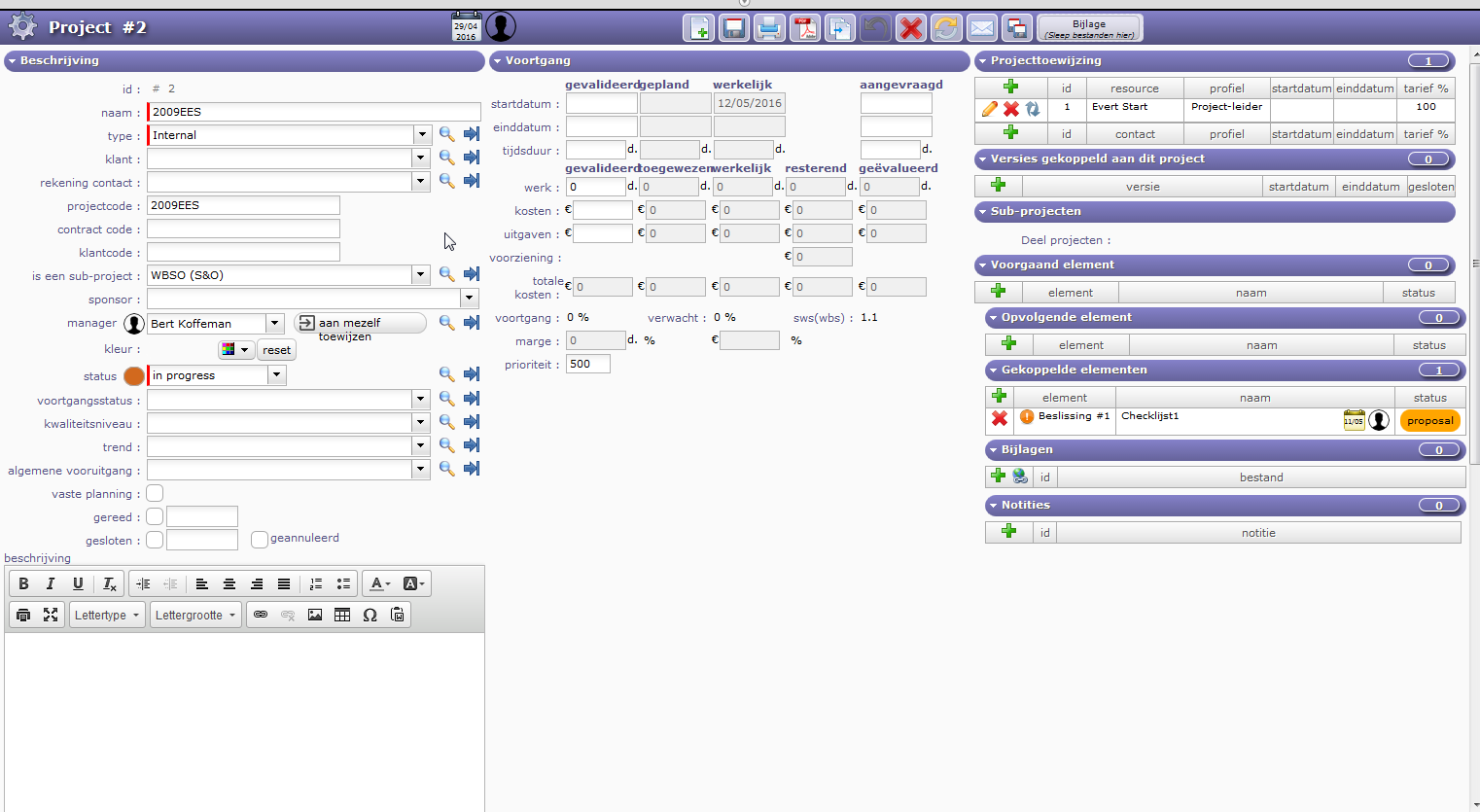
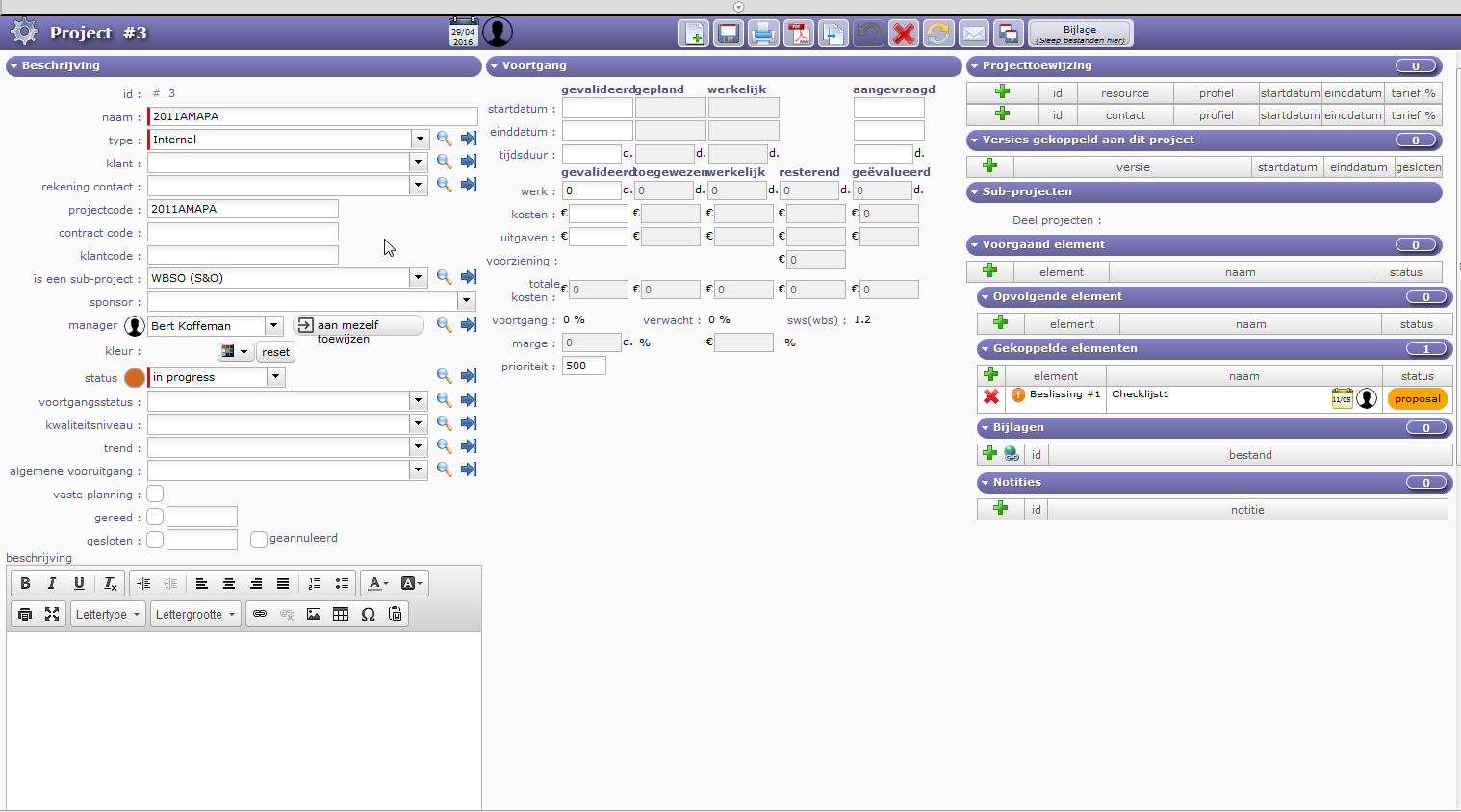
Herewith a screenshot of Project#2 and a screenshot of Project#3.
In both Beslissing #1 / Checklijst1 are linked.
If I follow the hyperlink screenshot Beslissing_#1(Checklijst#1).png is shown.
Here you can see that both Project#2 and Project#3 are linked to this "Beslissing" (Decision)
Checklijst#1 (Checklist#1) is shown in the last screenshot.
Hope that clarifies...
The other two files
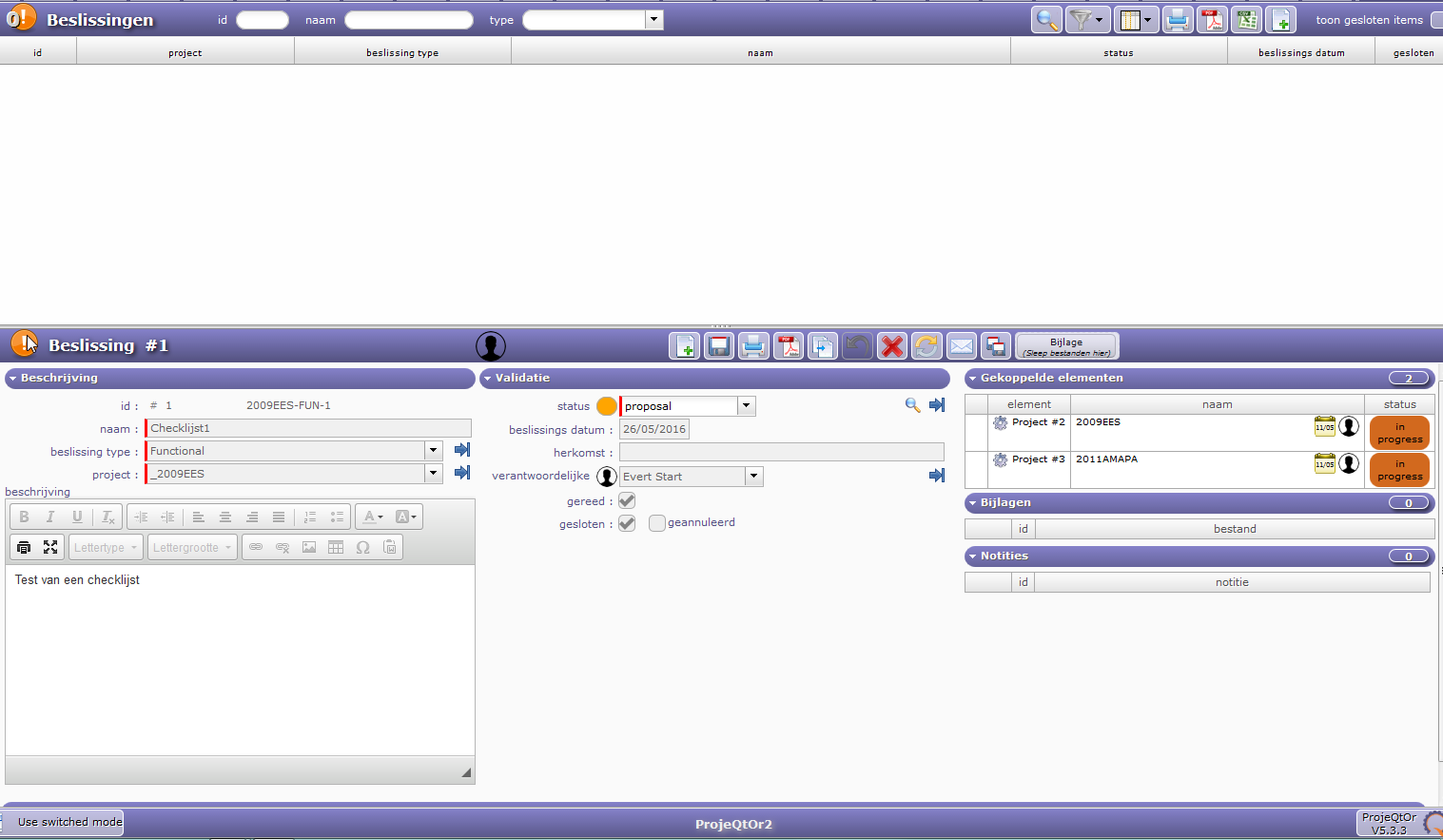
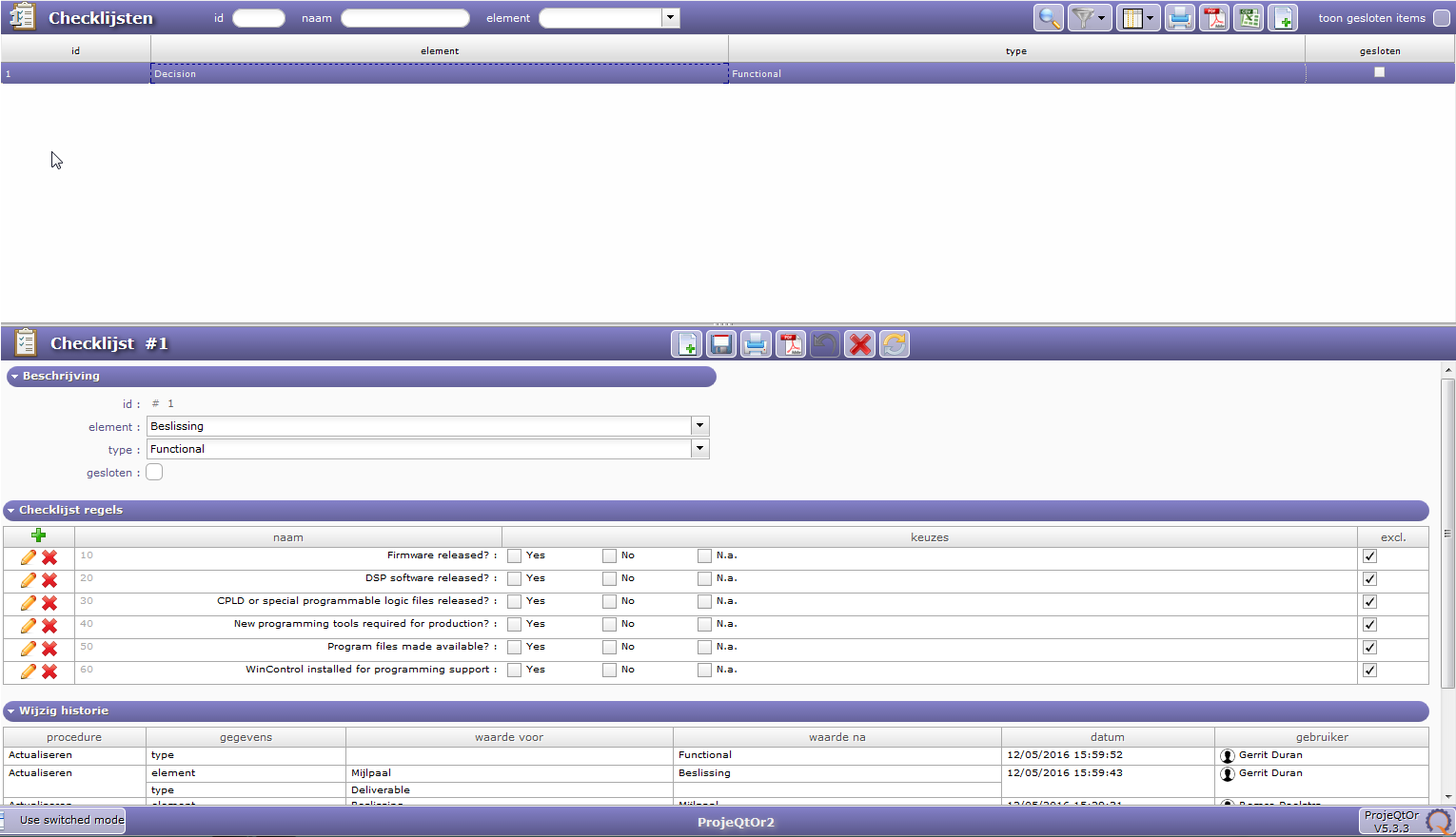
the other two screenshots
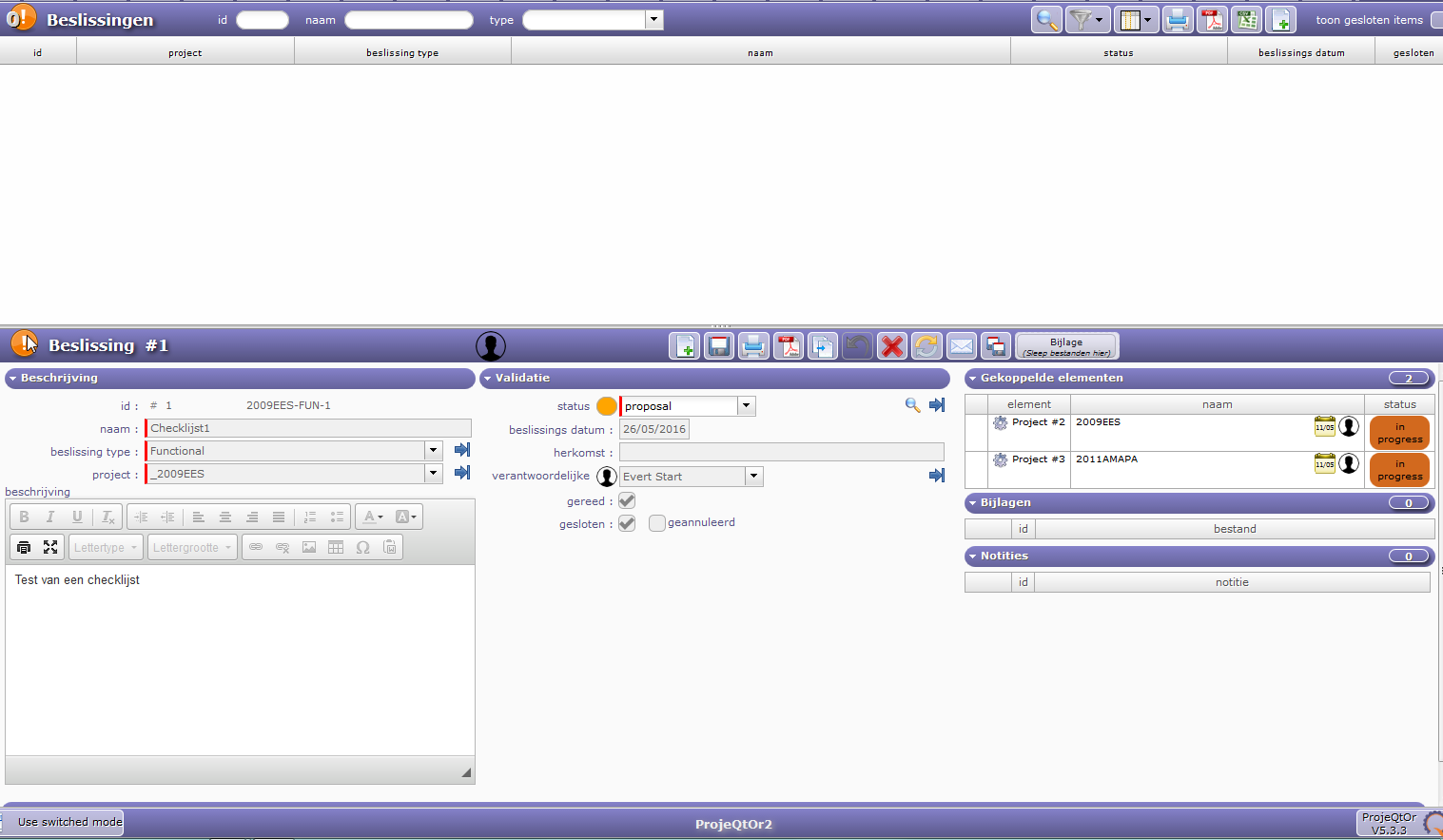
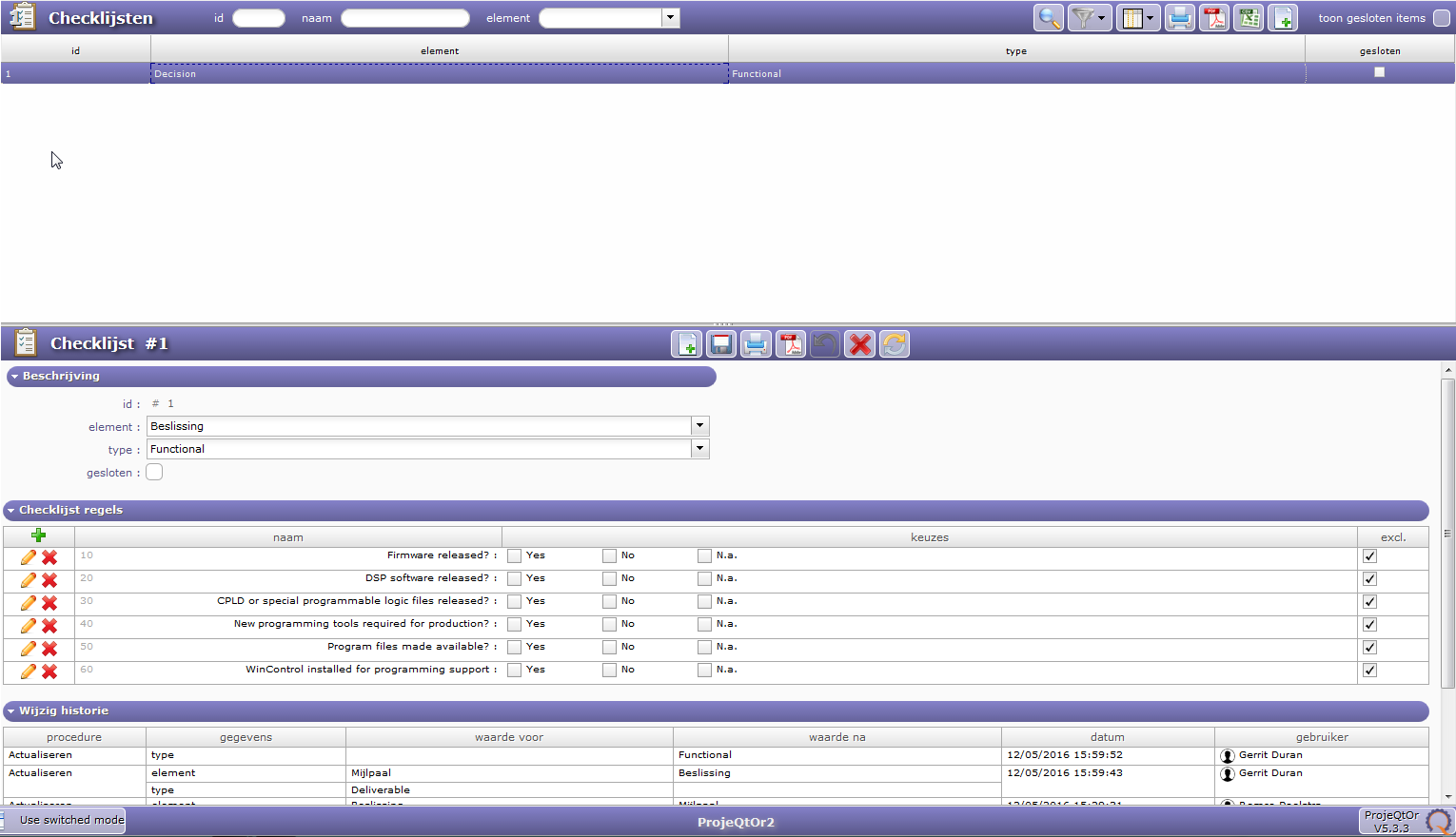
In your case, you defined a Checklist template for decisions (Beslissing) of type functional.
So when you create a decision, you can fill in the checklist for the decision. There is one checklist for 1 desicion. It is what you've done for decision "Checklijst#1"/
If you then link decision "Checklijst#1" to several projects, all projects will refer to same item, so same checklist.
If you want to have several checklists, you need several decisions.
But if you wish to have a checklist for each project, it's more easy to define a Checklist Definition for Project element...
So the solution to this problem is to create every time when needed a separate Checklist.
I plan to use Checklists very often and a lot should be based on the same template. Now I understand this is not possible. I also discovered that it's also not possible to copy a certain Checklist layout into a new Checklist. Hence the question regarding the possibility to define Checklists templates which can be used unlimited in various places. Thus having a Checklist template to create a final to use and unique Checklist from.
Some background on the issue:
We do a lot Printed Circuit Board Design for almost all our development projects. One project easily can contain various PCB's but all require the same type of checklist while this checklist easily can contain up to 30 of the same lines. It's not attractive nor productive if every time this checklist needs to be created from scratch. So what I envision is that the "Add Element" to a project, sub-project,Product or Component I'll get the option to choose a Checklist as an element and than the question to either "Create new", or "Create from template". Obviously giving this newly made Checklist it's own unique ID but still baring the same name so it's clear to the User what this Checklist is all about. Currently a Checklist does not have a name but just an ID.
So the solution to this problem is to create every time when needed a separate Checklist.
No, the definition of the checklist can be unique, but must be defined to correct element type (Project or Decision). Then each item (Project or Decision) will have its own values fir the checklist.
For instance, in your case, if you follow each Printed Circuit Board Design as an activity, you can define a checklist definition for Activity.
Then, each activity will manage own values for the checklist.
So there's hope however, I've tried to follow your guideline but I don't get it.
I hope you'll have a little patience with me. I did the following according to your second suggestion and I did it in 2 different ways:
First: I create a new Activity, linked it to a sub-project, saved it but it disappears right away and turns out to be closed right away. Can make it visible by selecting the Show Closed Items check mark. It does not appear as a linked item on the specific project page.
Second: Created a new linked element from the project page. selected Activity Type. Clicked the Search next to the "linked element" edit box which brings me to the Item list detail window which is empty. Click the Create new item button which gives me the same input screen as in the First attempt. So I've created a new activity and saved it. Now the activity is there as a linked element but I cannot figure out how get a checklist linked to this activity. Again the activity only shows up again as a closed item in the Activity window. If I follow the link from the project page clicking the linked element the Activity is shown but also states it's closed today(?).
I think you draw it much too complex.
First, you don't have to think about "linking" elements.
When you create an activity, you just have to set Project field (which is mandatory) to "attach'" the activity to the project.
But you should not use "Linked item" feature. Just go to Activity screen to create a new activity... or go to "planning" view to edit/create activities.
About checklists, also forget about linking elements.
In "Controls & Automation" > "Checklists", you define the checklists (some kind of form) for a given element and possibly type of element.
For instance you can define a checklist for all Tickets, or for Activities of type "task".
Then, on each item, you'll be able to enter values for the checklist. Each item will have its own "blank" checklist.
I'll try that but it still does not explain why the Activity is closed right after creation...
Which version are you using ?
It's version 5.3.3
Looks like something is going wrong indeed.
Whether I use "Decision" or "Activity" it doesn't matter. They all are marked as "Done" right after creation.
Can you show print screen of Activity and print screen of list of status ?
I guess the are these screenshots you've meant...
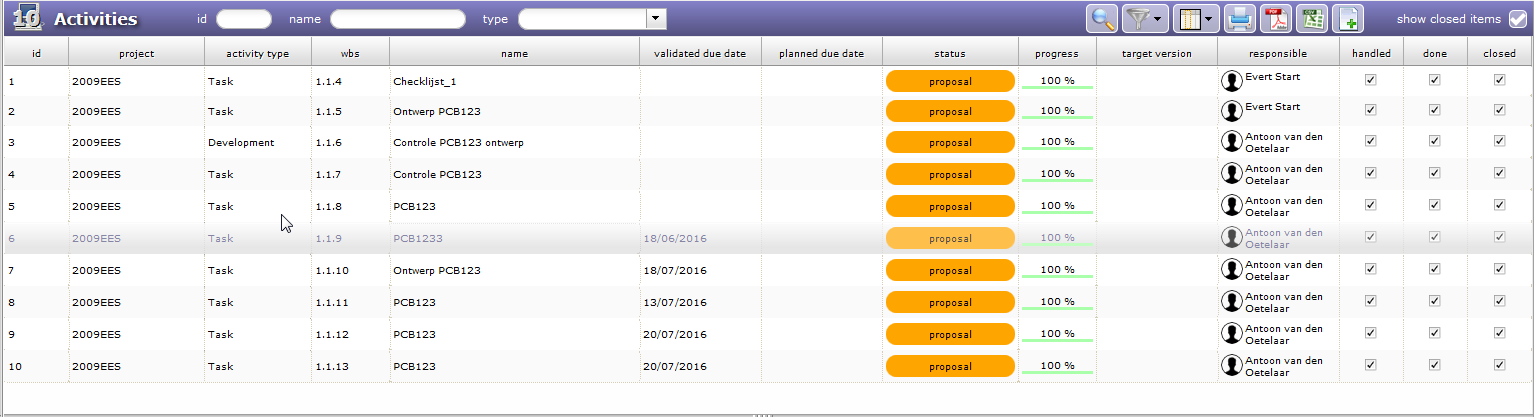
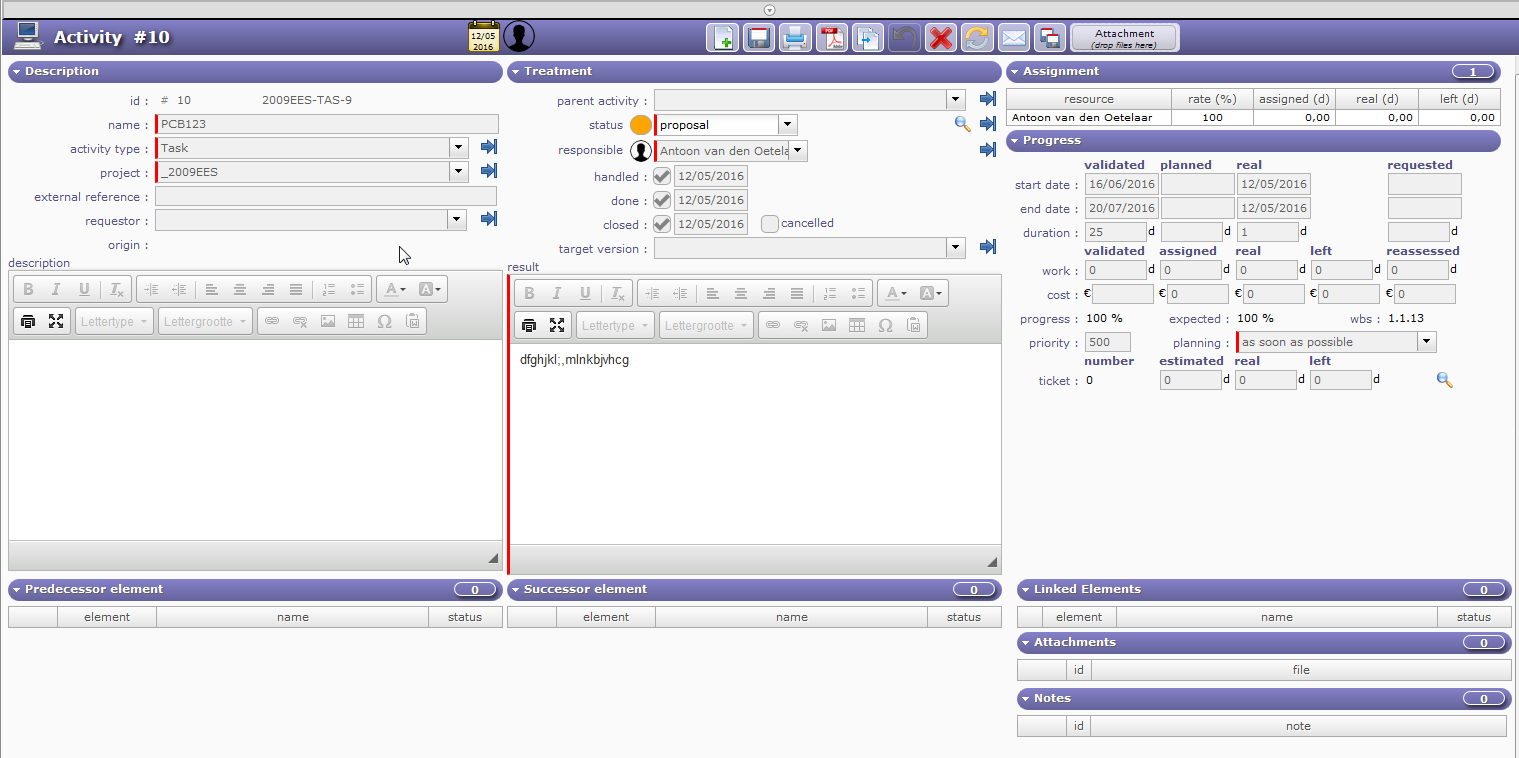
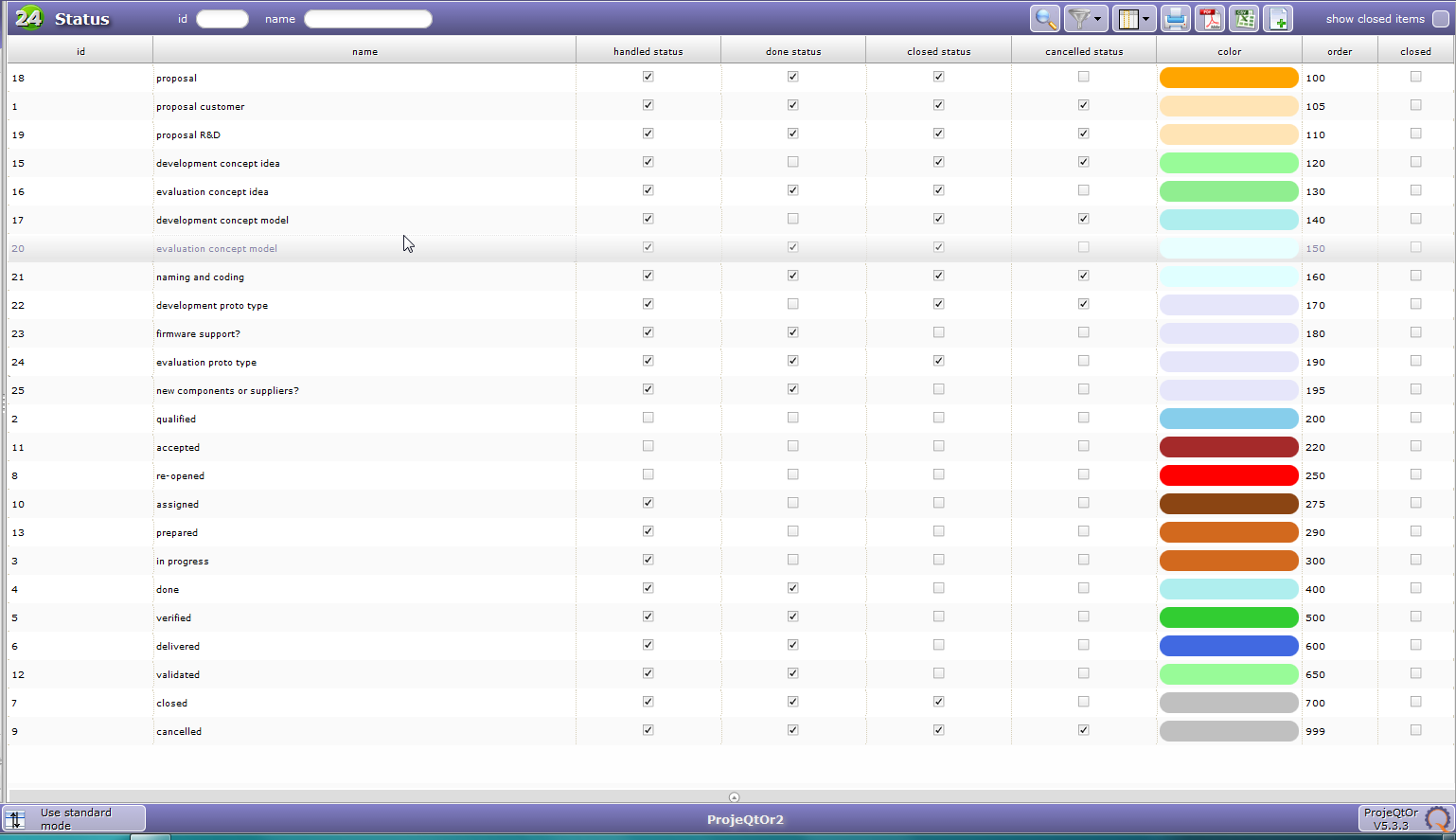
I also need print screen of Status list (in Parameters > List of values > Status), or at least detail for status "proposal".
Hi,
I'm so sorry but lessons learned. I gave someone else also admin rights to explore the capabilities of ProjeQtOr. This other person explored the possibilities of setting up workflows and obviously messed up the status settings while creating new workflows (?). I've compared with a new install and it all became clear.
I'm truly sorry for taking your time for this silly issue but do appreciate your response a lot. I guess this all belongs to getting familiar with the app.
I now will start to explore on the new instance but this time only one captain on the ship.