
Welcome to ProjeQtOr new Forum. We migrated old forum to the new website.
You will find all your posts here, with your usual account.
Just one point : you’ll have to reinitialize your password. Use “Lost password” feature.

Hi, I'm a ProjeQtOr newb, I really like the basic quality philosophy and am eager to test a strawman. I installed projeqtorV6.4.1 and am having trouble getting the email config correct. I am sending mail using ssmtp to SendGrid (email was previously configured and works with WordPress.
Test emails sent from from the Global parameters > Mailing page are processed and delivered correctly by SendGrid. See screenshot of SendGrid dashboard.
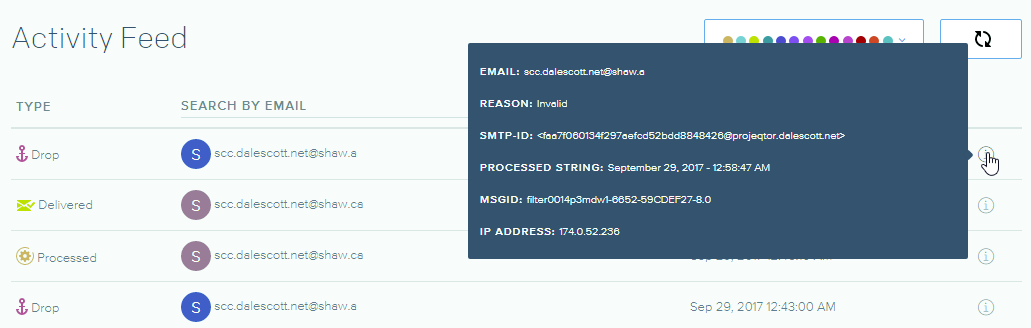
However, when I created a new user and tried to email the account password, SendGrid drops the message and says it is invalid. See screenshot of SendGrid dashboard.
Also, I cannot login as the new user using the password from the notification email See screenshot of email in ProjeQtOr.
Does this make sense at all to anyone?
Thanks,
Dale
P.S. the server is pretty standard.
PHP 5.6.31
MariaDb 10.0.32
Apache 2.4.27
FreeBSD 10.3
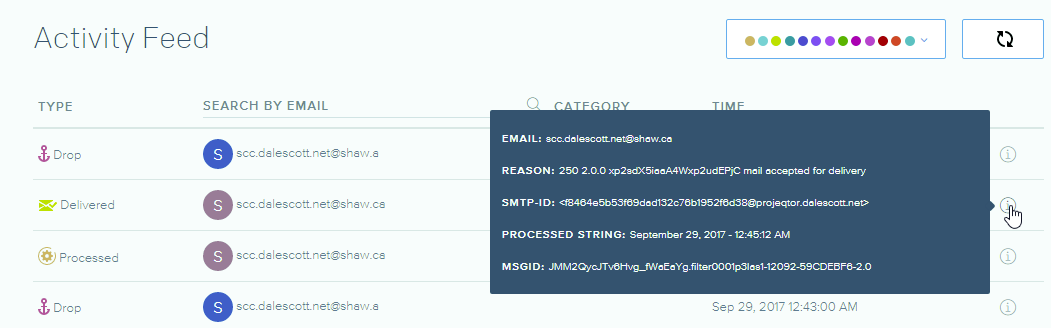
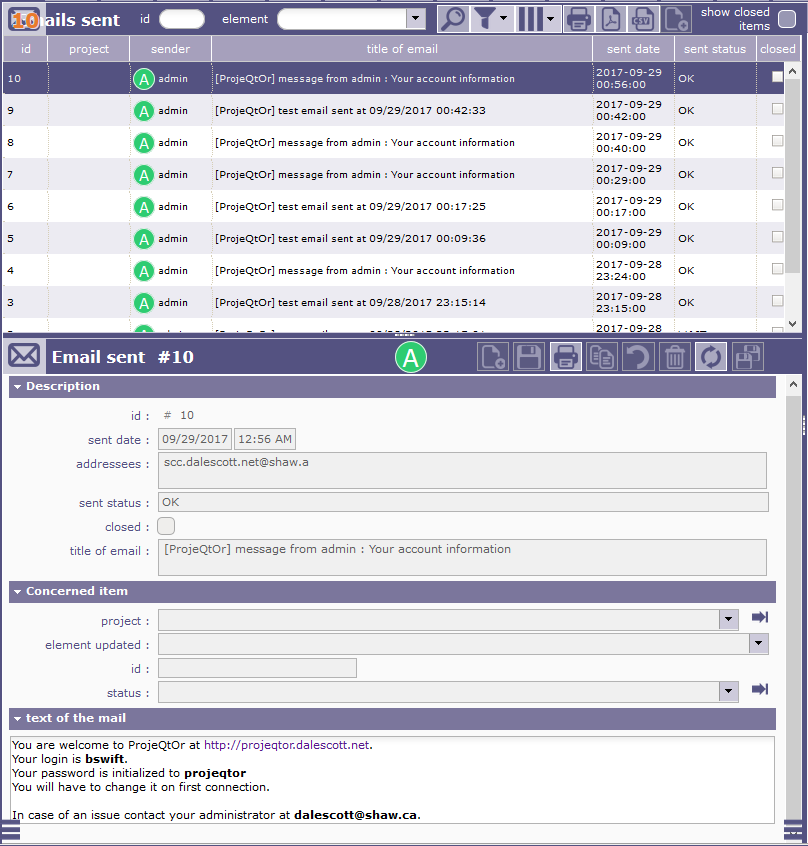

Also, I cannot login as the new user using the password from the notification email See screenshot of email in ProjeQtOr.
Very strange.
Did you save User form after saving password ?
However, when I created a new user and tried to email the account password, SendGrid drops the message and says it is invalid. See screenshot of SendGrid dashboard.
Can you get more information about why email is considered invalid ?
Emails are always send the same way, except for sender, that can be a generic user or email of current user. Please try and sned this option in global parameterts, try again and let us know if it works better.
If no, then we'll need more information bout why the mesage is concidered invalid.
I forgot the golden rule, always check assumptions before reporting a problem! 😉
The cause was a typo I made when entering the email address when I created the new user. Doh!
However, while investigating it seemed that the "Send information to the user" button (immediately below the "reset password" link in the Environmental Parameters > Users > [select user] > Miscellaneous menu) always sends the default password from the Parameters > Global Parameters > Authentication menu and _not_ the users' current password. Is this correct? If this is the intentional behavior, re-labeling to something like "Send default password to user" might clarify the intent.
Cheers, and my apologies for the unnecessary intrusion.
Dale
However, while investigating it seemed that the "Send information to the user" button (immediately below the "reset password" link in the Environmental Parameters > Users > [select user] > Miscellaneous menu) always sends the default password from the Parameters > Global Parameters > Authentication menu and _not_ the users' current password. Is this correct?
yes
We cannot retrieve user password because it is stored in a non bijective way.
So only thing we can do is reset password and send default value to user.
If my remenbering is correct, password is joined in email only if current value is default password.
Maybe this could be improved, for instance storing random value for email and sending email in one single transaction.