
Welcome to ProjeQtOr new Forum. We migrated old forum to the new website.
You will find all your posts here, with your usual account.
Just one point : you’ll have to reinitialize your password. Use “Lost password” feature.

Hello,
I have been using projectoria for a while and have been rather happy. Today i decided to look at the live demo and noticed on the "today" page your projects show up with the progress and scope of numbers counted etc.
My server dosnt have these show up?
Is there a step i am missing to get the same view as the demo??
I have tried comparing some setup but have had no luck find any differences!

Hi tonyt,
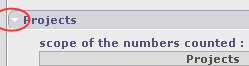
may be you should look for a rectangle on header of each group and press triangle - see screenshot. This will expand your view.
Klaus
Hi Klaus,
Thanks for the reply. The projects tab is automatically expanded for me by default although nothing is shown 🙁
All i have on the today page that has data is the messages (welcome message) and alot of "tasks issuer of requestor of" items.
I am the only one who uses the it at this stage so i have entered every site etc myself and am on an administrator account.
It would be really cool to be able to get this overview working B)

Hi,
The today screen displays summary for projects "you are assigned to".
Not to all the projects you can see.
As an admin, you can see all projects without needing to be affected to (it is defaut configuration).
Just assign yourselt to some projects, and you'll see them (and their sub-projects) in Today summary. B)
All works now.
During my efforts i did try that originally but noticed my account wasnt and the "resource" were 2 separate items.
I have checked added as a resource for my account and assigned the affectations.
As usual thanks for your time babynus!