
Welcome to ProjeQtOr new Forum. We migrated old forum to the new website.
You will find all your posts here, with your usual account.
Just one point : you’ll have to reinitialize your password. Use “Lost password” feature.

Hello,
Been reading this system heavily for the past few weeks, and we're currently moving off a highly customised version of Mantis.
So far, the product looks like what we need, but I have some questions about translating our working practices into this product. Apologies for what probably seems like a specification (we're a software house).
We're obviously going from a structure in Mantis which is
Project Name (Client)
> Ticket Category
>> Tickets
To ORIA which uses the model
Customers (Clients)
Project Name (Linked to Customer)
> Sub Project
>> Activity
>>> Tickets
> Activity
>> Tickets
We normally run timers against tickets / categories in the current system, but these don't feed into a PM framework (which is our intention for the move).
For the initial migration, I'm proposing the following model:
Project Name == Mantis.Client
> Activity == Mantis.Category
>> Ticket == Mantis.Ticket in Mantis.Category
My questions with this model:
1. I have the understanding, that we cannot put timers against the Activities. As such how do we account for the work assigned to an activity, which would be made up from the tickets in the activity collectively?
E.G. Phase 1 (Activity) is allocated 30 hours, we have 40 tickets within this Phase 1 (Activity) and people are running timers against the tickets. I would expect for this time logging to feed upwards into the parent activity to give measures on EST vs ACTUALS?
2. For global Activities such as Management, would you recommend creating tickets within the Phase 1 (Activity) object, relating to Management and Sales for example?
3. Linked with the above point,are real work allocations intended for users to enter their hours worked per activity/ticket within the activity - Or is the intention for these to be populated with timer times (from users working on tickets).
The intended goal of moving from Mantis
1. Have a proper project planning process in place, with projects /phases and subsequent tickets within them
2. Be able to report on % completion on project stages at any point, as a collection of tickets completed / left within them
3. Gain an overview of all projects from a programme level, to give development teams weekly focus and goals - I.e. Project X is 96% completed, and makes more financial sense to work on it than Project Y at 42%.

1. I have the understanding, that we cannot put timers against the Activities. As such how do we account for the work assigned to an activity, which would be made up from the tickets in the activity collectively?
You get it the good way.
Just have to define validated work for activity. You can assign resources to the actovity to define assigned and left work.
The, on Tickets, just select the activity as Planning Activity, and enter real work on tickets : this will decrease left work on activity.
2. For global Activities such as Management, would you recommend creating tickets within the Phase 1 (Activity) object, relating to Management and Sales for example?
No, I would recommend an activity, that could be sub-activity of phase 1 activity. Then, resource enter real work on real work allocation screen.
3. Linked with the above point,are real work allocations intended for users to enter their hours worked per activity/ticket within the activity - Or is the intention for these to be populated with timer times (from users working on tickets).
Real work allocation is used to enter real work on activities. Real work on tickets must b entered on tickets, through timers or directly on real work field, and this work is then displayed on planning activity on the real work allocation screen.
Very much appreciate the replies babynus.
I have two further questions if possible:
- On importing all of the tickets, for some reason all tickets display as ... until opened and saved in ProjectORRIA - Once saved it will then show in the ticket view correctly. (Screenshot attached)
- How do we signify carriage returns for the description imports, we've used various escape chars to no effect so far
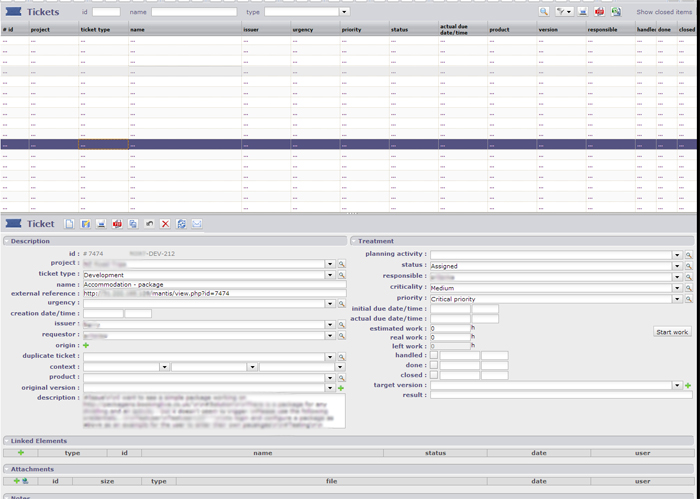
On importing all of the tickets, for some reason all tickets display as ... until opened and saved in ProjectORRIA - Once saved it will then show in the ticket view correctly. (Screenshot attached)
Possibly one important reference value( for instance Stauts) is defined to a value not corresponding to any correct value in the list.
When you save to get things right, what has just been changed (look at the History to get what was changed). ?
How do we signify carriage returns for the description imports, we've used various escape chars to no effect so far
No escape char is needed. Just enter a standard carriage return (shoukd be carriage return or carriage return / line feed depending on OS). The programm will merge lines automatically.
On importing all of the tickets, for some reason all tickets display as ... until opened and saved in ProjectORRIA - Once saved it will then show in the ticket view correctly. (Screenshot attached)
Possibly one important reference value( for instance Stauts) is defined to a value not corresponding to any correct value in the list.
When you save to get things right, what has just been changed (look at the History to get what was changed). ?
I believe creation date has been missed off the import which is causing this.
A suggestion for your already excellent documentation, would be to denote required fields vs optional for the import CSVs :).
Thank you for the help.
Rob
Almost there now, seems like the WBS logic is not working very well for imports.
I import my projects:
oriaplanningelement.wbs increements from 1 to $lastproject
oriaplanningelement.sortable increments from 001 to $lastproject
I import my Activities (no WBS set in CSV)
- Activities are set to idProject
- Reference is used
oriaplanningelement.wbs continues from $lastproject
wbsSortable continues from $lastproject
So now I have
PROJECT WBS 5
- ACTIVITY WBS 112 | 112
- ACTVIITY WBS 114 | 114
- ACTVIITY WBS 115 | 115
- ACTVIITY WBS 139 | 139
- ACTVIITY WBS 140 | 140
Instead of
PROJECT WBS 5
- ACTIVITY WBS 5.1 | 051.001
- ACTVIITY WBS 5.2 | 051.002
- ACTVIITY WBS 5.3 | 051.003
- ACTVIITY WBS 5.4 | 051.004
- ACTVIITY WBS 5.5 | 051.005
I think this is impacting the other workings of the system and breaking the planning logic?
Almost there for a working Mantis import 🙂
Hi,
I recorded ticket #1106 to have a look to this WBS issue on import.
Maybe you could try to move the imported project :
Go to planning
Move the project (drag & drop) to change sort order of projects.
This should fix the WBS numbering. :unsure:
You can then set back project to correct order
Many thanks Babynus, I think that solution has worked...
We do however have many projects :whistle: we're migrating around 8000 tickets, and 100 projects.
What is really needed, is a quick setup guide for the project management side of the product, one area I am struggling with is the planning element, allocated resources, and the dependencies on the activities, occasionally the dependant activity seems to be planned prior to the parent?
We are going to be a very heavy user of the product, if you're able to provide any assistance via Skype for example it would be beneficial to getting us up and running.
if you're able to provide any assistance via Skype for example it would be beneficial to getting us up and running.
It is part of profezssional support I can provide.
You can see conditions in the "service" tab : http://projectorria.toolware.fr/index.php/services_en/support_en
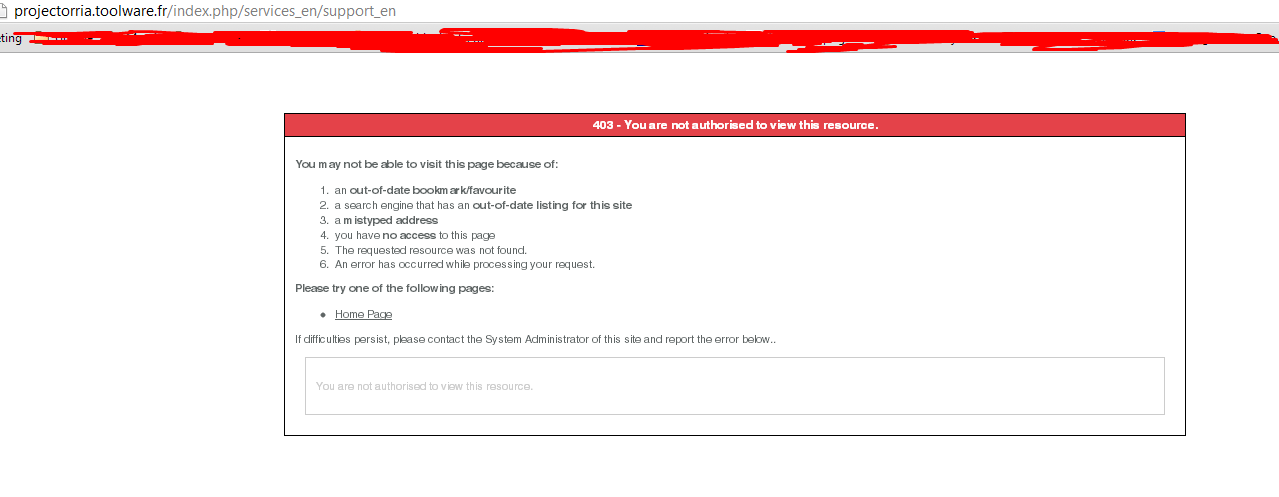
Unable to view the link, generating a 403
The link is :
http://projectorria.toolware.fr/index.php/services_en/support_en
You can also acces the page using the website menu "Services" > "Support"
Only services > services summary available for me babynus.
403 is what I get on that link (see attached)
It should be better now.
Both access and link should work.
Can confirm, thank you.
To add further detail to the issues with imports, I add reproduction steps for you.
1. Project Imports
- Projects imported with fields id | name | idClient | projectCoe | idProjectType | idStatus | idHealth
Filled in
On Import, Projects appear in PROJECTS
On Import, Planning shows projects but with no names
Saving each project manually fixes the missing links (Not very fun for many projects :cheer: )
2. Activities Import
- Successful import using fields id | idProject | idActivityType | name | idUser | idStatus | done = 0 | idActivityPlanningMode = 1
All activities imported and viewable in ACTIVITIES, Planning mode no activities visible.
Manual save of activities is now required for them to display in planning (not in WBS order)
Once all saved, each project in planning must be drag/dropped to initialise the WBS ordering for all related activities (oriaplanningelement is the suspected cause - records are all initialised as NULL, once saved values are committed)
Next step is ticket import... if I must save each one manually we will have to cease with the tool for now - There are too many tickets to manually save. Is this likely to be fixed if we pay for support?
Is this likely to be fixed if we pay for support?
This is likely to be fixed even if you don't pay 😉
(OK, I'm not a good commercial, I would not be able to sell an old truck :whistle: )
What you will get will paid support is reactivity : you would get a fix in the coming days, not having to wait for next version. :woohoo:
Thanks for the information you provided...
This will help fixing this issue.
Ok understood 😛 - As a software company, we also see your point of view, no paying for a free product means no priority which is completely fair.
We are very eager to jump onto this tool ASAP, currently Mantis is being used as project/management tracking which is very stressful.
Assuming tickets link correctly to the activities once this saving operation is done, we should be ok from then to function correctly.