
Welcome to ProjeQtOr new Forum. We migrated old forum to the new website.
You will find all your posts here, with your usual account.
Just one point : you’ll have to reinitialize your password. Use “Lost password” feature.

Hi,
I tried to install the last stable version of Projeqtor : 4.5.7
My system :
WAMP =>
Windows 8.1 pro
Apache 2.4.9
MySQL => 5.6.17
Php => 5.5.12
I changed the my default parameters and access to the login page.
I type "admin" / "admin" and after a few minutes I have the following message :
Fatal error: Maximum execution time of 360 seconds exceeded in D:wampappsprojeqtormodelpersistenceSql.php on line 93
Call Stack
# Time Memory Function Location
1 0.0147 312472 {main}( ) ..loginCheck.php:0
2 0.0629 3151544 include( 'D:wampappsprojeqtordbmaintenance.php' ) ..loginCheck.php:52
3 358.8594 3269824 runScript( ) ..maintenance.php:94
4 358.8752 3279192 Sql::query( ) ..maintenanceFunctions.php:65
I have modified "php.ini" and set "max_execution_time" to "0"
I also modified "function projeqtor_set_time_limit(...) to "set_time_limit(0) "
I searched everywhere for a time limit of 360 but I found nothing !!!!
Each time I try to install again and again, I always have the same message ....
Any idea ?
Thanks,
Bruno.

Please post log file.
For information, setup should not long 360 s (6 mn)...
The longuest I faced, with bad HDD, was 4 mn.
1) check in log file what happened (post it here for help)
2) if progress is slow and was stopped before ending, try and replace localhost with 127.0.0.1 (best on windows)
3) alternatively, try inscrmental install (get V1.0 and install V1.0, then upgrade to V2.0, and so on to latest version)
Hi,
thanks a lot for your answer.
Yes, I really not understand what happens here.
More details about my system : Intel core i7 with 16 GB RAM and a Seagate Barracuda 7200.14 SATA 6Gb/s.
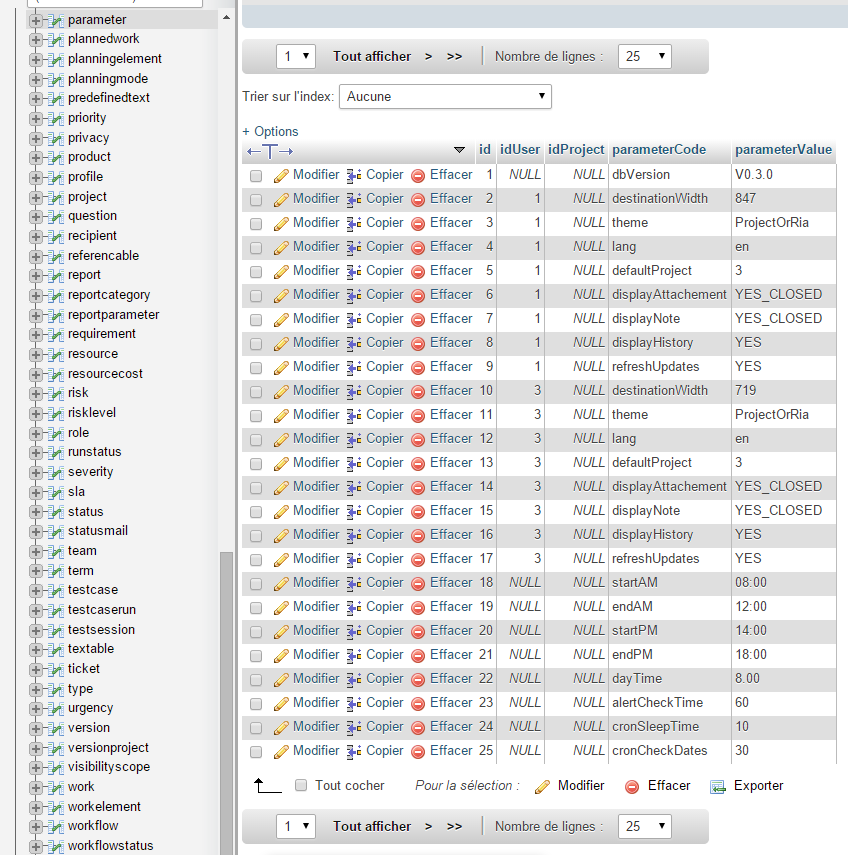
I join logs and details about parameters table.
Regards,
Bruno.
Compressed "7z" logs file was not attached, I join 2 plain text files.
Bruno.
Hi,
Big performance issue with your configuration.
To explain, install is incremental, so all is done as if you successively install each version, one after another.
To have an idea, on my hosting server, full install is about 20-30 seconds.
I also have a laptop (i7, SSD drives, where install is about 30 seconds)
I recently bought a desktop (i7, HDD) : install was about 4 mn 🙁 : I could see that mySql used 100% HDD activity :(((
I solved issue moving data files to another HDD (small SSD of 20GB) : install is now 15 s 🙂
So :
1) check your HDD : maybe cache is not conrrectly used or else
2) check your MySql config : try and use cache as much as possible, configure host as "127.0.0.1" (avoid "locahost" which can lead to bad DNS perfs)
3) sometimes, disabling IPV6 can help (I found this trick on the net, but it did not work for me)
4) if you have possibility, try to set data to another drive
As a workaround, try an incremental install.
As far as I could seeon you logs, setup ran up to V3.2.0, so for instance, you could try fresh install (new database, new setup):
1) install V2.0.0
2) upgrade to V4.0.0
3) upgrade to V5.0.3
This is only a workaround, but it should work in your case, in case you don't find how to fix perfs issue.
To notice, in my case, after correct install, even with long setup, use of application is correct (but even better when perfs issues are fixed)
Hi,
I modified "projeqtor.copf" in my "alias" folder (apache) :
php_admin_value max_execution_time 1800
php_admin_value max_input_time 1800
Everything is OK now ...
Bruno.