
Welcome to ProjeQtOr new Forum. We migrated old forum to the new website.
You will find all your posts here, with your usual account.
Just one point : you’ll have to reinitialize your password. Use “Lost password” feature.

Especially with big projects, the browser tend to crash (Edge, Firefox) after a while due to lack of memory. Apparently, everytime, the screen is reloaded with GANTT data (after insert, delete, etc), the browser memory is not correctly freed.

Hello,
Did you check the PHP parameter PHP execution_max_time in your server configuration ?
Maybe you need to increase that value.
The issue is not with that PHP parameter. The browser (Firefox, Edge) keeps increasing memory usage (certainly due to accumulated cache and cookies data), then finally crashes. See attachment.

Are your browsers (FF and Edge) up to date ?
Which version of ProjeQtOr are you using ?
How many lines do you try to load in the planning view ?
Also, check if your web server configuration meets all the requirements listed here : https://www.projeqtor.org/en/product-en/technical-en/64-setup-en/412-product-prerequisites-en
Yes, both browsers are up-to-date. I use 10.4.2 (but seen issue with previous versions as well). Server side meets all the requirements. I can load up to a few thousand lines.
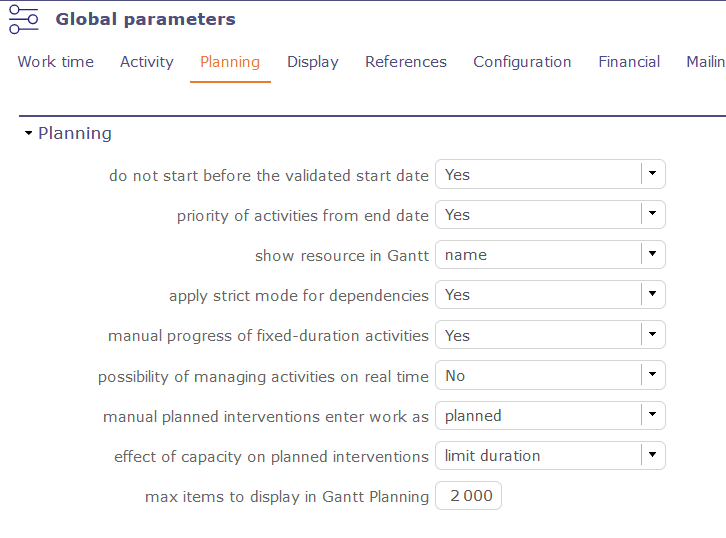
Did you change the max number of items in Global parameters / Planning ?
It should stay at 2000. Above, we can't guarantee any browser will handle that.
Anyway, maybe it's not mandatory to load more than 2000 items at the same time in the Gantt planning since you can't really see all of them. Maybe you should use filters on the projects/subprojects you really want to work on ?
Thank you for the suggestions. I have tried as well. When using sub-projects, you cannot set links between.
I use filters, but apparently, not all lines are loaded when max items to display in Gantt Planning is less than the number of real project lines.

If you want to set links between two sub-projects, just select theese two in the project selector.
You don't have ot display a big project with many thouthands of lines.