Welcome to ProjeQtOr new Forum. We migrated old forum to the new website.
You will find all your posts here, with your usual account.
Just one point : you’ll have to reinitialize your password. Use “Lost password” feature.

When I want to export a report with a list of projects or activities with Generate Excel report button in report list screen, the report appear with unclear characters, This problem appears to me only with the Arabic language,
I tried to change the font for PDF export setting to freeserif (for Arabic Characters) but nothing.
v 11.1.1
Microsoft Edge
goolge chrome
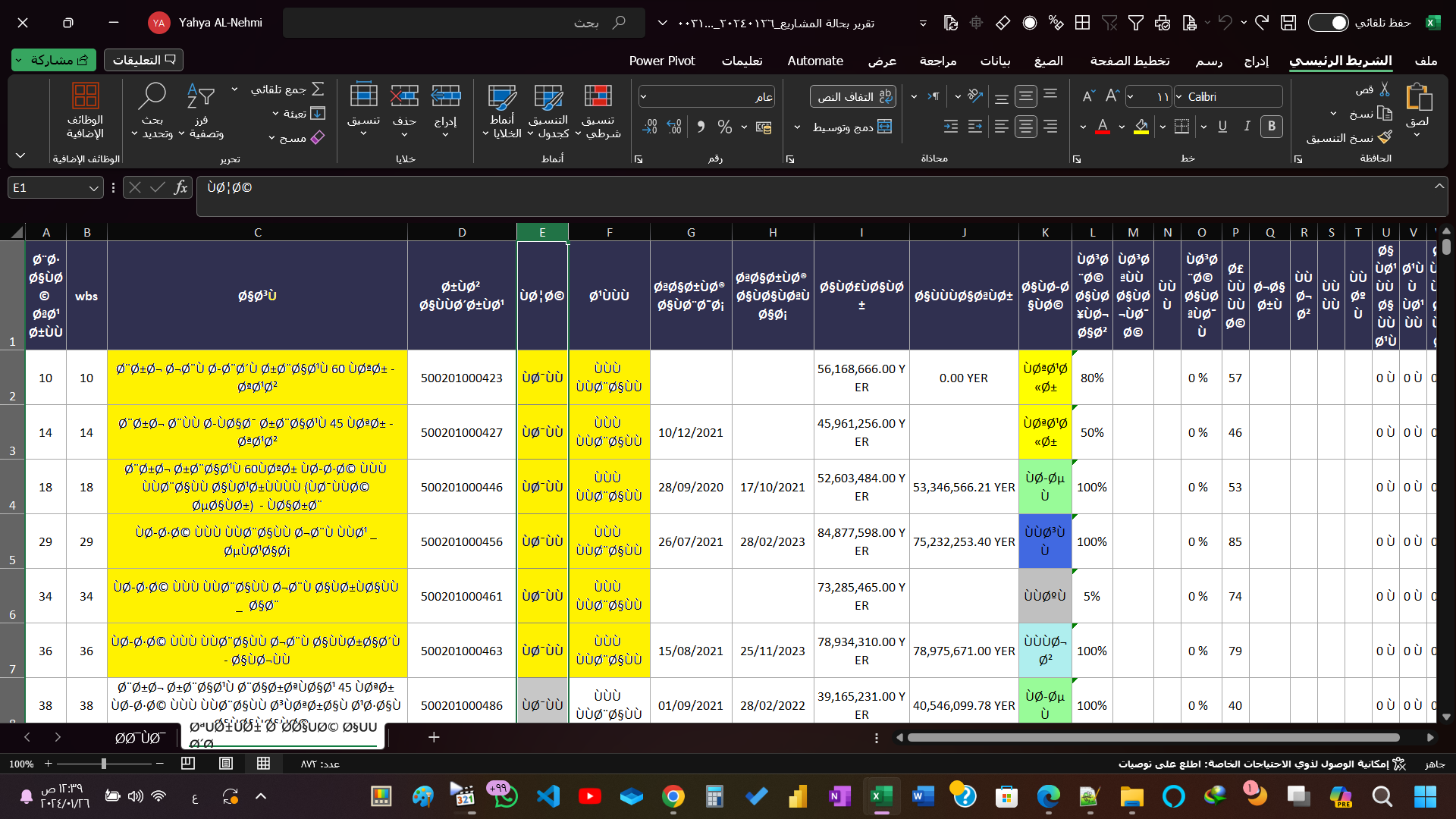

Hello,
Try this: Global parameters > System > Translation data > export CSV to UTF-8 format : YES.
Maxca
thank you for replying,
I tried changing the setting to UTF-8 format : YES, but nothing happened, the problem was not solved,
And I tried with new version v11.1.3, but the result was the same.
Hello,
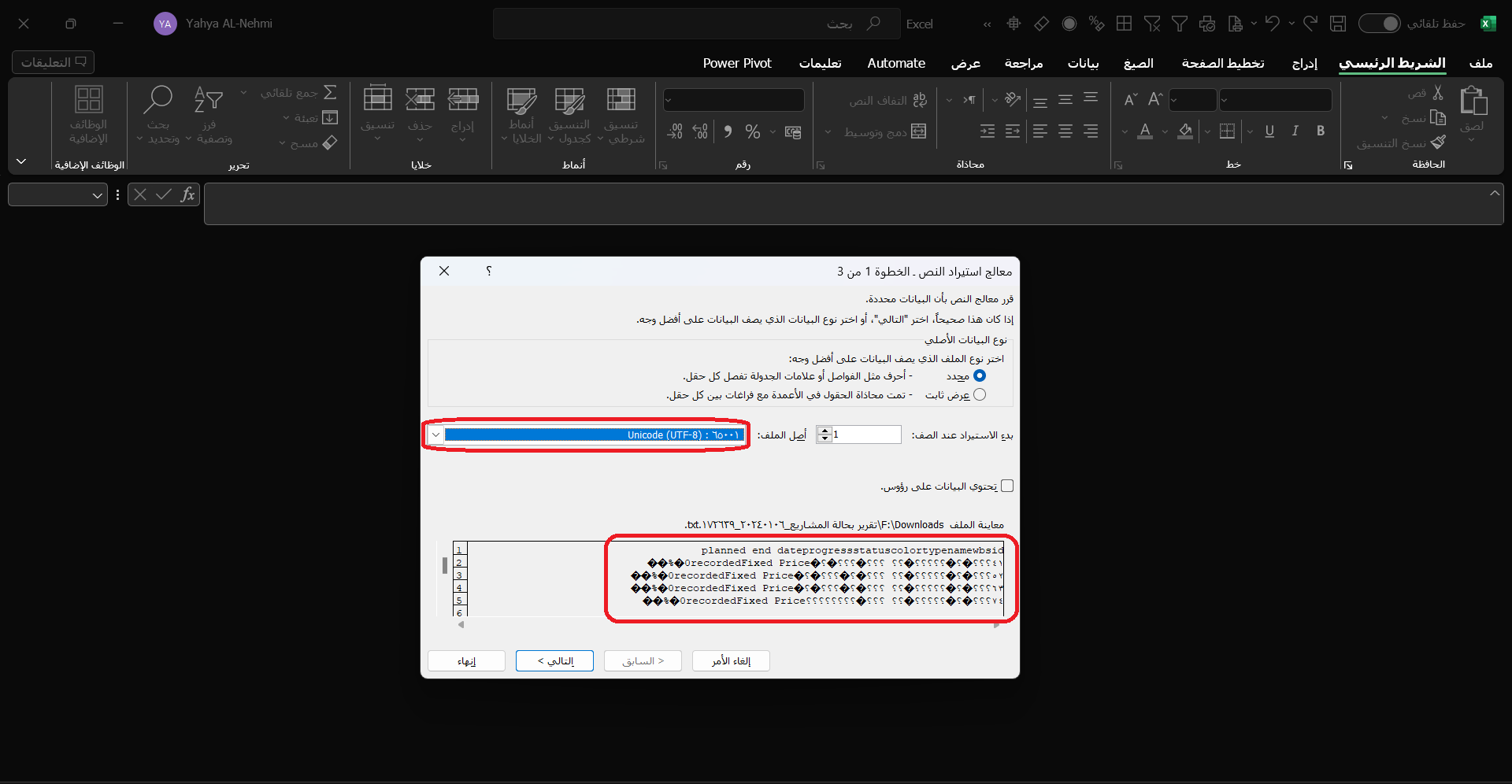
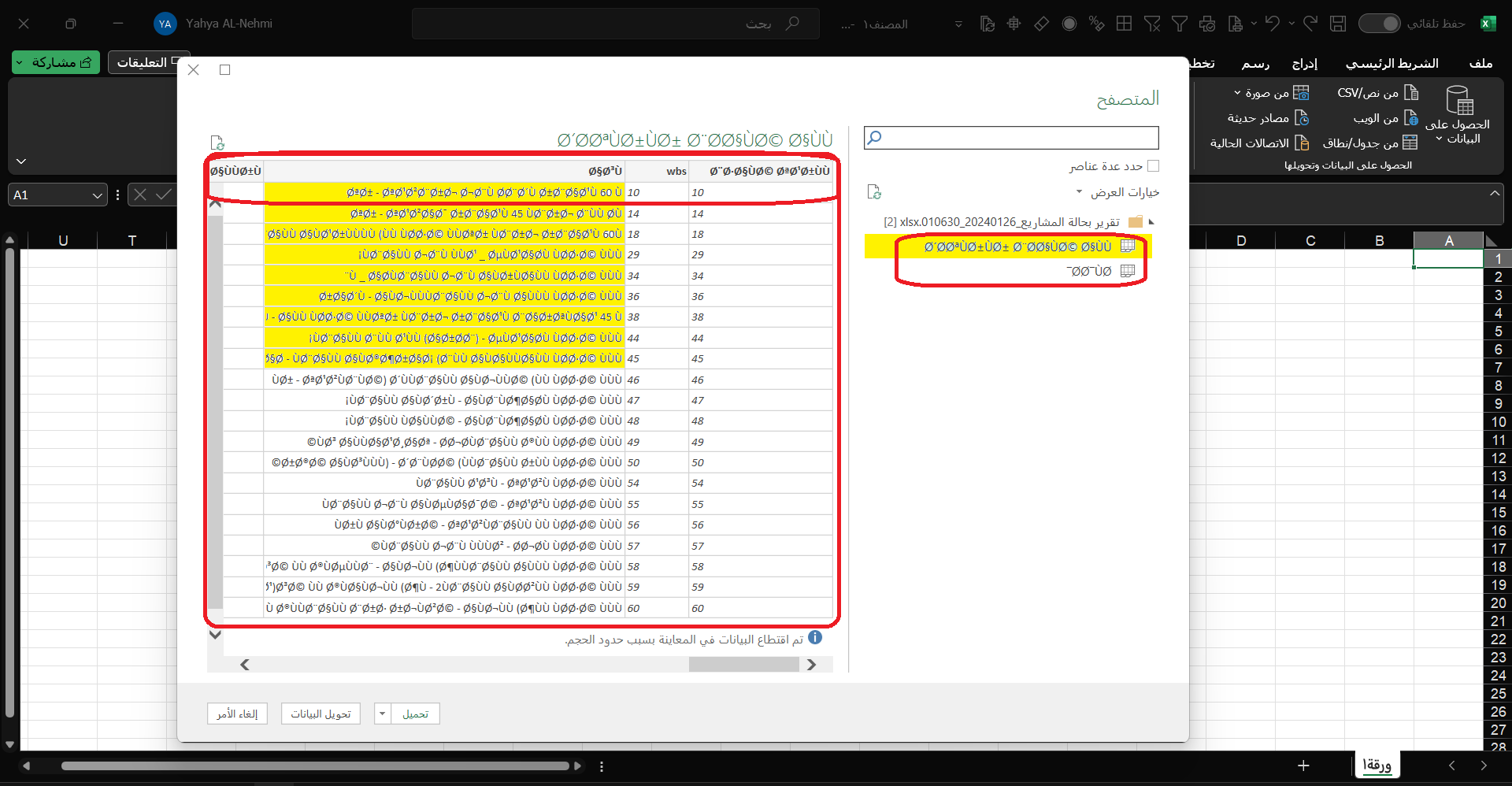
It's not a problem with projeqtor. You need to open the file in utf-8. Try this: Data > get data > from file> from text/csv unicode (UTF-8). delimiter ; (see excel options)
Maxca
thank you for replying,
This method works in a CSV file, but it did not work with XLSX files after changing them to TXT files.
Helo,
It's a problem with your config of Excel. Again see excel options...
Maxca

Try and import your file (even if it has xlsx extension) and specify in import options that file is encoded in UTF-8
thank you for replying,
I tried importing the file to UTF-8, it changed to other unintelligible characters, the problem was not solved.