
Welcome to ProjeQtOr new Forum. We migrated old forum to the new website.
You will find all your posts here, with your usual account.
Just one point : you’ll have to reinitialize your password. Use “Lost password” feature.

I don't seem to be able to reconfigure "First Page" / "Start Page" ("Erste Seite" in German translation) in the User Settings.
I can change the setting just fine, but if I try to save ProjeQtor just says no setting was changed, and the setting will revert to "Today" ("Heute") automatically.

Did you change it on Global Parameter" or on "User parameter" ?
NB : check file parameters.php, if it contaions line
$startPage="today.php";
comment or remove this line
Did you change it on Global Parameter" or on "User parameter" ?
As a non-admin user, I wanted to change my personal start page. See attached GIF to show it.
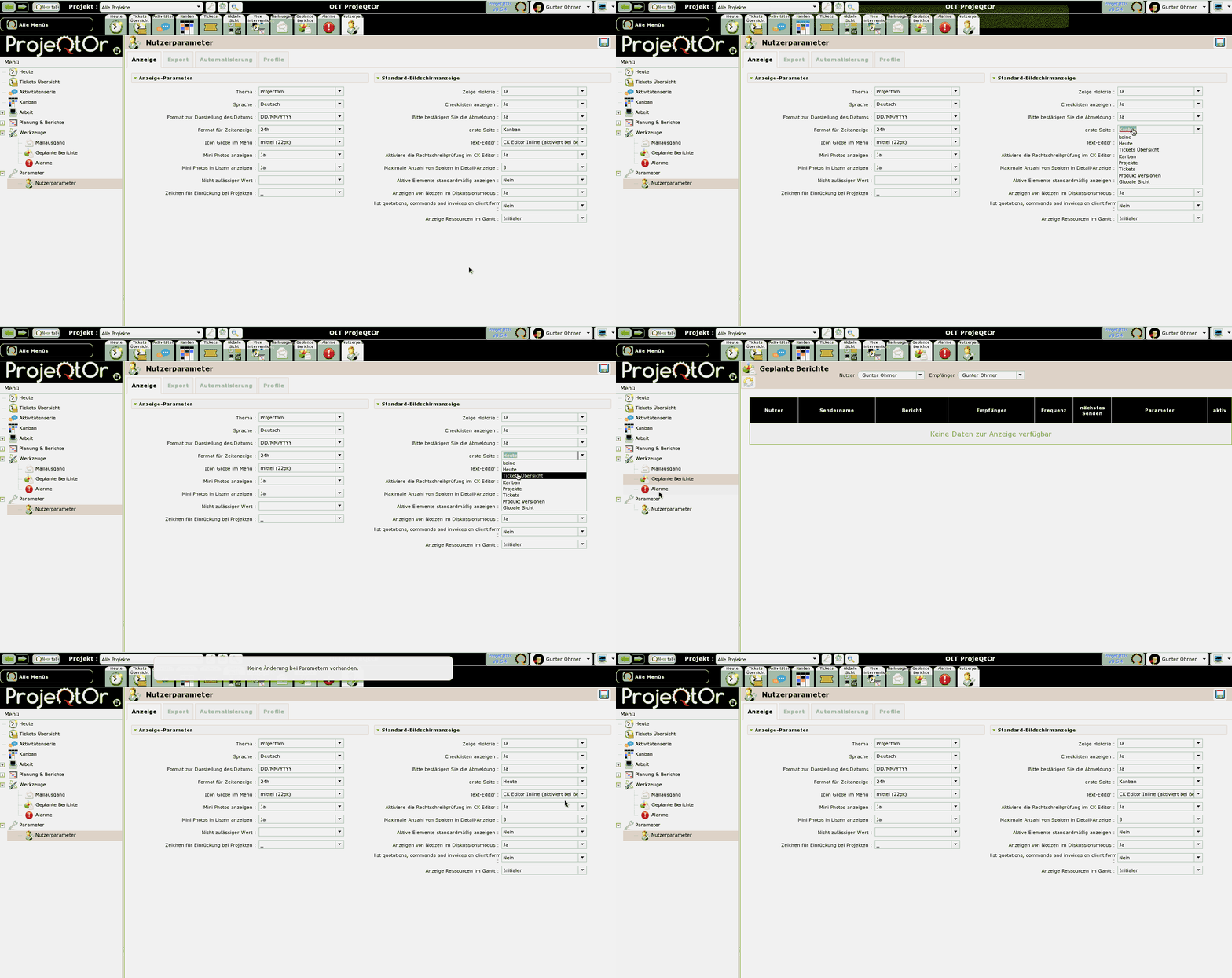
Interestingly, during testing at some point it DID safe the new page, but it normally does not... (I wanted to change it to Kanban, which also is the "Global Setting", but it was not possible. While preparing the attached GIF, it suddenly was safed, but then it was not possible any more to change it back to something else, as you can see.)
NB : check file parameters.php, if it contaions line
$startPage="today.php";
comment or remove this line
No, parameters.php does not include this setting at all.
In fact, it is saved, but it's not visible.
Behavior is strange, ticket #4913 recorded to fix this.
In fact when you change the value, it is automatically saved, without needing to save parameters (I'll have to check why this was sone).
Just try :
- change first page (don't save user pamateres)
- disconnect
- reconnect
=> you arrive on new first page !
OK, I got it !
Parameter is automatically saved because it is also available on User Pop-up, which don't have a Save button
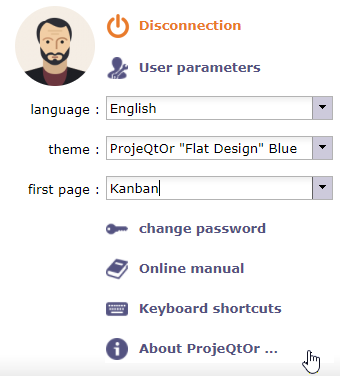
We'll have a look to improve behavior on parameter page