
Welcome to ProjeQtOr new Forum. We migrated old forum to the new website.
You will find all your posts here, with your usual account.
Just one point : you’ll have to reinitialize your password. Use “Lost password” feature.

Hello,
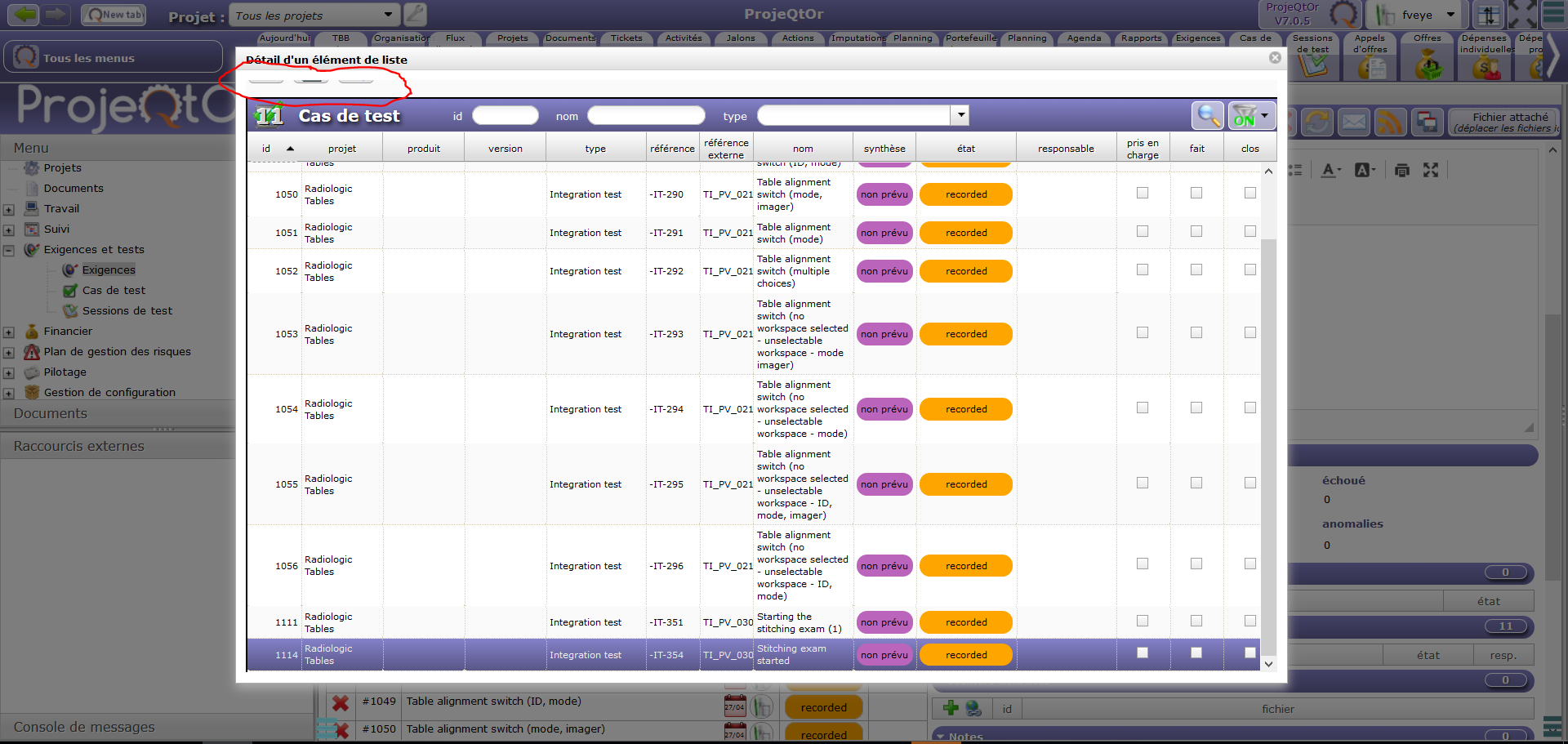
In the "Detail of list element" window, when I select all items of a long list (the last item down is not entirely visible), the three buttons on the top disappears... :S
In this case, I need to close the window, select all the list elements without the last one, validate my selection, then reopen the window, sort by "id", select the last missing item and validate... 😉
Maybe the windows size is too small, or the list frame too big...
Bests regards!
=> version of ProjeQtOr : 7.0.5
=> browser used (en version) : FireFox 59.0.2

This may hapopen when you apply zoom factor on the browser interface.
We cannot control how browser applies zoom factor, be sure it may lead to unexpected behavior.
Try and set zoom factor to 100%, all should work fine.
My browser zoom factor is 100%... :unsure:
I tried with other zoom factors and with Edge browser, I have the same problem... 🙁
Does it possible to make this window resizable? :whistle:
Fix will be included in V7.0.6
(Ticket #3356)
NB : issue appears when zoom is appied, either on browser or on screen resolution