
Welcome to ProjeQtOr new Forum. We migrated old forum to the new website.
You will find all your posts here, with your usual account.
Just one point : you’ll have to reinitialize your password. Use “Lost password” feature.

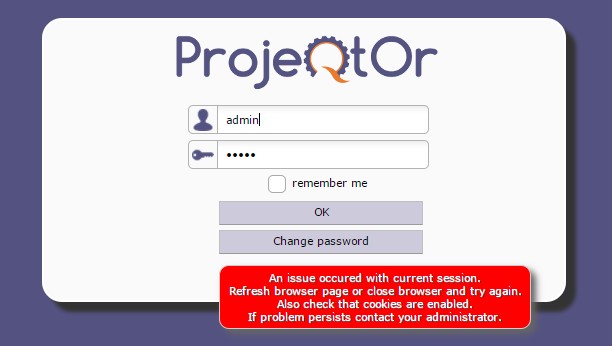
I obtain an error on login page "An issue occured with current session."
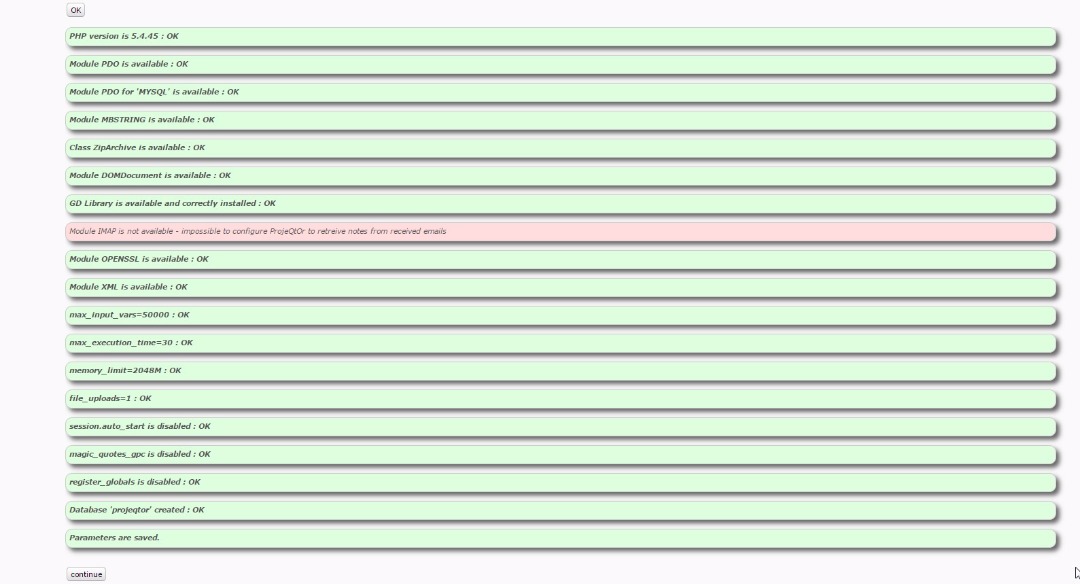
This is first start of application, after parameter has been registrered without error
Database is created, but is empty
Log files indicates that some table are not available (database is empty)
I think setup process is not complete, but i dont find what to do
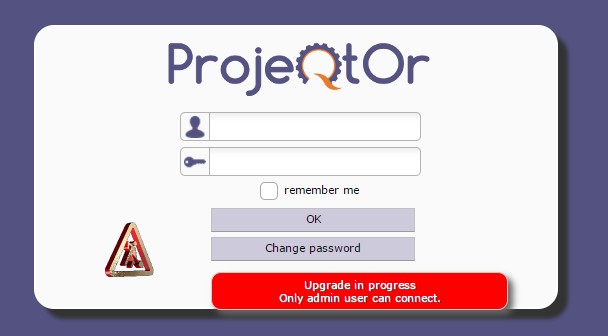
NB : i try to login with admin account as recommanded by message on login page : Upgrade in progress Only admin user can connect.

Try and clean browser cache and cookies (or try with another browser)
If problem persists, check for error in projeqtor log file, in apache error log file and in browser console.

Try and clean browser cache and cookies (or try with another browser)
If problem persists, check for error in projeqtor log file, in apache error log file and in browser console.
Very good night I have installed the latest version available (V7.0.1) all right until I try the first login, on the home page the message that an update is in progress ..... Only the administrator can enter.
Attempt to enter with user admin, password: admin, the indicator appears that you are doing some operation, I wait up to several hours and nothing happens. I try several more times to enter but I do not succeed.
I check the database and there are actually users "admin" and the "guest"
He tried with Firefox, Chrome and Opera, I deleted the kokies and the cache and could not move forward.
I installed it virtualized under the following environment.
HOST operating system: UBUNTU 16
Hypervisor: LXC
Virtualized operating system: Ubuntu 16
Database: MySql
The Host is behind a ProxyServer
regards
Alan Ruiz
PD: I'm Spanish speaking, the translation was done with the google translator
Try and clean browser cache and cookies (or try with another browser)
If problem persists, check for error in projeqtor log file, in apache error log file and in browser console.
____________________
Très bonne nuit J'ai installé la dernière version disponible (V7.0.1) tout droit jusqu'à ce que j'essaie la première connexion, sur la page d'accueil le message qu'une mise à jour est en cours ..... Seul l'administrateur peut entrer.
Tenter d'entrer avec l'administrateur de l'utilisateur, mot de passe: admin, l'indicateur semble que vous effectuez une opération, j'attends jusqu'à plusieurs heures et rien ne se passe. J'essaie plusieurs fois d'entrer mais je n'y arrive pas.
Je vérifie la base de données et il y a en fait des utilisateurs "admin" et le "guest"
Suite à sa suggestion, je l'essaie avec Firefox, Chrome et Opera mais je ne peux toujours pas avancer.
Je l'ai installé virtualisé dans l'environnement suivant.
Système d'exploitation HOST: UBUNTU 16
Hyperviseur: LXC
Système d'exploitation virtualisé: Ubuntu 16
Base de données: MySql
L'hôte est derrière un serveur proxy
Salutations
Alan Ruiz
PD: Je parle espagnol, la traduction a été faite avec le traducteur google
Please check for message in ProjeQtOr log file or in Apache log file.

I am having the same issue and I am using Windows server 2016 and the current version of MySQL. I am not sure why I am looking for that?
First, check for errors in projeqtor log file (default location is projeqtor/file/logs)
Post any error here.
Try also to remove file projeqtor/files/cron/MIGRATION
and try again.