
Welcome to ProjeQtOr new Forum. We migrated old forum to the new website.
You will find all your posts here, with your usual account.
Just one point : you’ll have to reinitialize your password. Use “Lost password” feature.

when we try to export a pdf planning from "planning view" or "tableau de bord" view, is impossible

export a pdf planning from "planning view"
Do you mean click on "Export to PDF" button on Planning screen ?
1) Which browser are you using
2) Can you describe what you get ? Do you have a pop-up to select some parameters ? What do you select ? What do you get ?
3) Do you have any error in Browser console ?
4) Can youtry on Chrome ? Do you reproduce issue ?
or "tableau de bord" view
I don't understand the use case. Coul you detail ?
Are you in menu "Rapports" > "Tableau de bord" and you try to export one of the three reports ?
I use firefox
Attached the message...
I don't have the issue with chrome....even there is the possibility to export with specific mode "porrtait or landscape ....no the opportunity of export to firefox ...
With the "planning gantt " report in "planning" (report view) on firefox, there is the issue

With the "planning gantt " report in "planning" (report view) on chrome , there is also the issue
Recorded as Ticket #2411
After some investigation, it seems it is possibly an "out of memory" error.
PDF generation is much "memory" consuming.
So you should act on 2 points :
1) in ProjeQtOr global parameters, increase value for "memory to generate PDF". Try at least value of 512.
2) Check in your php.ini file and try and increase memory_limit (try and set it to 512M)
[v6.0.3 acceptance review] : It is not a "out of memory " error. The adminitrator has increased memory_limit in PHP and the problem stays.
He also increased servor hardware in order to test. It is really a problem...
For S curve, or 45° curve we have not a pdf export issue.
Our admin continues to investigate. We will keep informed.
Try and change global parameter "memory limit for PDF generation" to 512
If issue persists, check projeqtor log file and apache error file.
There should be information about source of issue.
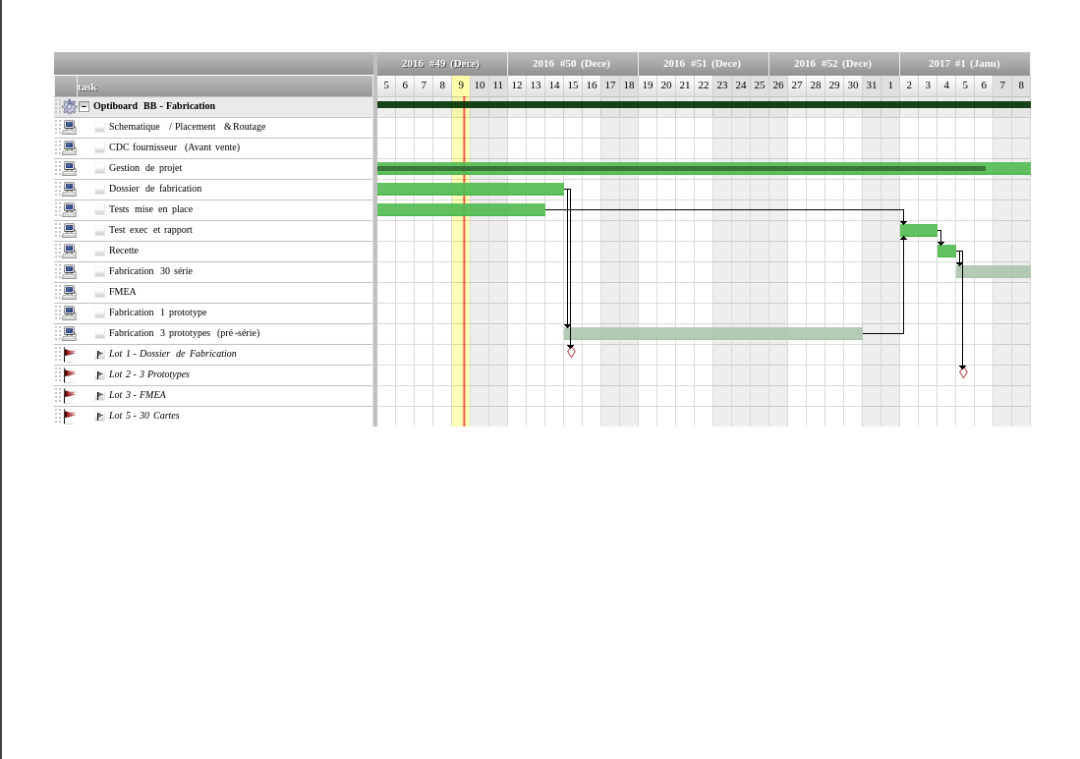
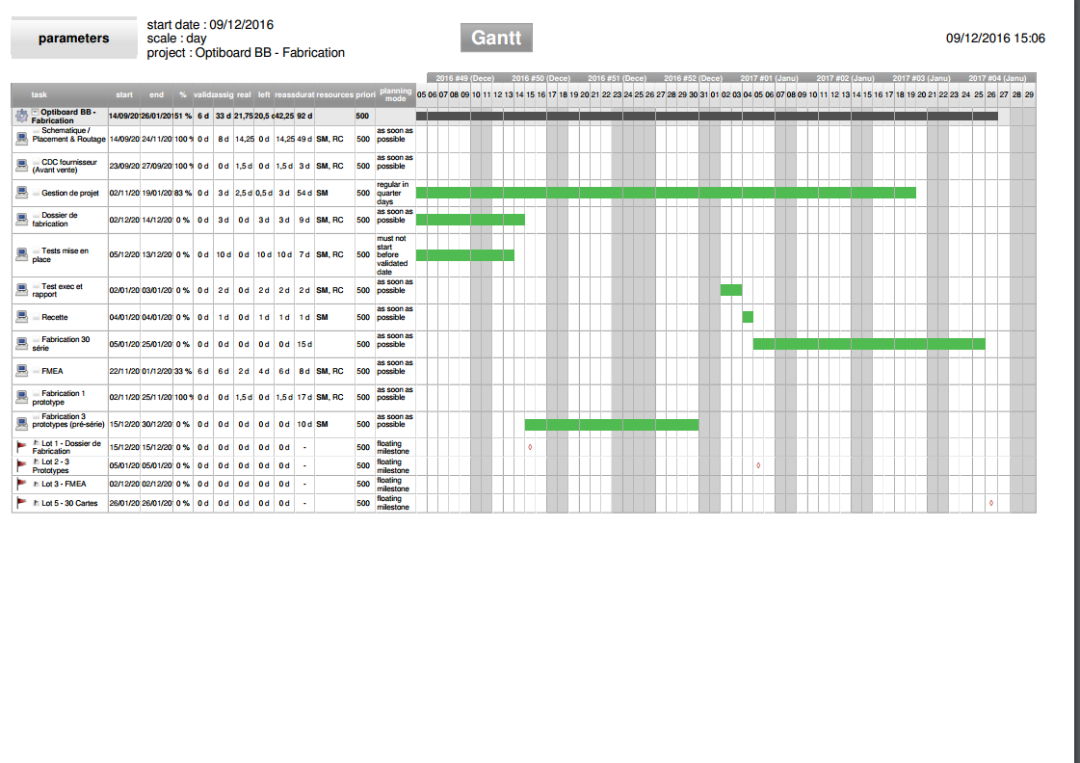
Following users, we have some different pdt planning outputs. you can find attached some examples:
- export without graphic structure
- export without tasks
Also, you can find attached different log files in order that you can find potential error from your part. with log titles (for each screenshot) you can understand easily issues...
Using firefox, as google chrome, there is not the popup permitting to choose "landscape" view and zoom %.
all this issues appear also using "report" view to display gantt.


Hi,
Generating Gant chart is a great technical challenge, and we got several ways to do it, and generate printed sheet and export as pdf.
1) First version of displayed Gantt war a combination af html tables, each day for a given activity being a cell.
This was quite good, but requested construction of too many html nodes.
So in this format, browsers had issues to display large gantt charts.
For instance trying to display a planning for 1 year for 100 lines led to :
- Very long display time in Chrome, and then interface was very very slow
- IE was struck
- Firefox just "pop-up". Yes, not really crashed, just pop-up and disapeared without any message or error...
This version could be printed and exported to PDF, because of its "simple" structure.
2) So we brought improvements to dramatically reduce number of objects so that browsers could display large gantt charts.
We replaced each cell by background image so that to display each line less that 10 html objects are now required, whatever the number of days to display.
Now Gantt chart can be displayed for thouthand of lines over a yearly planning on all browsers.
This version was first only used to be displayed, not printed nor exported to PDF.
Simultaneously an improvement was brought on PDF export to automatically adjust witdth of planning to fit a page. This is quite good for small plannings but not for long ones as scale reduction leads to almost unreadable result.
3) We then managed to print Gantt charts in the 2nd mode, just copying parts into printable area. But this method could not be used to export to PDF.
So, up to V5.4, we got Display and Print as method 2 and export in PDF mode as method 1.
4) In V5.5, we tried to implement new PDF export method, using HTML5 Canvas, generating images, cutting them and generating PDF in Javascript.
This method uses only client side treatments, so server is not impacted.
We so implemented ways to split gantt into several pages, adapt zooming, and allow repeating of headers or not.
This is quite clean but uses some quite new technologies and external javascript libraries that are not bug free, not cross-broser compatible.
This methods works quite well in 90% of cases on Chrome, on 50% on Firefox and IE, and 0% on Edge.
So, by now, this method has only been enabled on Chrome, and is not 100% reliable, but we'll try and improve it as long as we can.
This beeing said, it explains why users can get different format for gantt export.
So we would need more precision about your print screen : Browser, version of browser, OS, version of OS, for each export, and possibly a rpint screen of the planning you try and export.
Thanks.
Hint : one workaround solution is to print the gantt on a pdf printer (for instance with PDF Creator).
thanks for this historic,
difficult to have a good graphics with printer too..
That's why we implemented new pdf export.
We hope to be able to set it more reliable and extend it to all browsers.