
Welcome to ProjeQtOr new Forum. We migrated old forum to the new website.
You will find all your posts here, with your usual account.
Just one point : you’ll have to reinitialize your password. Use “Lost password” feature.

Hi,
I encountered an issue after upgrading from V8.6.1 to V8.6.6, which there is no display of project/task in the Global Planning menu. Would you kindly advise?
Thanks,
Rainbow


Please post errors you'll find in projetor log file or in browser console.
Try and add
$paramDbCollation='utf8_general_ci';
in file parameters.php
Hi Babynus,
Thanks for your reply. Unfortunately, it still doesn't work. I checked that the error on collation disappeared, yet still other errors exist. I attached the error log for your reference. I would also like to ask whether there is any impact that I changed the projeqtor from a later version 8.6.6 to 8.6.1?
Thanks,
Rainbow
Hi,
Issue is still the same.
In fact the fix may be opposite from proposed :
Change added line to
$paramDbCollation='latin1';
I changed the add line to
$paramDbCollation='latin1';
yet still no item is displayed.
I also tried to add a new activity in the menu, yet the issue still persists.
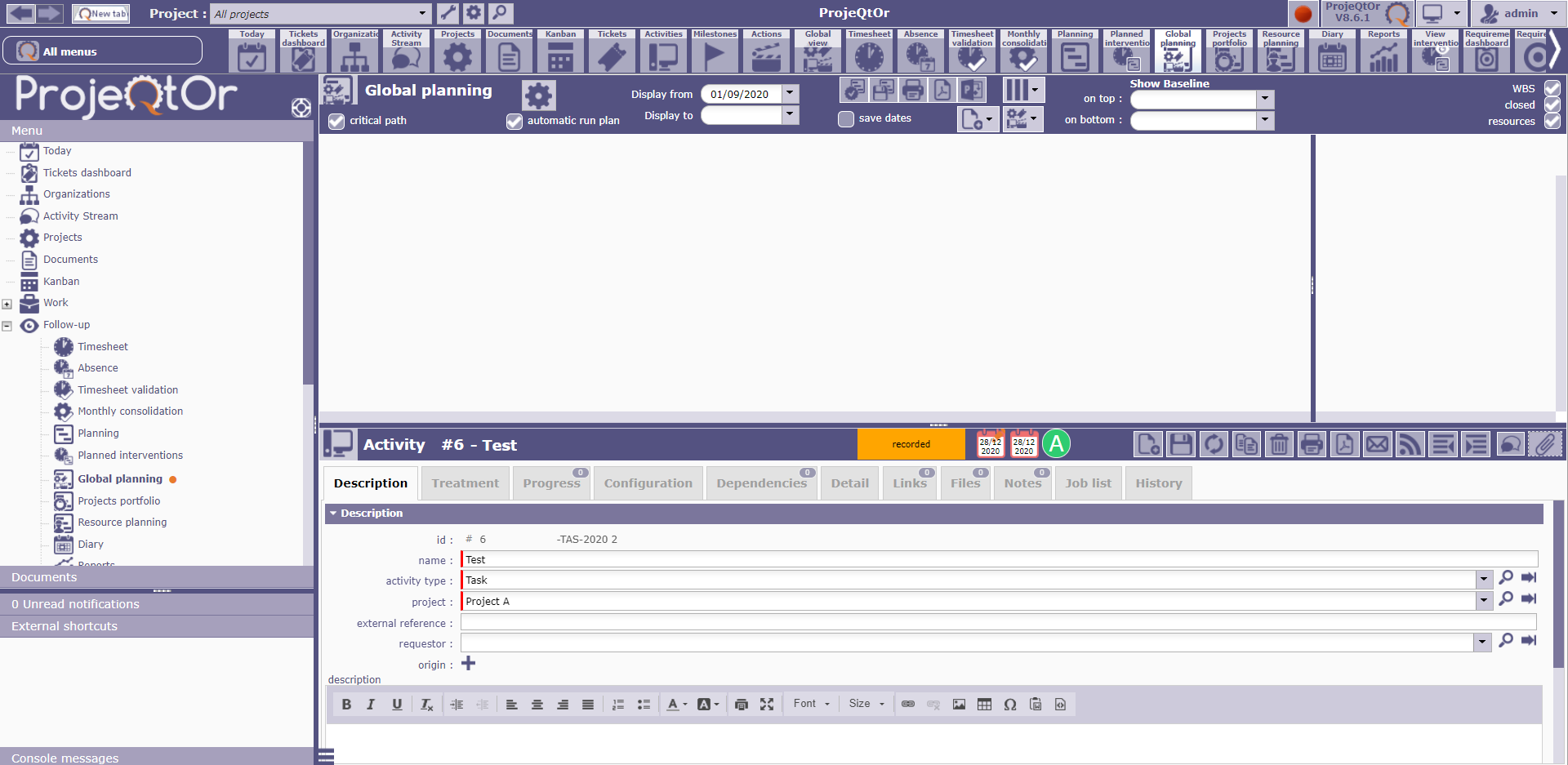
It seems like the collation is not recognised. I extracted parts of the error codes below and attached full error log.
2020-12-28 23:24:58.053 ** ERROR ** [V8.6.1]    Strack trace :
2020-12-28 23:24:58.056 ** ERROR ** [V8.6.1]    #0 Sql->query called at [C:UsersRainbowDownloadsWnmphtmlprojeqtortooljsonPlanning.php:286]
2020-12-28 23:24:58.058 ** ERROR ** [V8.6.1]    #1 include called at [C:UsersRainbowDownloadsWnmphtmlprojeqtorviewglobalPlanningList.php:534]
2020-12-28 23:24:58.061 ** ERROR ** [V8.6.1]    #2 include called at [C:UsersRainbowDownloadsWnmphtmlprojeqtorviewglobalPlanningMain.php:79]
2020-12-28 23:25:02.369 ** ERROR ** [V8.6.1] Exception-[HY000] SQLSTATE[HY000]: General error: 1273 Unknown collation: 'latin1'
2020-12-28 23:25:02.372 ** ERROR ** [V8.6.1]    For query : SELECT planningelement.*
Will the different version switching has any impact on the database such that changing to an older version will cause such impact?
Before such error, in V8.5.1 there is no such error. After I updated to V9.0.0, I encountered some issues, which I then tried to change to an older version V8.6.6, yet no display in global planning. I then tried to change to V8.6.1, yet the issue still persists.
Thanks!
Hi,
Possibly the source comes from your migration process.
You installed a new DB which does not use that same collation as the previous one.
Migrating from DB that has no issue will not introduce any issue.
Hi Babynus,
Thanks for your reply. I tried to use a new database that works at v8.5.5 and update to v8.6.6 but still didn't work.
I found out that the parameter script (as below) in V8.6.6 is missing after upgrade from v8.5.5 to v8.6.6. I suspect in the version update script, scripts on the parameter update are missing.
$enforceUTF8='1';
After adding the script above, the global planning display works. I suspect updating the version update script for UTF8 settings would prevent similar cases in the future version updates. Hope it helps others who face the same issue!
Thanks,
Rainbow

where i execute the command
$enforceUTF8='1';
where i execute the command
$enforceUTF8='1';
We won't reply to questions you add on an existing thread and that not relative to this tread. Please open new thread / subjet.