
Welcome to ProjeQtOr new Forum. We migrated old forum to the new website.
You will find all your posts here, with your usual account.
Just one point : you’ll have to reinitialize your password. Use “Lost password” feature.

Hi Everyone,
Taking version 7.1.2 for test run and want to report an issue.
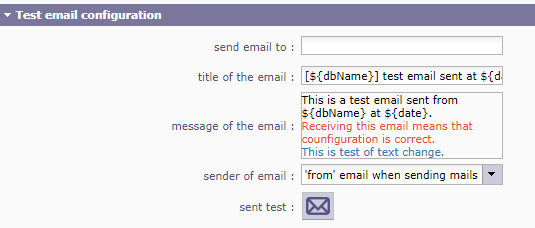
In Global Parameters, Mailing section - input field for "message of the email :" , "body of mail to user :" and "body of mail to approvers : " are WYSIWYG clickable sections. Once you edit and save, the value in the INPUT form is "undefined.
Trying to Save the configuration reports Alert with message of Some field contains invalid data

In Global Parameters, Mailing section - input field for "message of the email :" , "body of mail to user :" and "body of mail to approvers : " are WYSIWYG clickable sections. Once you edit and save, the value in the INPUT form is "undefined.
Hi,
I cannot reproduce.
Works fine for me.
I tested with Chrome, Firefox, Edge and IE11 : same correct result.
What browser are you using ?
Can you try after disabling all extensions of browser ?
Can you please check browser console (F12, tab console) for any logged arror ?
Do you have errors logged on projeqtor log file ?
- I found what was causing the saving error. The Global Parameters, Authentication section how has a Project to allocate automatically :. Since there is no project yet setup on clean install, the new field is empty and causes the ERROR when trying to save.
- For the second issue reported,
In Global Parameters, Mailing section - input field for "message of the email :" , "body of mail to user :" and "body of mail to approves : " are WYSIWYG clickable sections. Once you edit and save, the value in the INPUT form is "undefined.
I am still seeing the issue in version 7.1.2, but this ISSUE does NOT exist in version 7.0.9.
Screenshot attached for reference
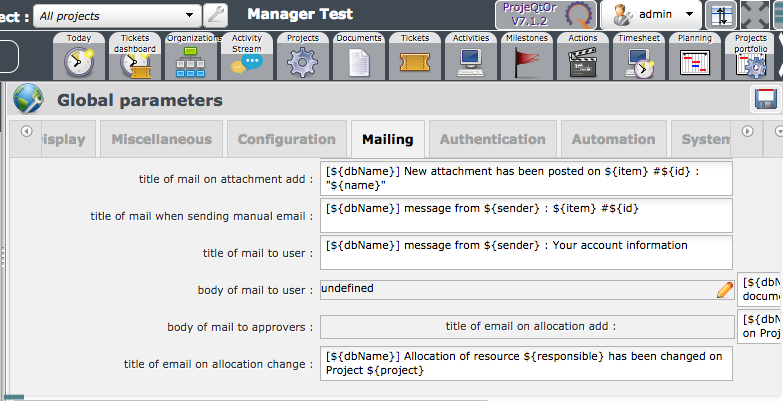
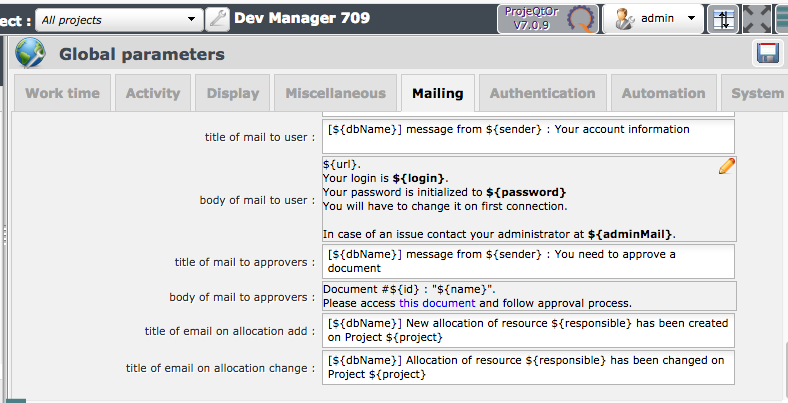
LIke advised I disabled all ADDONS in Firefox and console reports NO errors. Log file has no errors.
Issue 1 is fixed (patch V7.1.3 to come soon)
For issue 2, did you try and clear browser cache ?