
Welcome to ProjeQtOr new Forum. We migrated old forum to the new website.
You will find all your posts here, with your usual account.
Just one point : you’ll have to reinitialize your password. Use “Lost password” feature.

Hello,
I would like to know if it's possible than gantt after "real work allocation" for exemple 0.5 day on 2 days left work , the gantt keeps the bar visible for 2 days.
Because currently this leads to a bad interpretation of the gantt by some people (see sample in file attached ).
Thank you.

Hi,
I cannot reproduce the issue
From same case

after entering real

So all seems correct.
Could you please detail use case, and explain why assigned work has changed (from 2 to 2.5) ...

HI
Have you done something else, like for instance, modify the FTE of this ressource before launching the calculation ?
Hi,
I create only an activity on 2 days by example
After , i allocated a ressource for 2 days
After in the real work allocation , i have imputed 0.5 day and save (with the icon diskette)
After a check, i see than : start date and end date (in PLANNED) are complete on the date imputation, maybe it's anormal ....
hi
Could you check, please, the value of FTE of this resource when you allocate it to this project. Is it 2 on this box ? (and not a value beetween 0,1 and 1 as expected)
Hi,
Where is FTE value ?
Select the resource, on détail area please fill capacity box ( FTE) . the value 1 means that the resource works all day long, O,5 indicates half a day.(opened hours)
Could you also precise which version of ProjeQtOr you are using ?
See detail in file attached for this example
2days
0,5 real work alloction
Version Projeqtor V7.0.8
please select the icon resource. Then select on the list your resource. click on it. you get the detail as shown below.
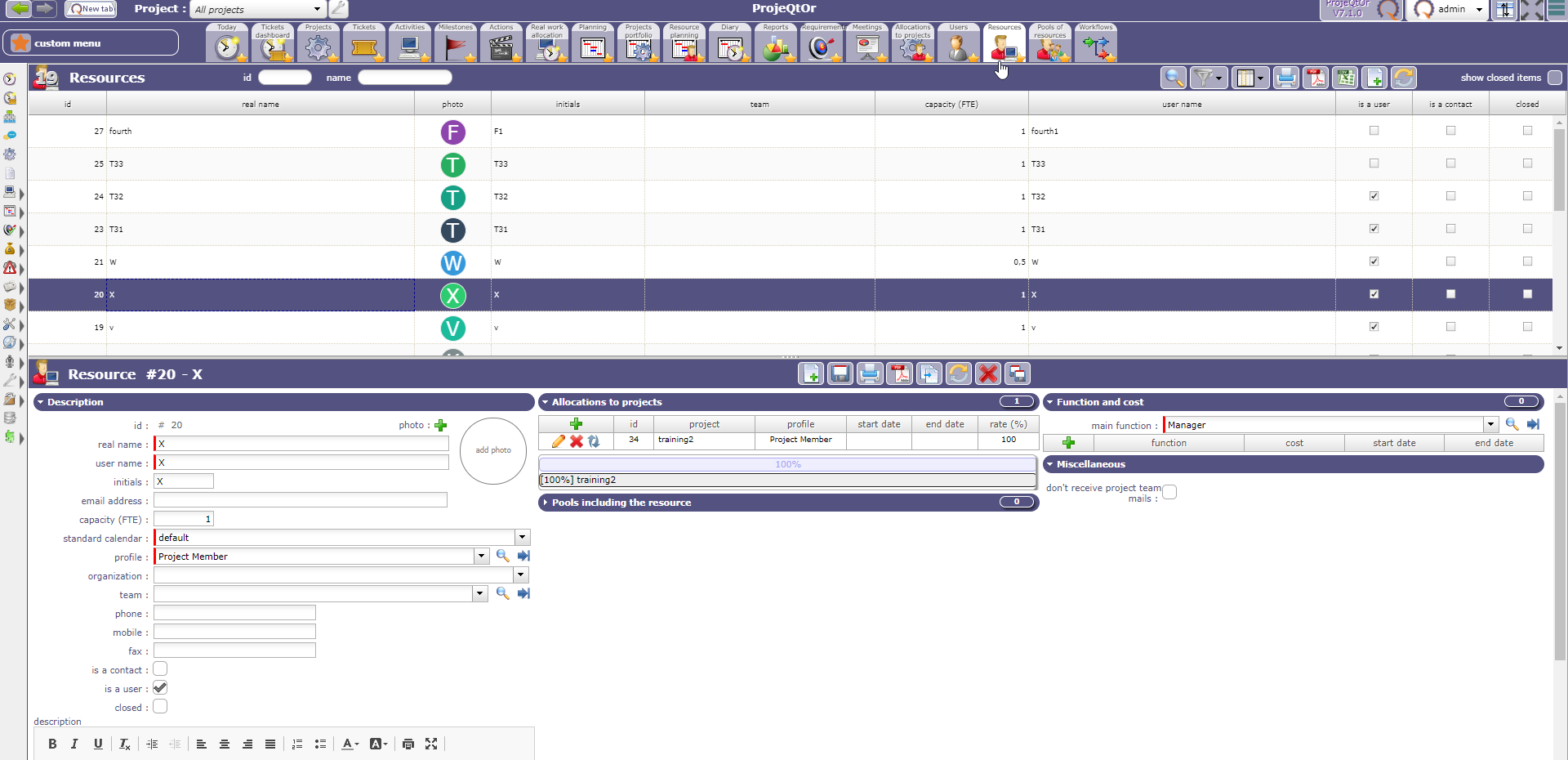
FTE = 1 in this detail for this ressource
IT does not help me ;-).... still trying to undestand.
Yes, it's Strange. This problem is arrived with the lasts versions before all was correct :(.
I check the global parameters but i think all are OK.
My PHP is V5.4 but i think than it's not the problem.
Please could you remake this typical case over our data base https:demo.projeqtor.org.
Thanks.
yes, but with which account for access at : ressources/real work allocation/ activites /
Thanks.
Hi,
Project :
toto_test-jcro
After test: same problem
Erratum,
No, it's ok on your site.... 🙁
So just try and migrate to V7.0.9 (same version as Démo)
V7.0.9 is installed, same problem 🙁
Could you send to me yours all global parameters ?
And how have you some colors on the gantt ?
Thanks.
Did you refresh browser cache after migration ?
Hi,
I have the solution, it's only " activate/desactivated auto calculation " on gantt is not validated and now it's OK, but this choice modify my dates on PLANNED and impossible to change these values.
Yes, planned dates are result of planning calculation 😉
the calculation with What ???
Have you the rules of calculation ?
Thanks