
Welcome to ProjeQtOr new Forum. We migrated old forum to the new website.
You will find all your posts here, with your usual account.
Just one point : you’ll have to reinitialize your password. Use “Lost password” feature.

Hello Dear Mr babyrus
I will be thanksfull if you guide me about following questions:
1- there is a Grid as dojox.grid.DataGrid dojo widget in most of pages. I want to change the date formats from gregorian to Jalali in these grids.
A. Where is the related source code?
B. Does Dojox.Grid.DataGrid support Persian calander?
C. Do you have any idea how i can change the dates shown in that. I have the related fucntion to convert gregorian calander to Jalali. I do not know how to access the date sector of the grid objectstore.
2- There is a changing historry in button of some pages. The calander format is gregorian. I want to change it also.
D. Where is the related source code?
Thanks in advance

1.A /view/js/projeqtorFormatter.js function formatDate()
1.B no need, you have to format it yourself in formatDate()
1.C All you have to do is change formatDate()
2.D /tool/html.php function htmlFormatDate()
Both functions should do the same, one in JavaScript (for dbGrid) one on PHP (for history and other displayed dates)
I edited the file as follows:
//first i added a function to convert gregorian calendar to jalali as follows (I have tested this code, this works
Date.jalaliConverter = {};
Date.jalaliConverter.gregorianDaysInMonth = new Array(31, 28, 31, 30, 31, 30, 31, 31, 30, 31, 30, 31);
Date.jalaliConverter.jalaliDaysInMonth = new Array(31, 31, 31, 31, 31, 31, 30, 30, 30, 30, 30, 29);
Date.jalaliConverter.div = function (a, b) {
return Math.floor(a / b);
};
Date.jalaliConverter.remainder = function (a, b) {
return a - Math.floor(a / b) * b;
};
Date.jalaliConverter.gregorianToJalali = function (g) {
var gy, gm, gd;
var jy, jm, jd;
var g_day_no, j_day_no;
var j_np;
var i;
gy = g[0] - 1600;
gm = g[1] - 1;
gd = g[2] - 1;
var div = Date.jalaliConverter.div;
var remainder = Date.jalaliConverter.remainder;
var g_days_in_month = Date.jalaliConverter.gregorianDaysInMonth;
var j_days_in_month = Date.jalaliConverter.jalaliDaysInMonth;
g_day_no = 365 * gy + div((gy + 3), 4) - div((gy + 99), 100) + div((gy + 399), 400);
for (i = 0; i < gm; ++i)
g_day_no += g_days_in_month;
if (gm > 1 && ((gy % 4 == 0 && gy % 100 != 0) || (gy % 400 == 0)))
/* leap and after Feb */
++g_day_no;
g_day_no += gd;
j_day_no = g_day_no - 79;
j_np = div(j_day_no, 12053);
j_day_no = remainder(j_day_no, 12053);
jy = 979 + 33 * j_np + 4 * div(j_day_no, 1461);
j_day_no = remainder(j_day_no, 1461);
if (j_day_no >= 366) {
jy += div((j_day_no - 1), 365);
j_day_no = remainder((j_day_no - 1), 365);
}
for (i = 0; i = j_days_in_month; ++i) {
j_day_no -= j_days_in_month;
}
jm = i + 1;
jd = j_day_no + 1;
return new Array(jy, jm, jd);
};
//Then i simply edited the formatDate(date) function as follows
function formatDate(date) {
if (!date) {
return '';
}
var month = date.getMonth() + 1;
var year = date.getFullYear();
var day = date.getDate();
month = (month < 10) ? "0" + month : month;
day = (day < 10) ? "0" + day : day;
var y= Date.jalaliConverter.gregorianToJalali (new array [year,month,day]);
year = y[0];
month = y[1];
day = y[2];
return year + "-" + month + "-" + day;
}
But the shown girds ( i my self checked project page) does not change to jalali. Do you have any idea ?
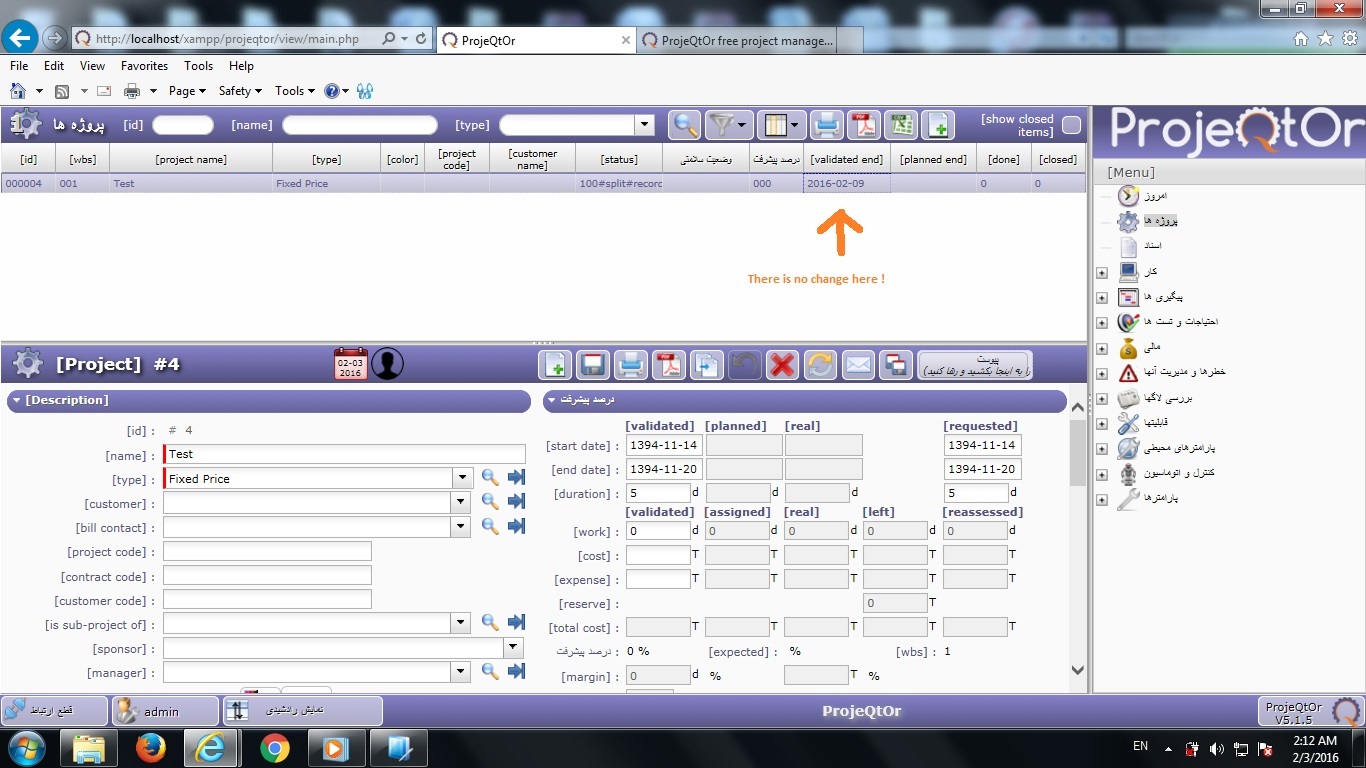
The way you do it seems correct, but your gregorianToJalali does not seem to return what you expect.
Jest tests it unitary.
It is so strange. I changed the convertor code. I made a sample file which worked. here is the sample source.
//Converting the gregorian to Jalali date
JalaliDate = {
g_days_in_month: [31, 28, 31, 30, 31, 30, 31, 31, 30, 31, 30, 31],
j_days_in_month: [31, 31, 31, 31, 31, 31, 30, 30, 30, 30, 30, 29]
};
JalaliDate.gregorianToJalali = function(g_y, g_m, g_d)
{
g_y = parseInt(g_y);
g_m = parseInt(g_m);
g_d = parseInt(g_d);
var gy = g_y-1600;
var gm = g_m-1;
var gd = g_d-1;
var g_day_no = 365*gy+parseInt((gy+3) / 4)-parseInt((gy+99)/100)+parseInt((gy+399)/400);
for (var i=0; i < gm; ++i)
g_day_no += JalaliDate.g_days_in_month;
if (gm>1 && ((gy%4==0 && gy%100!=0) || (gy%400==0)))
/* leap and after Feb */
++g_day_no;
g_day_no += gd;
var j_day_no = g_day_no-79;
var j_np = parseInt(j_day_no/ 12053);
j_day_no %= 12053;
var jy = 979+33*j_np+4*parseInt(j_day_no/1461);
j_day_no %= 1461;
if (j_day_no >= 366) {
jy += parseInt((j_day_no-1)/ 365);
j_day_no = (j_day_no-1)%365;
}
for (var i = 0; i = JalaliDate.j_days_in_month; ++i) {
j_day_no -= JalaliDate.j_days_in_month;
}
var jm = i+1;
var jd = j_day_no+1;
return [jy, jm, jd];
}
//A function just like projeqtorFormatter.js function with 3 alerts to be sure about the values of convered year, month and day
function formatDate(date) {
if (!date) {
return '';
}
var month = date.getMonth() + 1;
var year = date.getFullYear();
var day = date.getDate();
month = (month < 10) ? "0" + month : month;
day = (day < 10) ? "0" + day : day;
var y= JalaliDate.gregorianToJalali(year,month,day);
year = y[0];
month = y[1];
day = y[2];
alert (year.toString());
alert (month.toString());
alert (day.toString())
return year + "-" + month + "-" + day;
}
As the button is clicked, The date is converted and shown by formatDate function. I just pasted the same code in projeqtorFormatter.js. The interesting point is that there is no alert message. Does it mean that FormatDate function probably is not correctly loaded when the grid is displayed. I am really confused. I will appreciate if you help me with that.
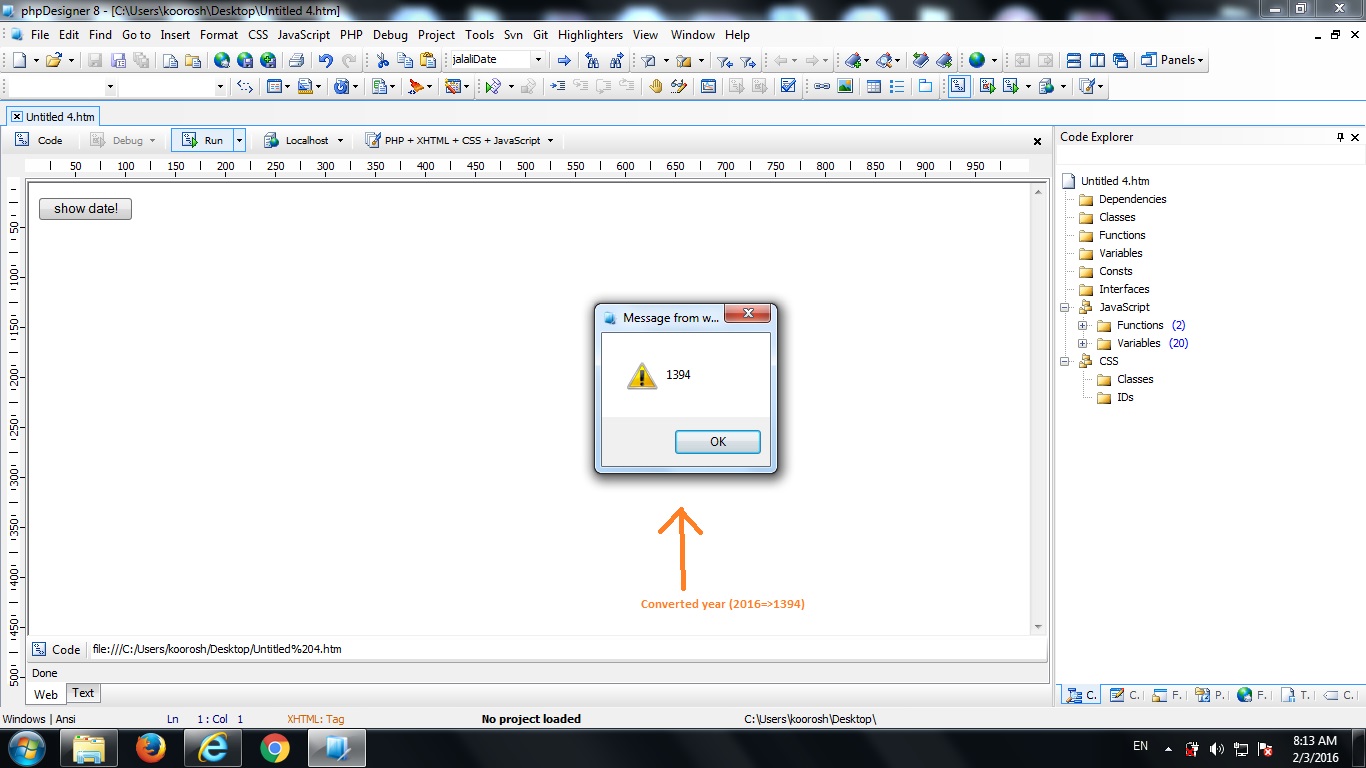
So it may be some javasript cache issue.
Dear Mr babyrus, i cleaned the IE catche and just test the program for 10 times. I observed to changes in data grid date format. May i ask you to test my code your self? May be there is a little mistake i can not find out. I just attached my edited projeqtorFormatter.js file which must be placed in view/js. I tested the source code more than 10 times in my sample files, but when i put it in the software directoty, it does not work. I am just confused ! As Kunena does not allow js type attachment i just zipped the file and attached it. Thanks for your help !
Sorry, I cannot provide such support for free.
Only subscribers to Support Service may request such things.
Yes, Thank you. Then i will try to work on it more to solve my question. Would you help me on following questions:
1- Where is this formatDate (date) used in codes? would you tell me where it is used for the datagrids?
Thank you very much
the formatDate() is defined in the $_layout definition for each object with attribute formatter="dateFormatter".
And how can i access to $_layout definition for each object? Which file? I checked view/objectdetail. i could not find this variable.
thanks