
Welcome to ProjeQtOr new Forum. We migrated old forum to the new website.
You will find all your posts here, with your usual account.
Just one point : you’ll have to reinitialize your password. Use “Lost password” feature.

introduction
Hello,
we are currently self hosting projeQtor using XAMPP 7.2.1, and after security audit, we want to upgrade the stack, and hopefully getting ride of XAMPP.
While trying, to restore projeQtor database on a new mariaDB, I get encoding errors in the new projeQtor application.
FROM (SOURCE)
- windows server
- projeqtor 11.1.1 (custom modification and plugins, unrelated to the database)
- XAMPP 7.2.13
- mariadb 10.1.37
TO
- own laptop using windows 10
- Docker inspired by https://github.com/Nouuu/Docker-Projeqtor
- mariadb 10.1.37
- projeqtor 11.1.1
current database state (Source)
- show create database projector;
- CREATE DATABASE `projector` /*!40100 DEFAULT CHARACTER SET utf8mb4 COLLATE utf8mb4_bin */
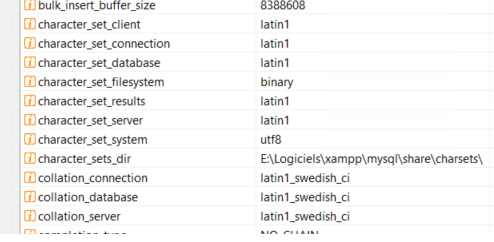
- global variables
-
- select * from projector.project p ; (USING DBEAVER or PHPMYADMIN)
- ---> show incorrect encoding in values
- set names 'latin1' COLLATE 'latin1_swedish_ci'; select * from projector.project p ;
- ---> show correct encoding in values(USING DBEAVER or PHPMYADMIN)
Unsuccessful upgrade procedure
[list=1]
[list=1]
[list=1]
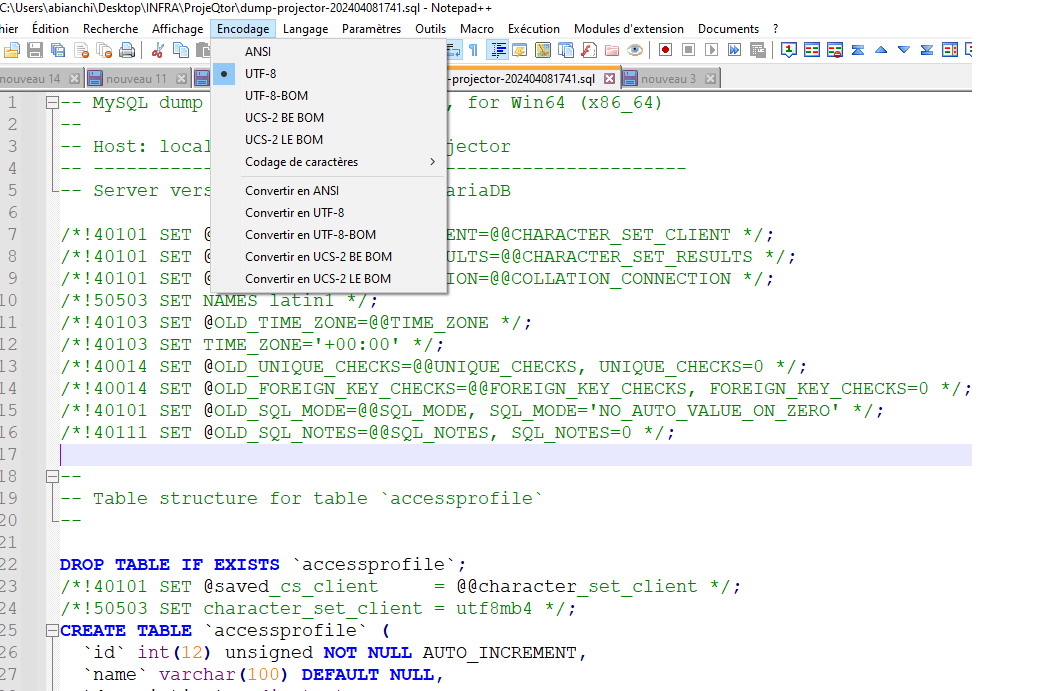

[list=1]
[list=1]
I tried some variants, like the different --default-character-set for dump and restore or changing database or server charset..
Crying for help
As you can see, at the end of the procedure, when I looked at the databases, they look the same. I was wondering if I can easily specify the charset encoding that php should use with the DB, but is this the good solution? It's in the model/persistence/Sql.php file.
Is my case related to this one https://www.projeqtor.org/en/forum/5-ask-questions/6302-projeqtor-database-charset ? My dump look OK, enforceUTF8 already set to 1.
What do I don't understand, or what did I missed?
Miscellaneous additional informations
- I tried to change GOAL database server encoding to match the SOURCE server
-
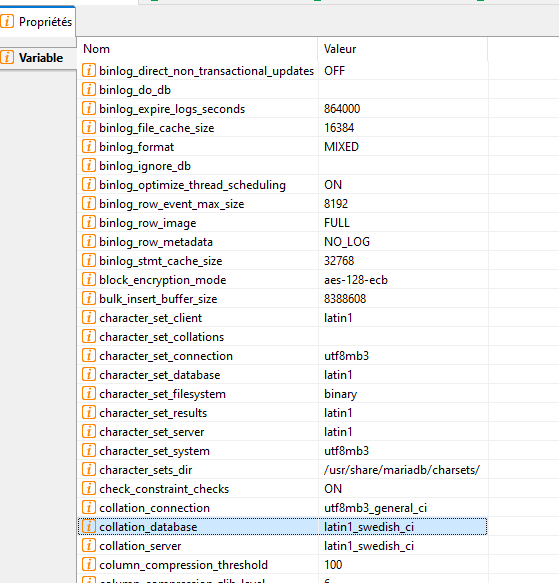
- I don't want to update SOURCE mariadb server encoding (from latin1 to utf8) because it's the production environnement.

Hello,
Please edit your post and use the attachments feature to send your pictures.
Hello,
thank you, it's done.

Try and add in parameters.php
$enforceUTF8 = '1';
Or better, change DB collation to UTF8MB4
Hello
I did try both, they seems logical. No success.
The db upgrade was motivated by security reasons. Our security accountant allowed me to use temporally the last minor version of mariaDB 10.1.
using the last minor worked directly.
So i will stop investigating for a moment and I ll try later. But i am still out of ideas.
Amaury
ps: i was on vacation one week that's why i didn't answered rapidly
You can try :
Export DB.
Open dump in Notepad++.
Check format provided, and check accentuated characters.
If they are not correct, convert file so that it is UTF-8 and with correct accentuated characters.
Import cvonverted dump forcinf UTF8
mysql -u [dbuser] -p --default_character_set utf8 projeqtor < yourdump.sql