Welcome to ProjeQtOr new Forum. We migrated old forum to the new website.
You will find all your posts here, with your usual account.
Just one point : you’ll have to reinitialize your password. Use “Lost password” feature.

Hi Expert,
I want to replace the existing name in all activities by adding some words before the name.
i.e. existing activity name is as follows:
1. Wages Module
2. Leave Module
I want to update the above two items with the following :
1. Doc.Wages Module
2. Doc.Leave Module
I tried to find in Our Multiple Update Feature but I couldn't get it. If We are being able to do that, It will be a very helpful feature.
Please guide me if it is already available in Projeqtor.

You cannot through multiple update.
Multiple update will allow to Change the name to a new value, but not "add" some text before existing.
But you can easily do this with export / import :
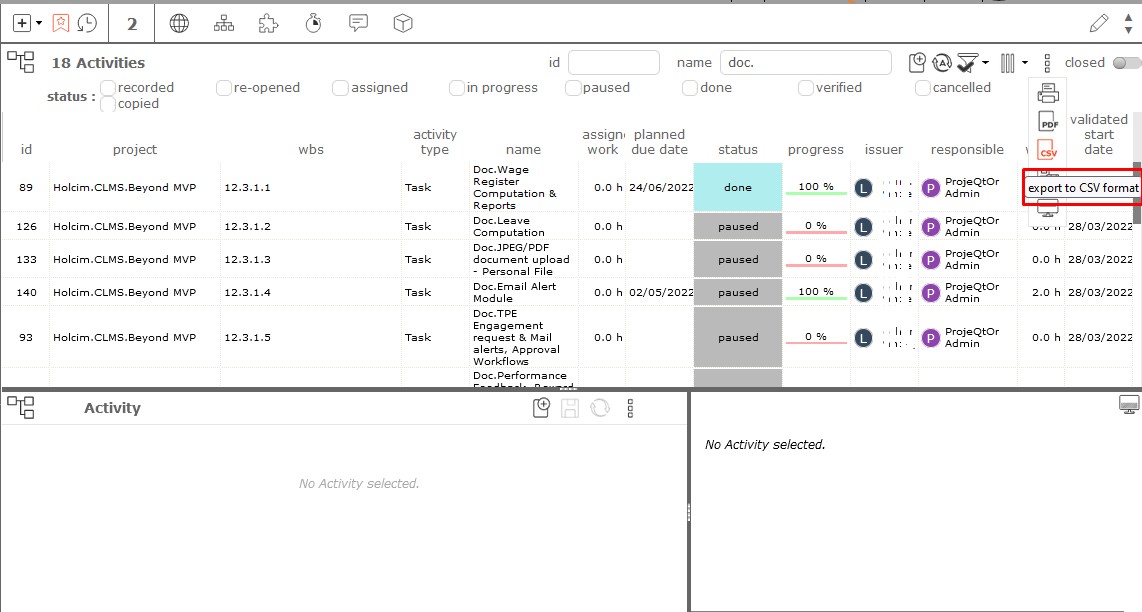
- On activity screen apply filter so that only activities you want to update appear.
- Export result to CSV : you just need to export fields id and name
- Open exported file with Excel and change name (you can use formula or macro in Excel).
- Re-mport the file : it's done
Take care to keep the id unchanged
Thank you for reply.
I tried as you instructed , but I didn't find any option to re-import those two fields ! I have checked import data , but it gives messages for other fields. Please Guide me more.
Import Data.
Select Activity (if you exported Activities)
If you kept the ID, just having ID and name is enough to update the name.
Import data is showing these many fields (as per attached screenshot) , where else you are asking to import data ?! (i.e. I have CSV file with id & name only)
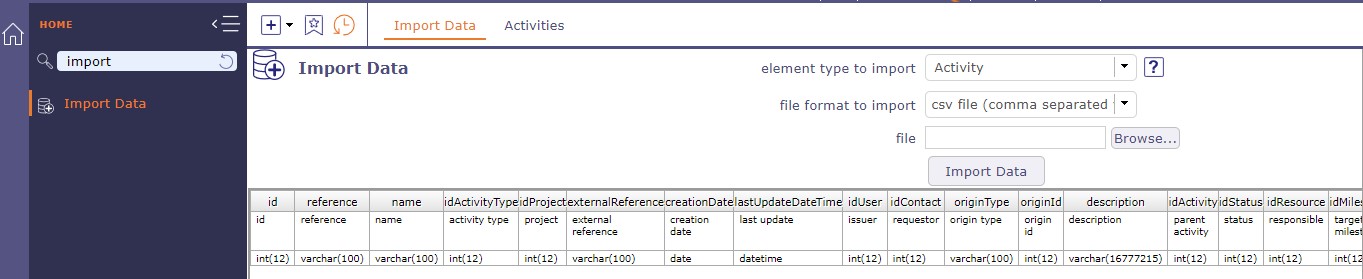
Hi,
I appreciate your continuous support.
I tried as you guided, but still i don't get my purpose solved. Please refer attachments.
PFA

Hello,
We will try to resume slowly step by step:
1 - Activity screen: filter on activities to display only those you want to modify
2 - In the tools of the details area, export the activities you want to modify in CSV
3 - The CSV file is saved from your browser
4 - Open and modify the CSV file in your application dedicated to spreadsheets (excel, openOffice, LibreOffice.
5 - Saving the CSV file
6 - Import data screen in ProjeQtOr
7 - Select the type of element to reimport, for you, the activities
8 - Click on the "Import data" button
9 - The messages on the right side tell you if the activity has been correctly imported or if a problem has been detected. The messages are very explicit.
10 - activities are updated.
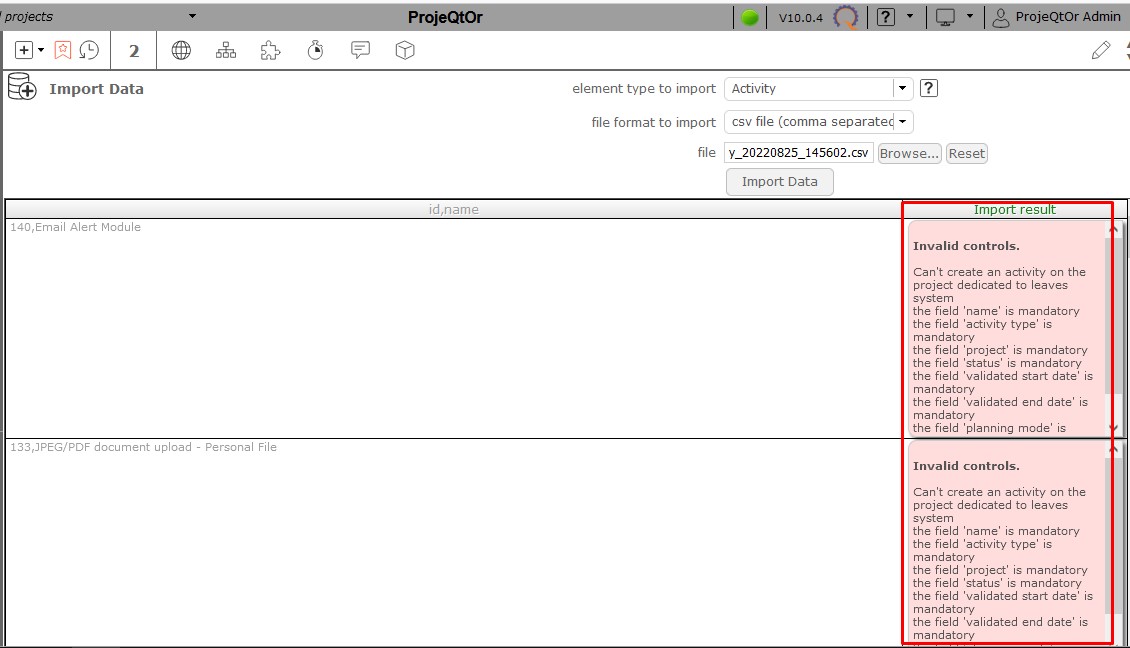
Now your error messages indicate that you are trying to modify activities in the Leave Period project related to HR.
On the one hand, this project is very particular and does not behave at all like the other administrative projects, just like the activities related to the latter.
These are not real activities. They are managed only by the types of absences.
In short, what you are trying to do with the HR project activities is not possible in projeqtor
Hi Expert,
I am following steps you suggested one by one & on the point number 4, what to do?
Please refer attachment.
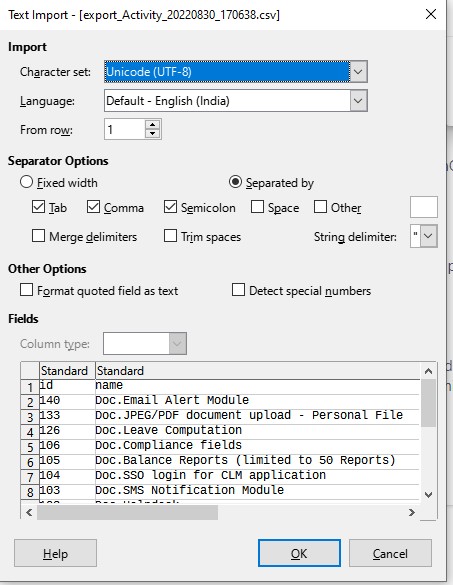
i don't know... maybe test to click on OK... 
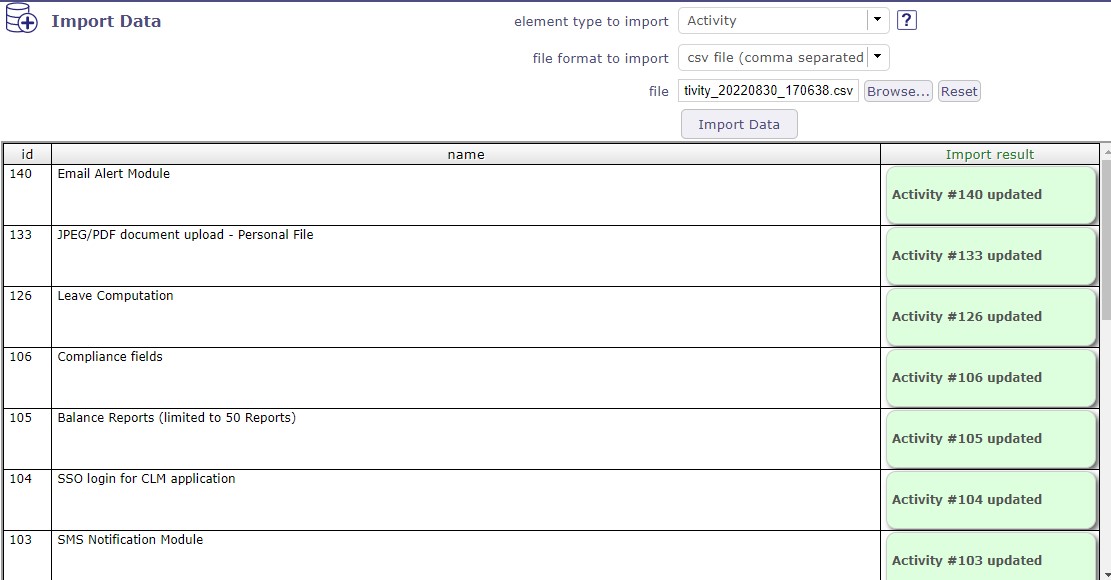
Please find attachment (export_Activity_20220830_170638.csv), what I tried to import for my purpose, but it gives error for all rows in csv file after clicking on import data button. Please refer attachments. I even tried with choosing all mandatory fields too but not succeed with my task.
Moreover, I am doing this activity in project with project with project type other than administrative.
Please correct me if doing anything wrong.

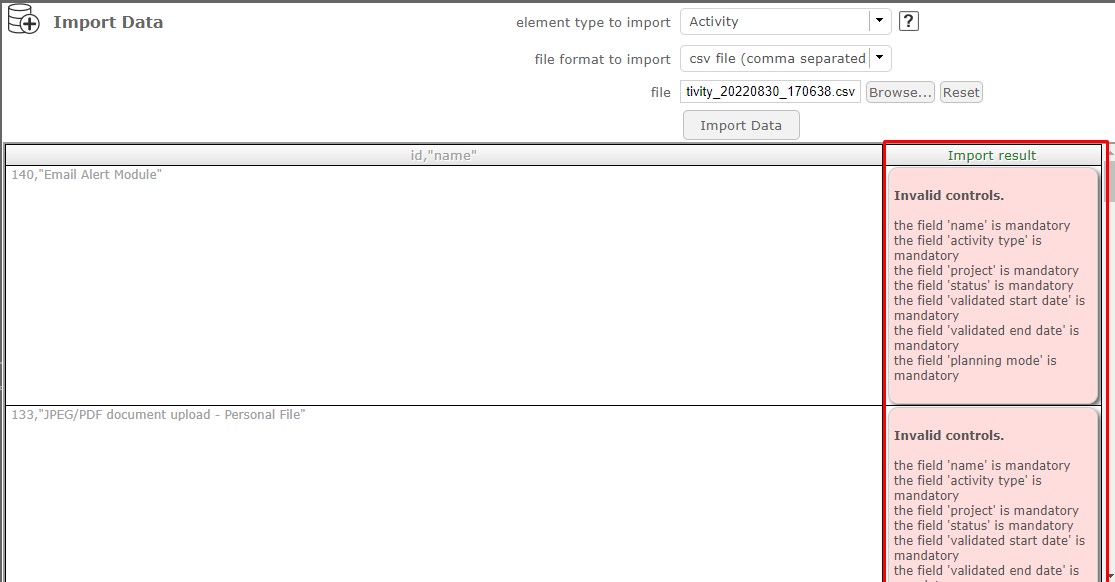

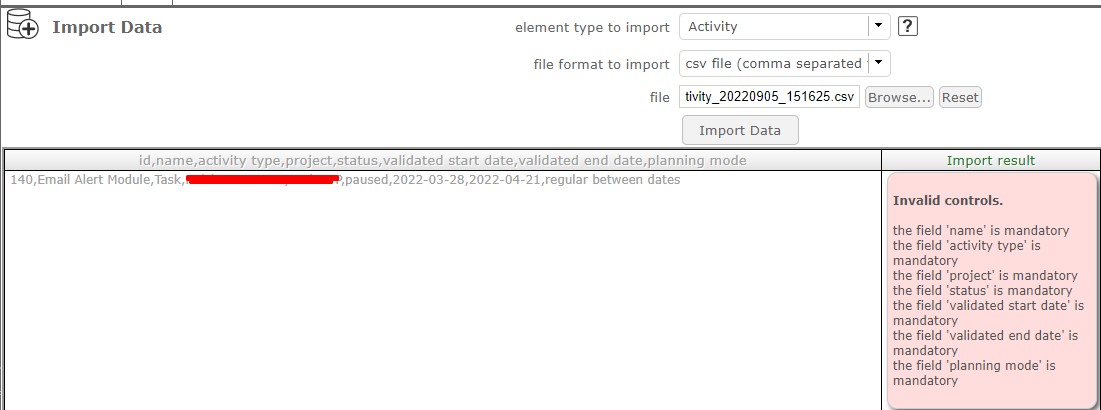
I guess your definition of separator in CSV files (in global parameters) does not fit the format in your file...
Great,
It's done with your help through changing definition of separator in CSV files (in global parameters > System > Translation data ).
Thanks a lot.