
Welcome to ProjeQtOr new Forum. We migrated old forum to the new website.
You will find all your posts here, with your usual account.
Just one point : you’ll have to reinitialize your password. Use “Lost password” feature.

Hi,
I can't see ticket into timesheet for imputation.
How can I see the ticket into the timesheet for imputation ?
Regards,
Fred

Maybe I'm wrong but I think you have to attach a real activity to ticket if you wanna make any imputation on ticket. Either Create a After-Sell Service imputation task or attached it to another specific activity
It'is because my Ticket is already associated to an activities.
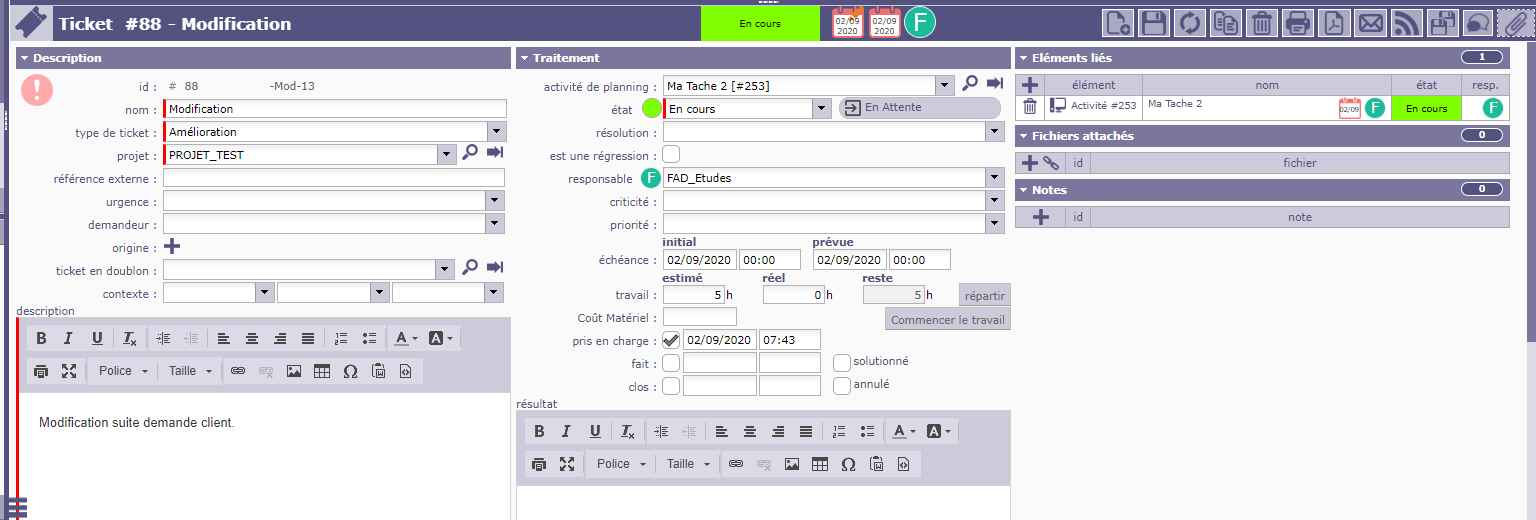
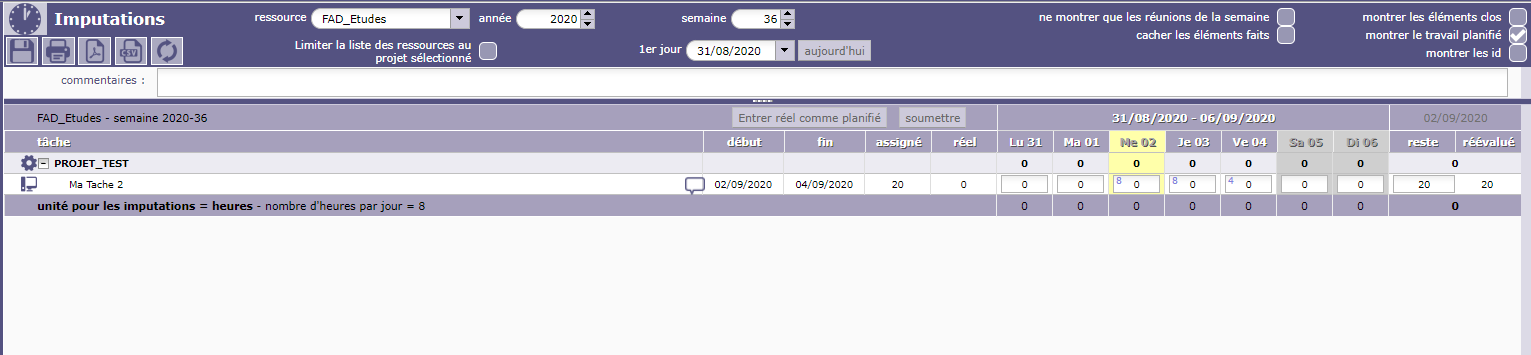
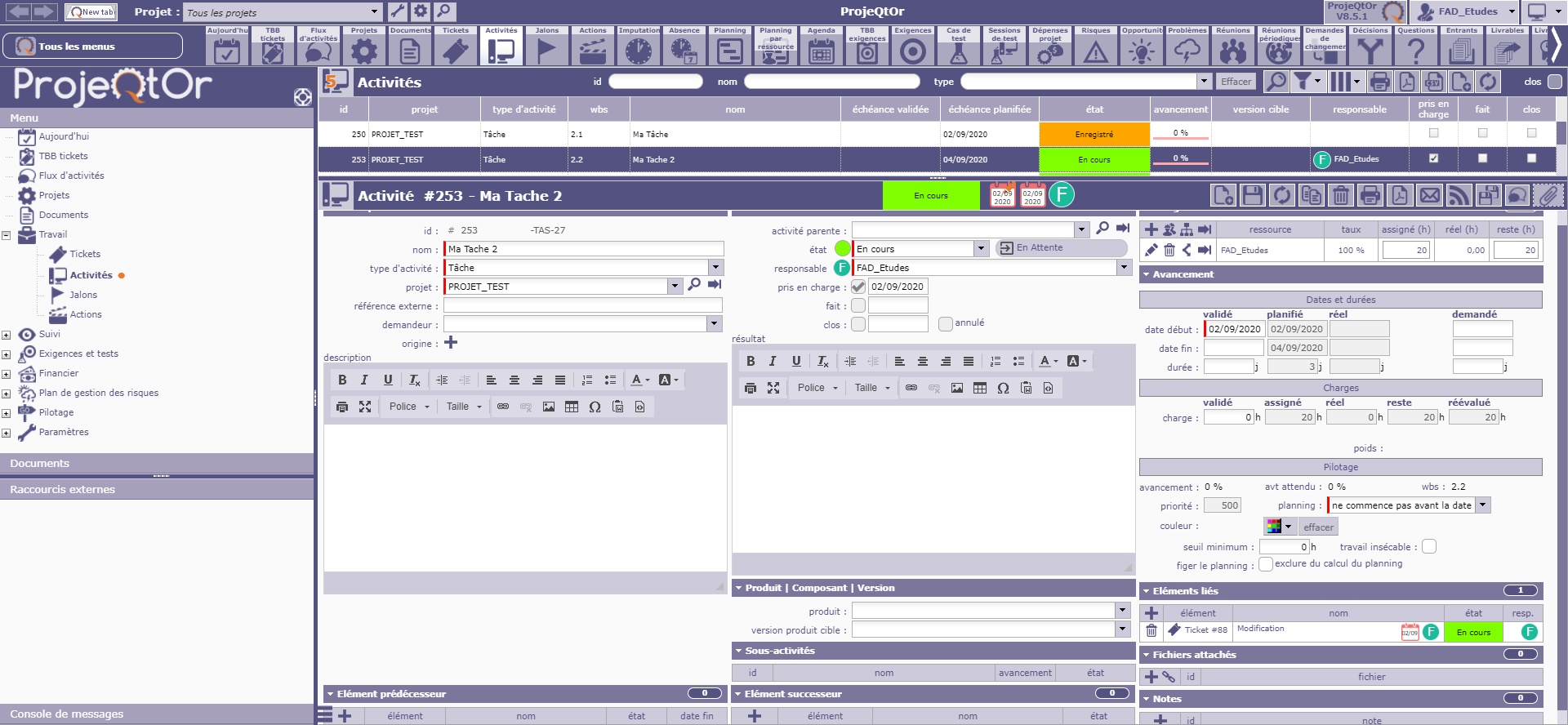
I guess I don't really understand your problem because for me you just have to make some imputations on your activity so ? 🙂
I would like to offer the possibility to my guies, to make imputation on ticket...
Every times we work on scheduled activties. But during the week, we recive a request to make some other job (Not linked to the principal activties scheduled...) during 4 or 6 hours...
I would to manage this work with ticket, because for my understanding, I can use Ticket for the not scheduled activties..It's my understanding..
It is why, I would like to offer the possibilities to make imputation on ticket..
Regards,
Fred
Well, I'm not from ProjeQtor Team, but I guess it's mostly not possible to make imputation on something else that activity…
Ticket is not an activity, it's a not planned event.
For my team, I created a specific activity for tickets ; Time Spent on ticket in visible on ticket and reported onto this activity.

Hello,
i do not really understand your problem.
You can follow and indicate real workload from ticket whatever it is linked or not to a dedicated activity.
whatever your option realwork is of course dysplayed on timesheet
I guess he wants "tickets as an activity" for direct time imputation on ticket and not on the activity linked to it

You can enter real work on a Ticket...
... driectly on the Ticket
And nowhere else.
Idea is that Tickets are "quick" tasks, so you won't loose time to go to Timesheet each time you finish a ticket, you just enter time spend directly on the ticket.
You also have a "start work" button that will automatically enter real work from time spent on the ticket.
Not that quick ^^ !! Some software bug tickets are taking day/month to be solved 🙂 , but as said, just link them to a specific activity for "bug correction" if you really need an imputation line in your project for a better "time project spent" line. That's the easiest way and it's working quite well.
hi
On ticket : treatment : use planning activity . ticket(s)will be linked to this activity
Very simple.
Many Thanks Everybody,
OK, I understand,
I will do by this way !
Regard
Fred