
Welcome to ProjeQtOr new Forum. We migrated old forum to the new website.
You will find all your posts here, with your usual account.
Just one point : you’ll have to reinitialize your password. Use “Lost password” feature.

I created a product linked to my project:
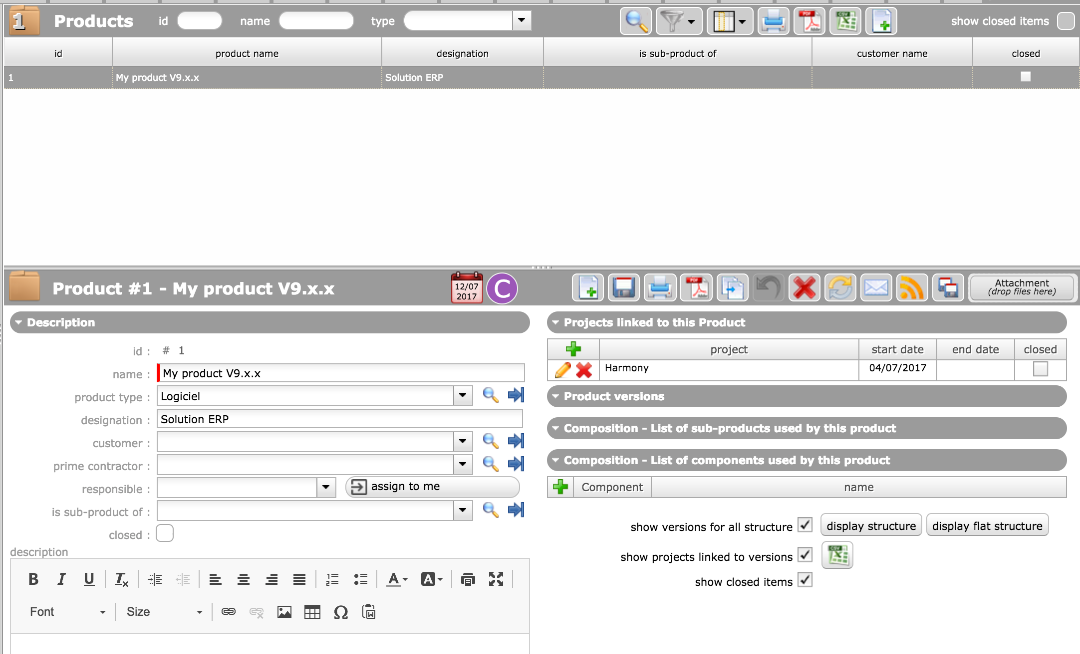
My "pilote" profile has a "manager" rights profile (not changed from the installation of projeQtor).
When connected with the user "pilote" and trying to add a product, nothing shows:
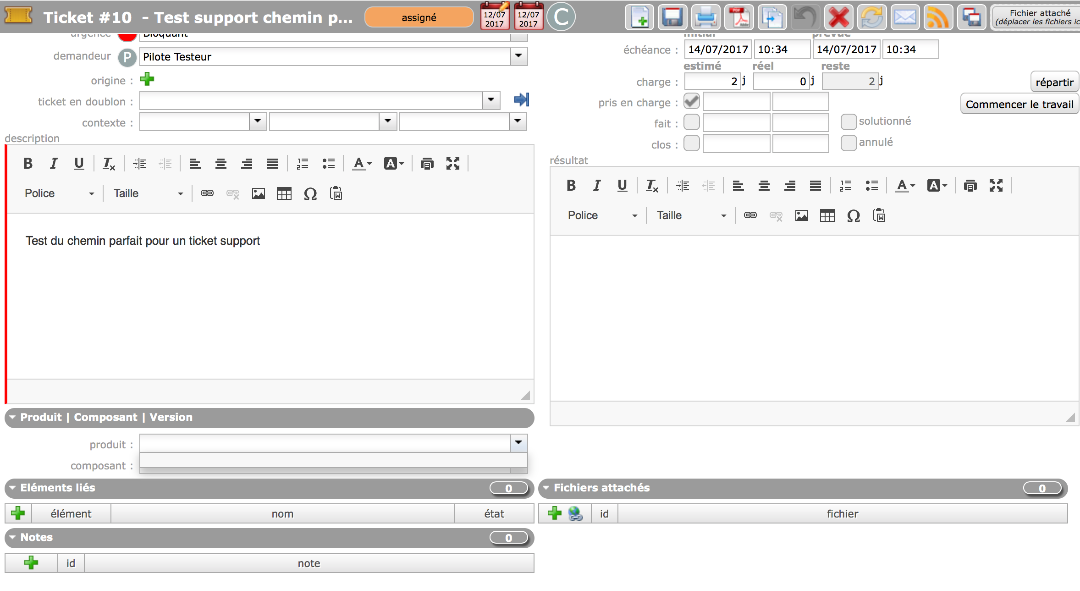
The field is empty and no "magnify" icon is shown.
I tried to modify every possible access right I found, but was unable to find a way to change it.
1) How do I allow a user to set up a product?
2) Do I have a way to define a default value?
3) Same question for any field on the tickeMain
Thank you for your patience.

The field is empty and no "magnify" icon is shown.
Tis icon is displayed depending on "specific access" definition.
1) How do I allow a user to set up a product?
Give access rights is habilitation section
2) Do I have a way to define a default value?
No, not with standard version.
With the screen customization plugin, you could set it as required, and first in the list will automatically become the defaut one, or you can set defautl value with the plugin.
3) Same question for any field on the tickeMain
Same answer 😉
The field is empty and no "magnify" icon is shown.
Tis icon is displayed depending on "specific access" definition.
1) How do I allow a user to set up a product?
Give access rights is habilitation section
I tried in the:
- "Access rights"-> "specific access": but found no section that would "logically" fit with the product.
- "Access rights"-> "profile": went to "restrict types" and check/unchecked the "product" section => no change.
Question : By the way: the "restrict types" functionality is not clear => the "title" expresses that checking a box will FORBID the access, but the sentence on the pop up "when restricting types, only these types will be displayed for users of this profile" expresses the opposite: "checking a box will GRANT the access" so I am not sure of what it does and I tried both. 🙂
Still having the same screen (updated the first ticket that was not showing the right screenshot).
Kitcat711
PS: Still discovering the product, not ready to buy the plugin yet (are the updates included in the price / license ?)
Thanks again
- "Access rights"-> "specific access": but found no section that would "logically" fit with the product.
"Access Rights" > "Specific access" > Section "Display specific buttons" > "Parameter display of combo detail button"
- "Access rights"-> "profile": went to "restrict types" and check/unchecked the "product" section => no change.
"Access Rights" > "Acces to forms" > Section "Configuration Management" >, check line "Product" for correspondng profiles
"Access Rights" > "Acces to data (not project dependant)" > first section > Line "Product" > select "write" for corresponding profiles
Question : By the way: the "restrict types" functionality is not clear => the "title" expresses that checking a box will FORBID the access, but the sentence on the pop up "when restricting types, only these types will be displayed for users of this profile" expresses the opposite:
I cannot see the term FORBID. It is alway subject of RESTRICTION.
What may be not clear, is that when no item is checked, no restriction is pallied. When at least one is checked, only checked ones are visible.
Still discovering the product, not ready to buy the plugin yet (are the updates included in the price / license ?)
Yes, of course.
I cannot see the term FORBID. It is alway subject of RESTRICTION.
What may be not clear, is that when no item is checked, no restriction is pallied. When at least one is checked, only checked ones are visible.
You are right, the word FORBID is not shown.
Nevertheless, To RESTRICT is to FORBID some access.
Your second sentence is true: the concern is that the behavior change depending of "at least one is checked".
I believe that could be improved by:
- giving a proper title: in fact this part about AUTHORIZATION and not RESTrICTION, it shows what is allowed (when checked).
- not changing the meaning depending of the "at least one is checked" - which is so far still not clear, does this rule apply line by line or for the whole screen - by default, if I understood well, all checkbox are checked (everything is authorized)
#my2cents 🙂
To RESTRICT is to FORBID some access.
No, restrict is not forbit, it is the opposite (allow only).
If you have A and B, restrict to A allows A and not B, forbid A allows B and not A
You are right and I got it.
Still, the fact that "empty" means "everything allowed" and "un check box" means "only the checkbox is allowed seems weird to me.
It that for the all screen, or by section?
I mean if on section got one checked box but other do not have any , what is the behavior of those having no checked box?
It is per line (per item).
If you have 1 checkbox checked for one item (let's say "Action"), then list of types for this kind of item (Action) is restricted to selected type. Other items (Activities, Tickers, ...) have no restriction