
Welcome to ProjeQtOr new Forum. We migrated old forum to the new website.
You will find all your posts here, with your usual account.
Just one point : you’ll have to reinitialize your password. Use “Lost password” feature.

Hi all,
A member of my team quit just after a few days we started to use ProjeQtor (so it was not fully configured) and now I am trying to delete this person from the system, but I can't delete the contract:
When I put and 'end date' and save it, the system just change the 'start date' instead.
I can't modify the status without entering a new 'end date'.... and it is going in loops anyway!
I can't even modify the name/type of contract...
How can I remove completely this person from the system?
Thanks in advance.

Just "close" it.
Hi,
I wouldn't submit this request if the 'close' option would have worked...
As I said, when I try to close it (stating the date and the reason), it creates a new line named 'New Unemployed contract'.
I can't edit anything in this new line, apart from the end date (not even the status), which generates a new line, with same name but different date...
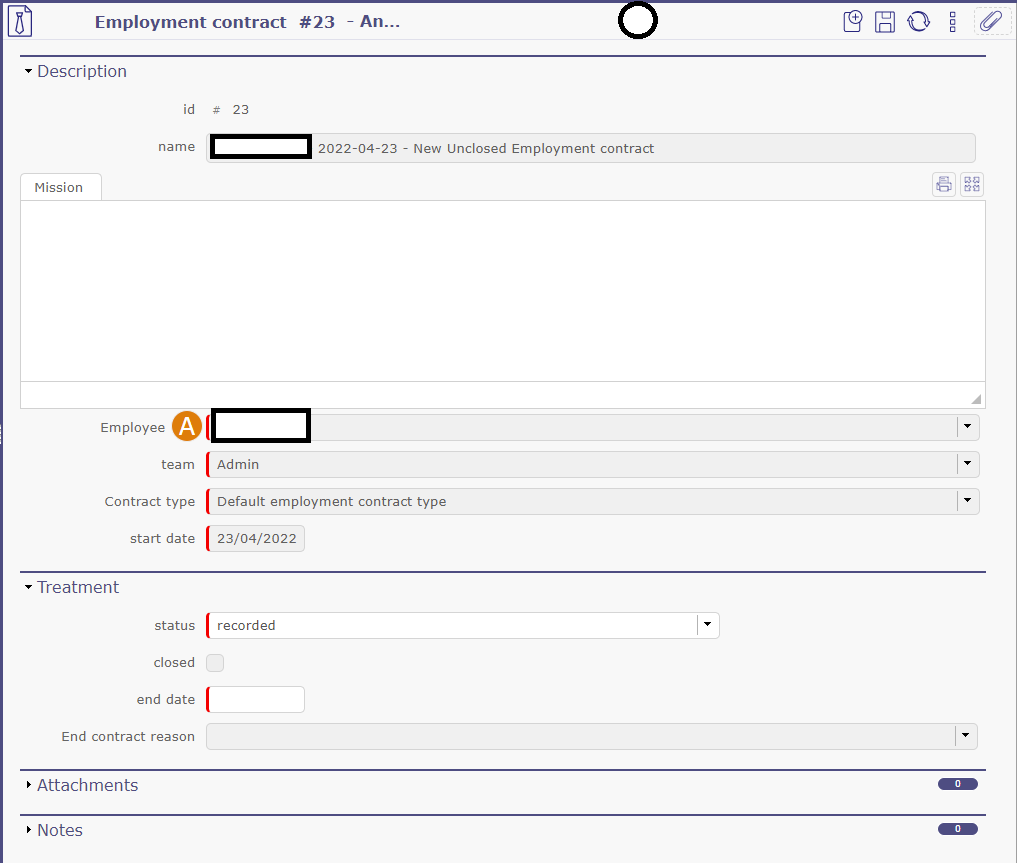
Any other idea?
To close the contract, you need to enter end date and end reason (update list of end reasons before as none exist by default).
But my idea was to close the employee, not the contract.
Thanks for the suggestion, but I already did that; I still can't remove the contract line automatically generated...
Plus, that person appears in the Leave rights earned and leaves dashboard, which I can't close either...
Very frustrating...

Having same problem in v9.5.4.
After employee left the organization, I
- closed the employment-contract
- closed user, resource
- ended all leave-rights-earned
But I can't figure out, how to get rid of the employee in Leave Dashboard.
Do you have a little hint or idea on what I have overlooked?
Best regards,
Torben
Go to screen Resource, for the resource corresonding to the Employee uncheck option "is an employee"
Then close the resource.
Yes - that solved the problem!
Many thanks ...
Best regards,
Torben