Good day!
Same issue Here, the site does Not load on iPad.
Not even using a different browser on iPad fixes the issue.
Is there a plan to implement a fix?

We cannot reproduce this issue.
Possibly because it a specific configuration issue of your iPad 
Possibly because we don't test on iPad as we don't have an iPad 
Please check for errors in browser console and report them here.
Seems that ipad does not support by default developer tools to check for web issues? Apple its solutions start to look more and more like baby tools.
I have downloaded an inspector and it gives this:

Unfurtunately this does not help.
To be sure : on your iPad you try to reach projeqtor installed on a server ?
Is your server reach&bled through internet ?
Can you share url you use to reach it ?
I will send you the link in your pm.
This forum does not have a pm box system?
hi,
PM system not working fine (Joomla uddeIM not compatible with recent PHP versions)
Please use contact form to send us private information
Hi,
I received your message through contact form.
Your instance is reachable through the internet.
But is is not secured : it is http and not https.
So possibly your iPad borwser rejects the connection to the "non" secured instance.
Try and configure https acces on your server.
NB : you may try to access demo https://demo.projeqtor.org, I guess ot will work on your iPad.
I have configured ssl and its the same behavior.
I surfed to the demo website and it has the same behavior.
It is a big limitation that I cannot send people out with ipads using projeqtor.
Hi,
I am not an expert on Apple products, but I know that ProjeQtOr can be accessed from Mac and iPhone.
So I don't know about any limitation that forbits to access ProjeQtOr from an iPad.
Possibly there is some security restriction on your iPad that forbids correct execution (no javascript, or something like that)
If any community member knows about using ProjeQtOr with an iPad maybe he may help.
I'm afraid I've reached the limits of my technological skills here, but really, ProjeQtOr should work from an iPad

My experience with this:
Was using Projeqtor 10.x without any issue. Accessed from any browser on any OS. Everything worked.
Upgraded to 11.3.x. I can see a login screen, but once I login I have a blank page. Developer inspection shows me that much .js and .css files were downloaded, but what is drawn on the screen is ... blank.
Upgraded today to 11.4.1. Same experience.
On macOS 15 I've tried:
Firefox v133
Safari
Chrome
librefox
On iOS 18 I've tried:
Safari
Firefox
If I visit your demo page I can login, I get a blank page for a brief moment, then I get the expected interface.
In my efforts to debug this I have:
Completely blown away my SQL data and started from scratch (this would make me VERY sad if I had many projects in there from 10.x). No help.
Completely blown away the Projeqtor installation and reinstalled from scratch. No good.
In the developer Console I see "Unreachable code after return statement" errors (two of them), and a dojo error:
"Synchronous XMLHttpRequest on the main thread is deprecated because of its detrimental effects to the end user’s experience. For more help https://xhr.spec.whatwg.org/#sync-warnin g"
After that I see two XHR transactions, and a final GET for the logo.ico file. After that - nothing. No activity at all.
If I dig into the last XHR response I see a lot of what I assume is JSON. Evidently it's trying to present a configuration screen.
If I delete tool/parametersLocation.php and reload I do actually see the setup screen. Unfortunately there are no buttons on it that allow me to accept (or cancel) my changes.
It really seems javascript is not enabled on your iPad.
I am not on an iPad, but rather am saying that the same problem your iPad user is reporting I am also seeing on macOS with any number of widely used, off-the-shelf browsers including Firefox, Chrome, Safari.
I assure you that JavaScript is very much enabled on this browser.
When you delete parametersLocation.php, you force the reconfiguration, so get to initial setup screen.
You have here all parameters and a button "save configuration".
I don't see any reason not to have the "save configuration" button
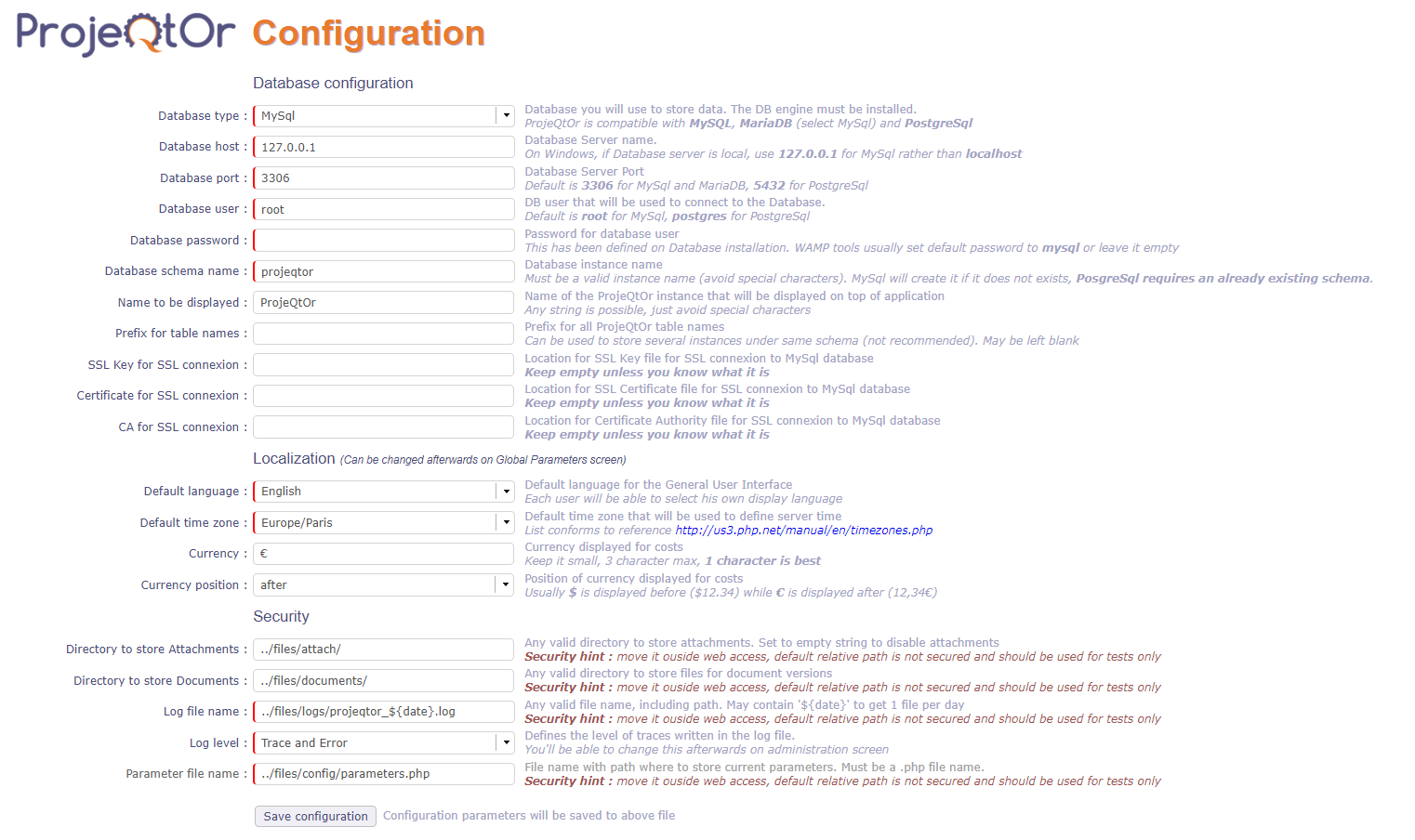
Then all prerequisites are checked and you get the button "continue"
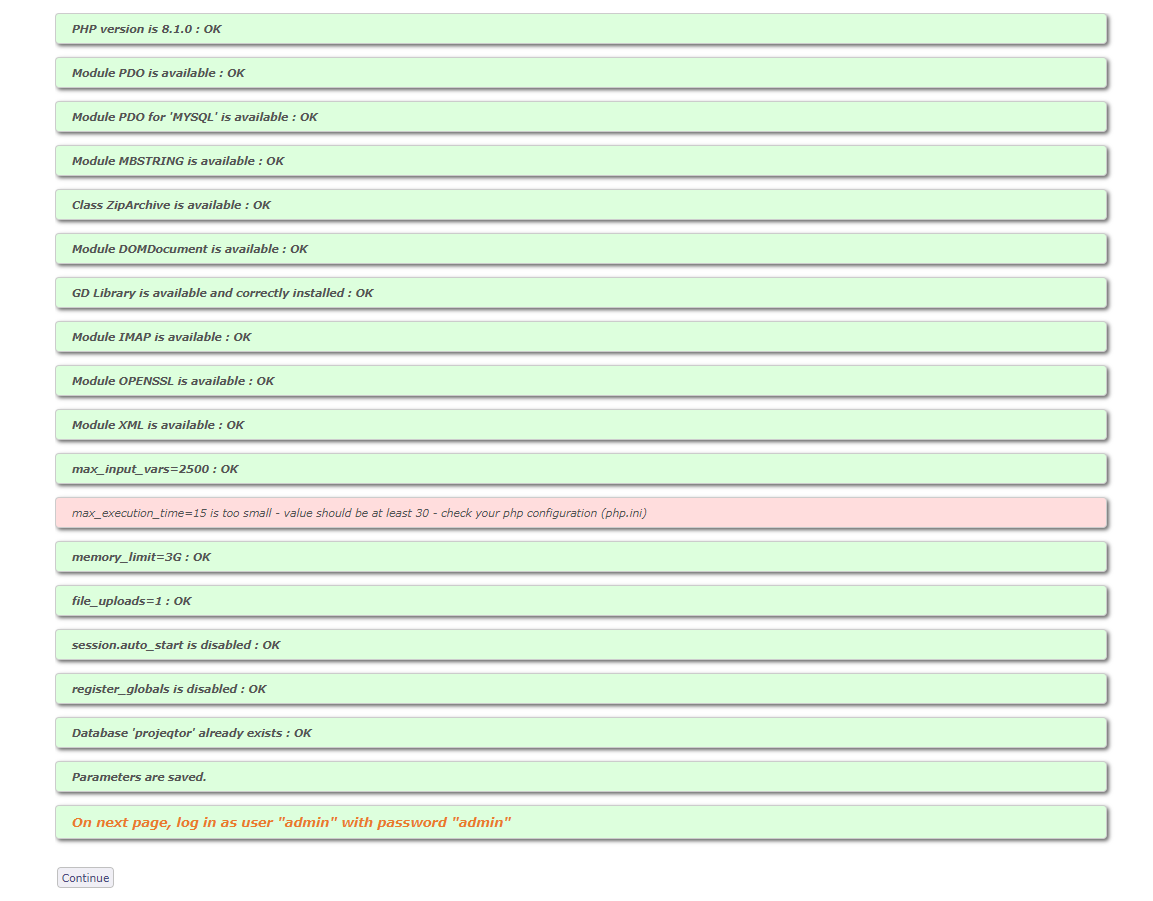
If you don't see the buttons, there is a serious issue.
Try and inspect page (right click, inspect) where button is supposed to be.
You should see attributes of the button, and possibly errors reported (not applied attributes for some reason)

I’m having the same issue. It’s on my iPad, iPhone, and Mac using Safari, Firefox and Chrome. What I’ve noticed is that if I load the page, the first time it loads it’s white, when I refresh, the login screen shows briefly, then the screen goes white. When I refresh for the 3rd time, the login screen appears and the application seems to work as expected. I have SSL enabled, and it’s a pretty typical use case. I have a fresh install of ProjeQtOr, and am running PHP8.1, although, I have tried php7.4 to 8.4 with the same results. I’ll try pulling up the debugger tonight when I get home, but this is a pretty big issue for me because I won’t be able to go-live in this state.
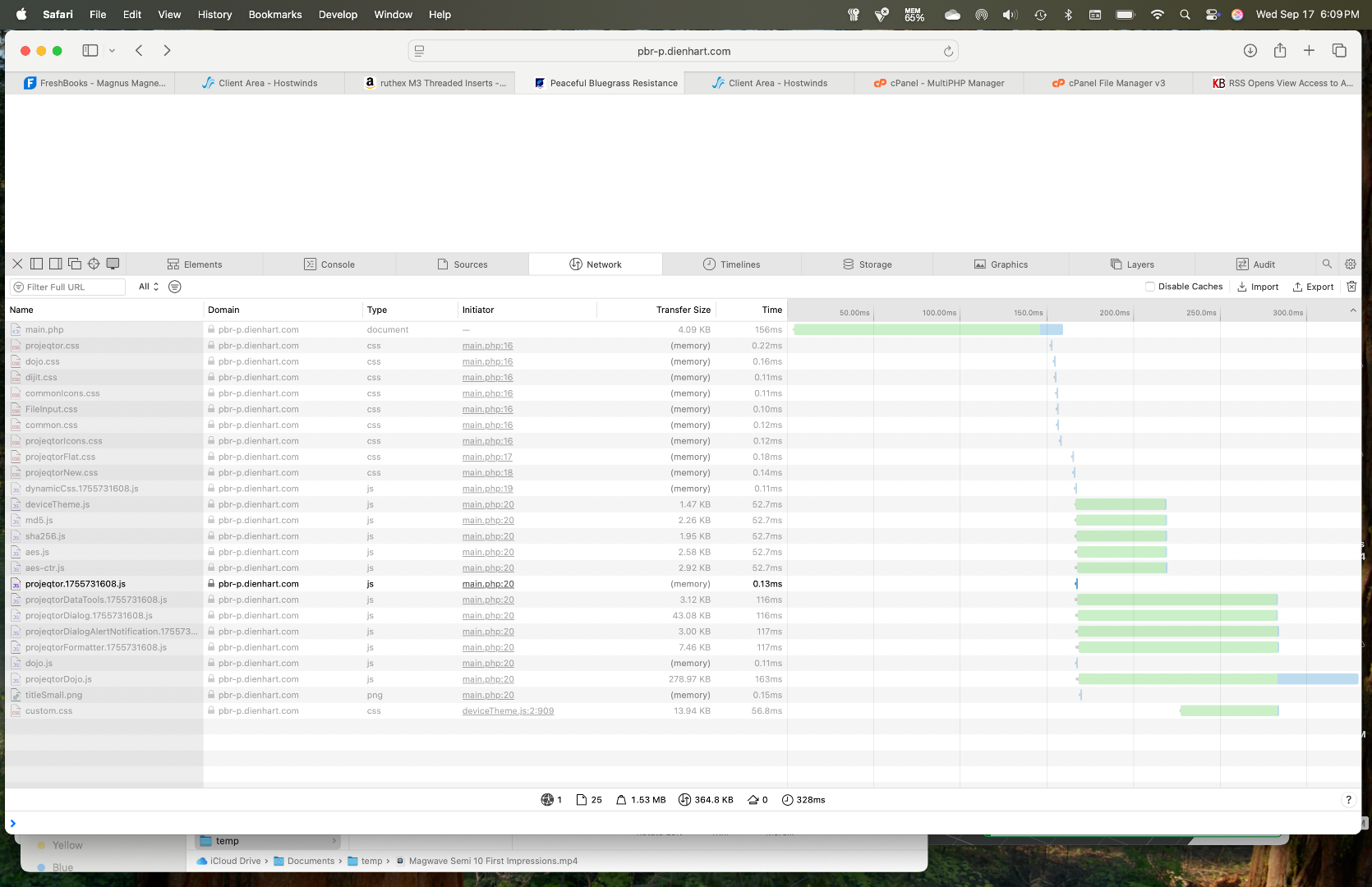
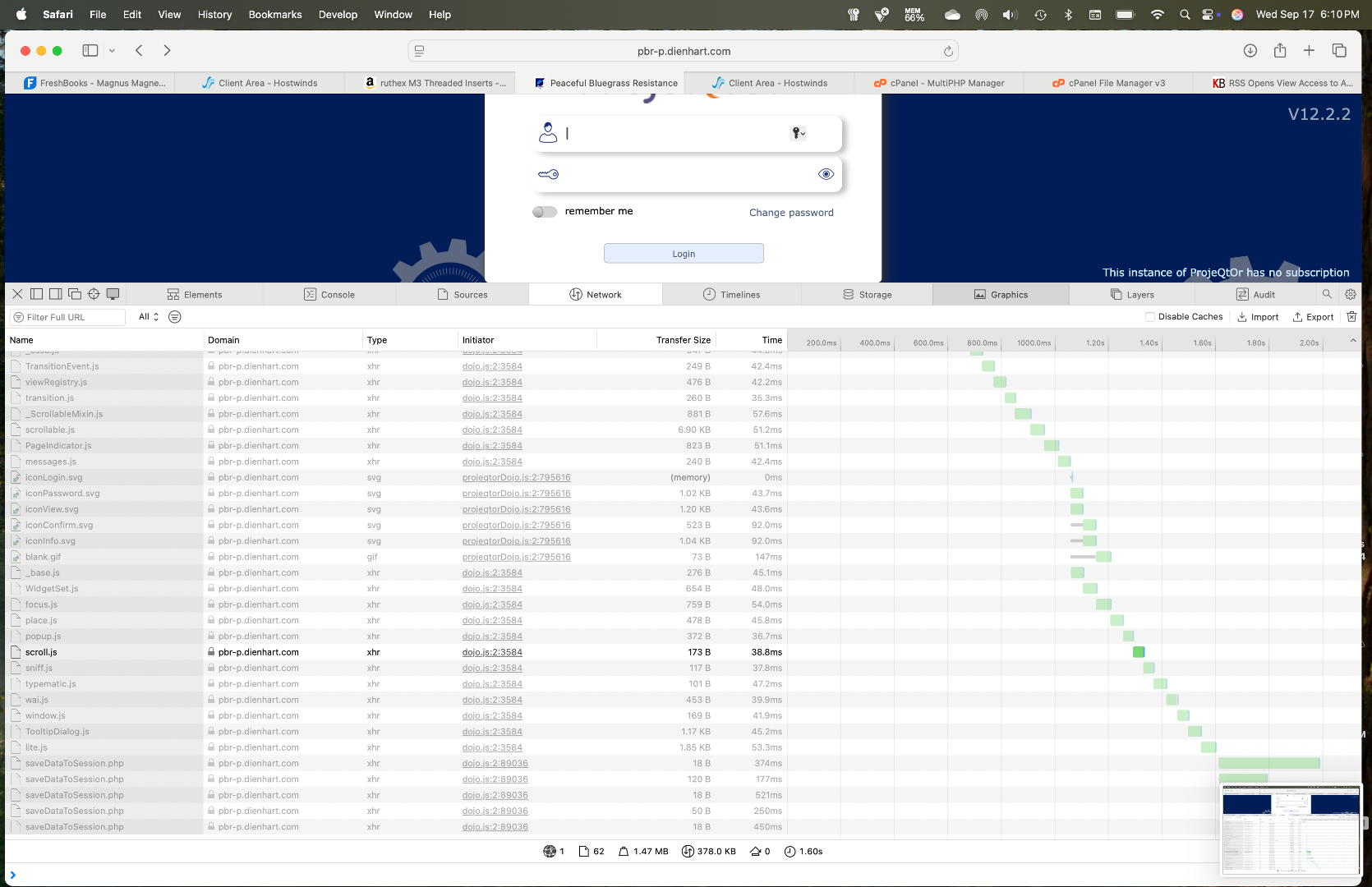
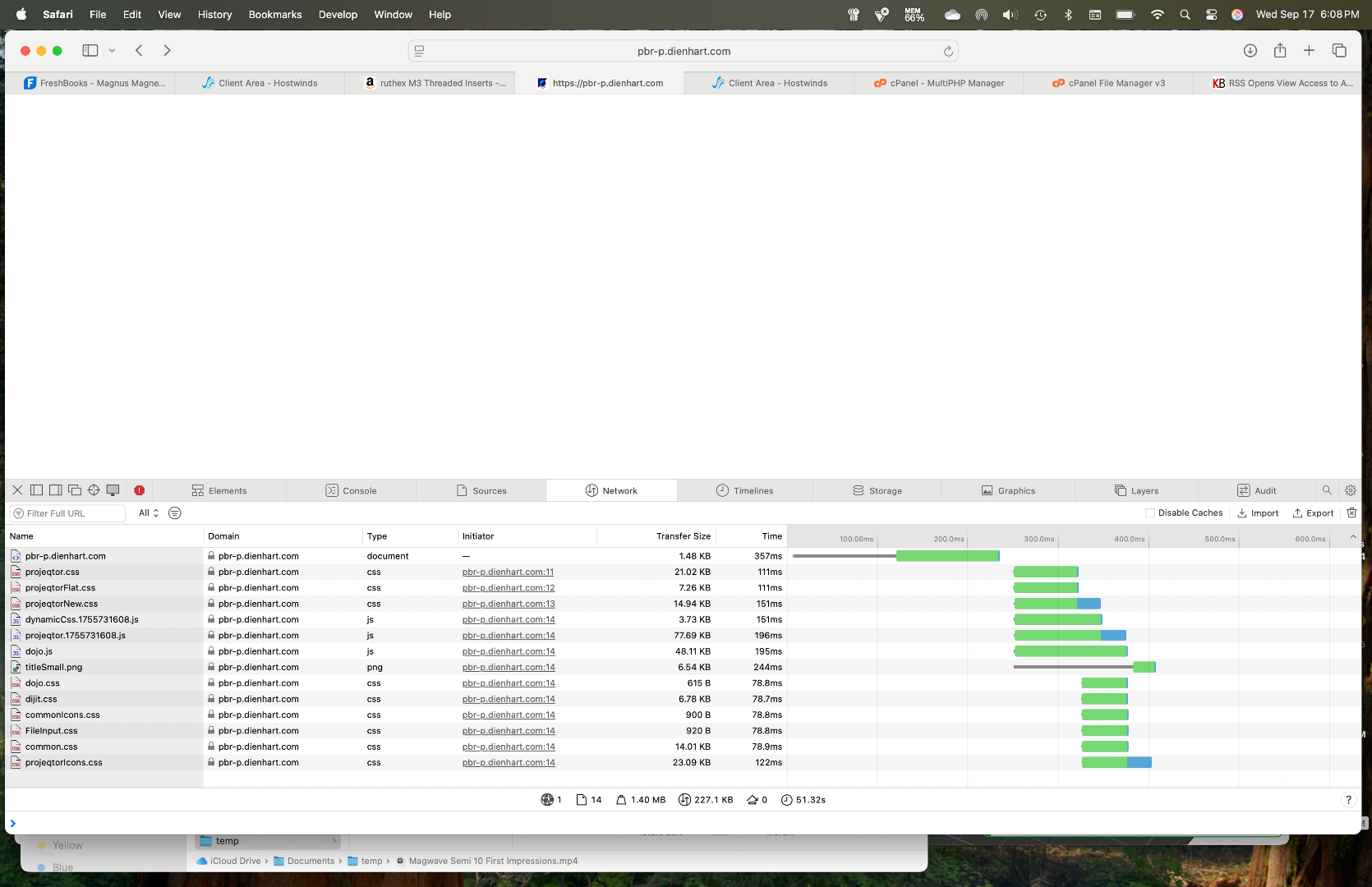
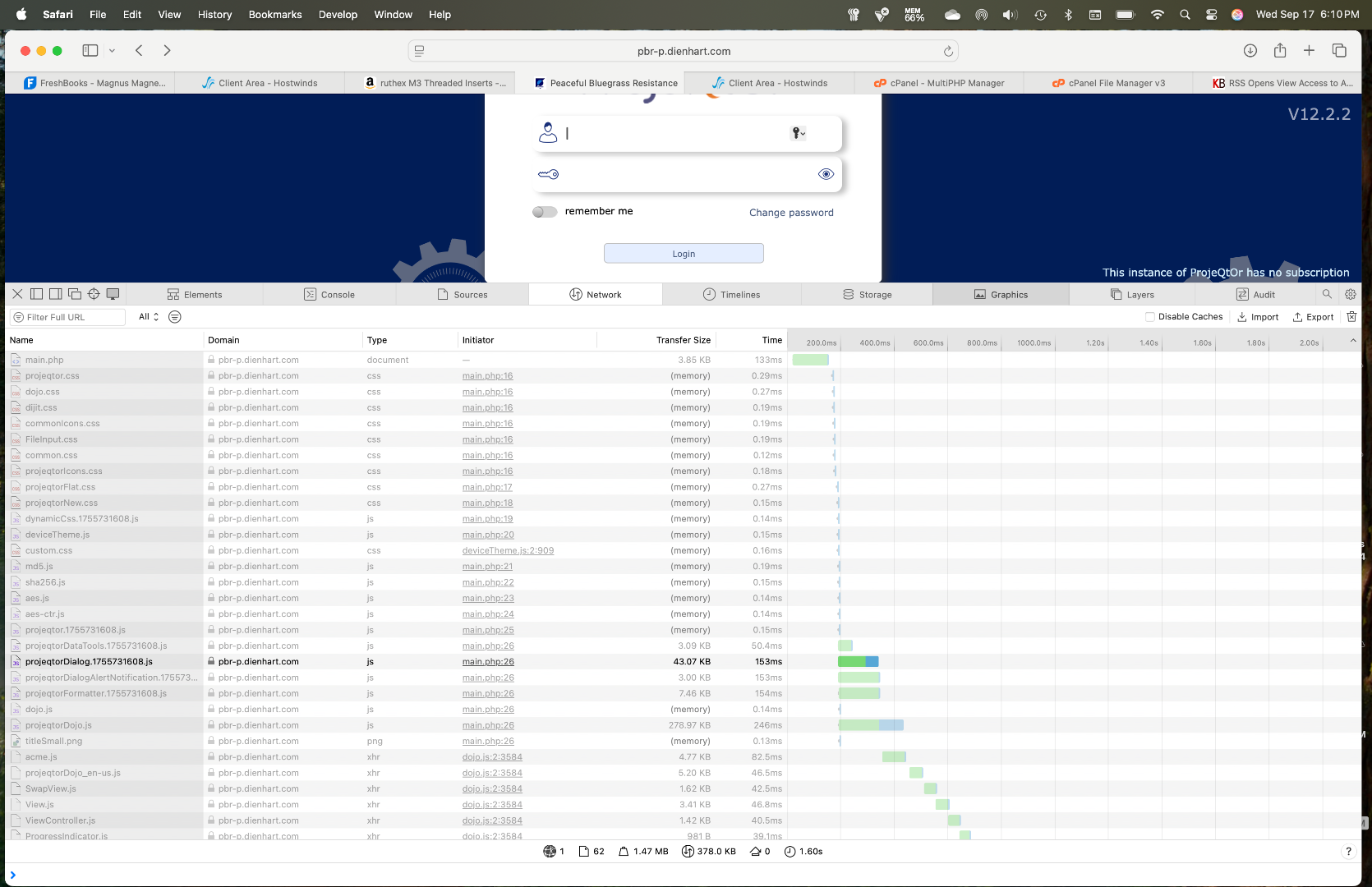
Here are the network web inspector screenshots from safari on Mac:
Initial Load: 6.08.36
2nd Refesh: 6.09.39
3rd Refresh: 6.10.08 and 6.10.04
Let me know if you need anything else.