
Welcome to ProjeQtOr new Forum. We migrated old forum to the new website.
You will find all your posts here, with your usual account.
Just one point : you’ll have to reinitialize your password. Use “Lost password” feature.

Hello,
We have some bugs in display with IE9 and IE10, we can't migrate to IE11.
List of activities is not refresh (size), some fields aren't display in parameters....
In chrome and firefox, it seems good.
I have attached some screenshots.
I have clear all cache in browser.
Thanks
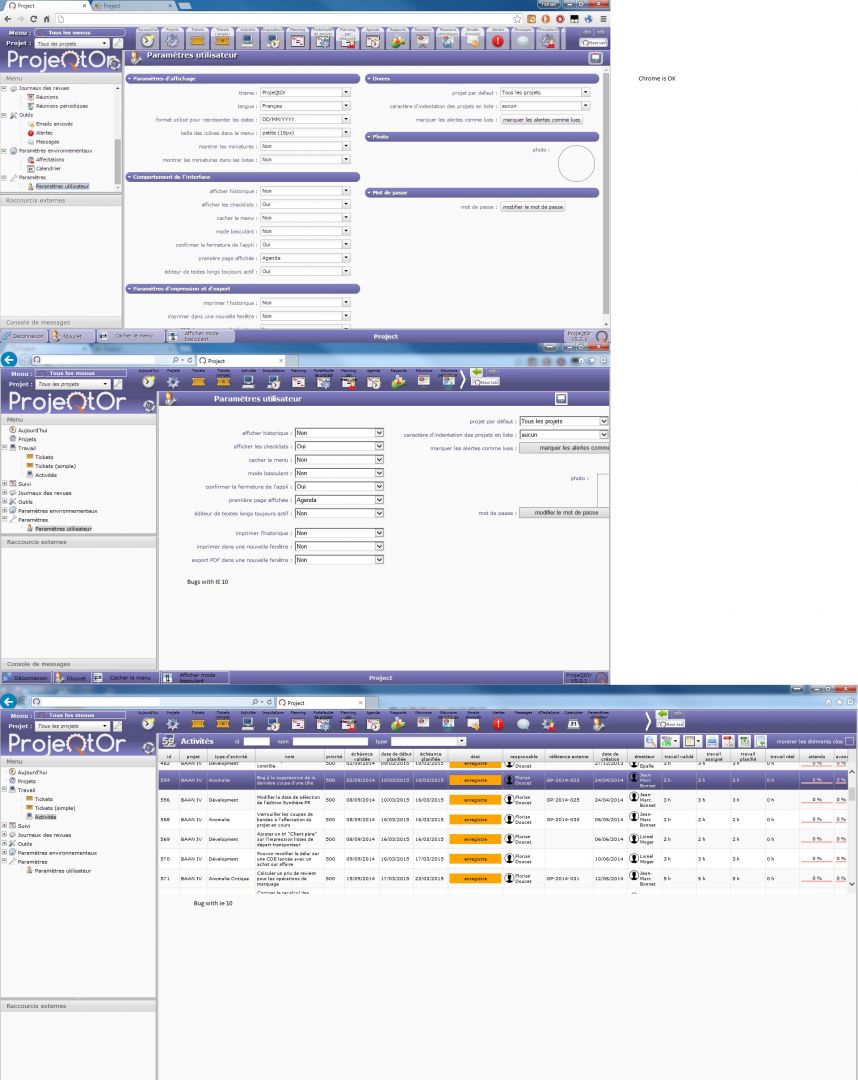

List of activities is not refresh (size)
Please detail what happens (use case, expected behavior, existing behavior)
some fields aren't display in parameters....
Cannot reproduce. Works fine on IE9, IE10 and even IE8.
Check for errors in browser console and report here (I'm almost sure there is one).

Hello,
when upgrading to a new version, I'm killing the cache on IExx!
Maybe it solves the problem!
Regards
Mathias
i solved the problem, i have change the document mode on IE, it was IE7, i change to "norme" or "ie9" and now it's good

Hi,
I have the same issues on main projeqtor install v5.0.5 with IE 11.
For example, when i create a project, the "history" array is behind the "affectation" array
With IE11, we can't change definitely compatibility mode like in IE < 10. Everything is ok on chrome for me.
Why not use meta tag X-UA-Compatible on source code ?
Have a nice day
With IE11, we can't change definitely compatibility mode like in IE < 10.
Indeed you can.
In Tools/Compatibility mode : remove site from list.
Why not use meta tag X-UA-Compatible on source code ?
Tried it but did not seem efficient with IE11.
Will tyry it again for V5.1
This issues is solved !
Precisely, the display issues were due to the compatibility mode of Internet Explorer 11.
In the compatibility mode windows of IE11, the option "display all intranet site in compatibility mode" was checked.
So if i uncheck this option, all the display issue disappeared.
So for projeqtor, no need to use compatibility mode of Internet Explore
Have a nice day